EasyManua.ls Logo

Casio XJ-A146 - User Manual

Casio XJ-A146
58 pages
Print Icon
To Next Page IconTo Next Page
Loading...
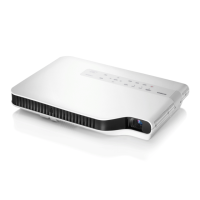
DATA PROJECTOR
XJ-A141/XJ-A146
*
XJ-A241/XJ-A246
*
XJ-A251/XJ-A256
*
User’s Guide
z Be sure to read the precautions in the separate Setup Guide.
z Be sure to keep all user documentation handy for future
reference.
E
* USB Port Models

Table of Contents

Other manuals for Casio XJ-A146

Questions and Answers

  • L
    lewissandraAug 15, 2025
    Why does my Casio XJ-A146 Projector wireless LAN connection keep dropping?
    • L
      lopezmaryAug 15, 2025
      If your wireless LAN connection between the projector and computer is unstable, there are a few things to consider. First, if you're running any other wireless LAN utility besides Wireless Connection 3 on your computer, close it. Second, the projector and computer may be too far apart, or there might be a physical obstacle like a wall between them. Try moving them closer or removing the obstacle. Finally, a nearby microwave oven, Bluetooth device, or other device could be interfering with the wireless LAN signal. Try relocating the interfering device.
  • H
    Hayley RosalesAug 18, 2025
    What to do if computer screen won't project from Casio XJ-A146 Projector?
    • S
      Steven RamosAug 18, 2025
      If you've successfully established a wireless LAN connection but the computer screen contents won’t project, ensure that 'Wireless' is selected as the input source by pressing the [INPUT] key on the projector. If 'Wireless' is already selected, click the button on the computer’s Wireless Connection 3 window. Also, if the projection image has been frozen or cut off, press the [ESC] key to cancel the freeze/blank operation.
  • M
    matthew78Aug 21, 2025
    How to fix Casio XJ-A146 when [Reconnect] remains on the Wireless Connection 3 window?
    • K
      kgrahamAug 21, 2025
      If the '[Reconnect]' message persists and your computer won’t connect to the projector, try the following: - Close any other wireless LAN utilities running on your computer besides Wireless Connection 3. - Move the projector and computer closer to each other, removing any obstacles like walls. - Relocate any nearby devices that could be interfering with the wireless LAN signal, such as microwave ovens or Bluetooth devices. - Ensure the projector is turned on. - Enable the computer’s wireless LAN function, if it is disabled. - Check that the computer’s wireless LAN function satisfies the required 'Wireless LAN' conditions under 'Minimum System Requirements'.
  • R
    Robert ChavezAug 25, 2025
    What to do if Casio XJ-A146 Projector power has turned off automatically due to internal overheating?
    • L
      Leonard CastroAug 25, 2025
      If your Casio Projector's power has turned off automatically because of internal overheating, follow these steps: 1. Check the projector’s intake and exhaust vents for any blockages, ensuring sufficient space around the unit. 2. Remove any dust accumulated around the intake and exhaust vents. If the vents are clear, confirm the POWER/STANDBY indicator is lit amber (without flashing), and then turn the power back on. If the error repeats upon restart, it indicates a deeper issue.
  • C
    cwadeAug 27, 2025
    Why Projector List dialog box won't display in Casio XJ-A146?
    • D
      Douglas DawsonAug 28, 2025
      If Wireless Connection 3 is running but the Projector List dialog box doesn’t appear, first make sure all of the projectors are turned on. Then, check that all of the projectors have wireless adapters installed. Also, if the projectors and computer are too far from each other, or there is a physical impediment, move them closer and/or remove the impediment. Finally, relocate any nearby microwave ovens, Bluetooth devices, or other devices that may be interfering with the wireless LAN signal.
  • T
    Taylor WilliamsAug 31, 2025
    How to improve slow projection image switching on Casio XJ-A146 Projector?
    • L
      Lynn SantosAug 31, 2025
      To improve slow projection image switching, check the projector’s 'Projection Setting'. If 'High-resolution' is selected, change the setting to 'High-speed'. Also, if your computer is running Windows Vista or Windows 7, try disabling Windows AeroTM.
  • D
    David OconnorSep 2, 2025
    What to do if System Admin front page doesn't appear on Casio Projector?
    • P
      Peter PerkinsSep 3, 2025
      If the System Admin front page does not appear when you enter the projector's IP address in your web browser, reconnect the wireless LAN between the projector and computer if the connection was terminated. Also, the browser you are using may be configured to use a proxy server. Disable the proxy server configuration.
  • A
    Angel FisherSep 5, 2025
    Why isn't the SSID of my Casio XJ-A146 showing on the Projector List?
    • R
      Richard ClarkSep 6, 2025
      If the SSID of the projector you want to connect to is not listed in the Projector List dialog box, check the 'SSID Broadcast' setting of the projector. If it is set to 'Disable', change it to 'Enable'. Also, ensure that the projector is turned on.
  • M
    michaelsellersSep 9, 2025
    How to display username when projecting from a computer on Casio Projector?
    • E
      Emily BurnettSep 9, 2025
      To display the user name when projecting from a computer, make sure that 'On' is selected for the 'Show User Name Display' item on the System Admin page 'Setup' screen.
  • K
    Kenneth ColeSep 12, 2025
    Why System Admin page does not appear from Wireless Connection 3 on Casio XJ-A146?
    • M
      Mark TaylorSep 12, 2025
      If the System Admin page does not appear when you try to access it from Wireless Connection 3, it might be because the browser you are using is configured to use a proxy server. Since a proxy server configuration can prevent access to the System Admin page, you should change your browser configuration.

Casio XJ-A146 Specifications

General IconGeneral
Brightness2500 ANSI Lumens
Resolution1280 x 800 (WXGA)
Light SourceLaser & LED Hybrid
Lamp Lifeup to 20000 hours
Projection SystemDLP
ConnectivityHDMI, VGA, USB
Throw Ratio1.5 - 1.8:1
Screen Size30 - 300 in
Output PortsAudio Output (3.5mm)

Related product manuals