EasyManua.ls Logo

Casio XJ-A130 - User Manual

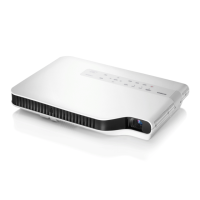
Casio XJ-A130
37 pages
Print Icon
To Next Page IconTo Next Page
Loading...
DATA PROJECTOR
XJ-A130/XJ-A135
*
XJ-A140/XJ-A145
*
XJ-A230/XJ-A235
*
XJ-A240/XJ-A245
*
DATA PROJECTOR
XJ-A130/XJ-A135
*
XJ-A140/XJ-A145
*
XJ-A230/XJ-A235
*
XJ-A240/XJ-A245
*
*ÕÓÂብފȠʬʑʵ
* USB port models
* Modelle mit USB-Port
* Modèles à port USB
* Modelos con puerto USB
* Modelli con porta USB
* Modeller med USB-port
*
*
ஓట᝙
EnglishDeutschFrançaisEspañolItalianoSvenska
టంɂȝᝣɒȾȽȶȲɕ۾ҒȾίከ
ȪȹȢȳȨȗǿ
՘ᝢ஥ంᴥژట፾ᴦ
Be sure to keep all user documentation
handy for future reference.
User’s Guide (Basic Operations)
Bitte bewahren Sie die gesamte
Benutzerdokumentation für späteres Nachschlagen auf.
Bedienungsanleitung
(Grundbedienung)
Conservez la documentation à portée de
main pour toute référence future.
Mode d’emploi
(Opérations de base)
Asegúrese de tener a mano toda la
documentación del usuario para futuras consultas.
Guía del usuario
(Operaciones básicas)
Conservare l’intera documentazione dell’utente
a portata di mano per riferimenti futuri.
Guida dell’utilizzatore
(Operazioni di base)
Förvara all användardokumentation nära till
hands för framtida referens.
Instruktionshäfte
(Grundläggande anvisningar)
JEGFSISwChKޓZ


Other manuals for Casio XJ-A130

Questions and Answers

  • E
    Elizabeth RichardsonJul 26, 2025
    Why my Casio Projector does not turn on?
    • J
      John CampbellJul 26, 2025
      If your Casio Projector isn't turning on when you press the power button, start by checking the POWER/STANDBY indicator. If it's not lit, ensure that the AC power cord is correctly connected to both the projector and the power outlet. However, if the TEMP or LAMP indicator is flashing or lit, it indicates an error.
  • A
    Antonio WalkerAug 9, 2025
    What to do if Casio Projector does not project any image from the connected device?
    • A
      austin72Aug 9, 2025
      If your Casio Projector isn't projecting an image from the connected device, first ensure that the connected computer or video device is turned on and is actively outputting a video signal. If the device is on and outputting a signal, the issue might be that the incorrect input source is selected on the projector. To resolve this, select the input source on your projector that corresponds to the device you are trying to project from.

Summary

Safety Precautions

Electrical and Power Cord Safety

Details hazards related to power cords, water, and electrical shock.

Projector Placement and Environmental Safety

Covers safe locations, ventilation, and avoiding environmental hazards.

Operating Precautions

Lamp Information and Location Warnings

Information on lamp life and warnings about unsuitable locations for operation.

General Guide

Getting Ready

Adjusting Projector Angle and Image

Procedures for tilt, focus, zoom, and keystone correction.

Powering On;Off and Language Setup

Procedures for turning the projector on/off and initial language configuration.

Projector Basics

Troubleshooting

Common Projector Problems and Solutions

Addresses issues like no power, no image, color problems, and remote control failure.

Casio XJ-A130 Specifications

General IconGeneral
Matrix size0.55 \
Number of colors16.78 million colors
Projection distance2.8/5.6 m
Projection technologyDLP
Contrast ratio (typical)1800:1
Screen size compatibility15 - 300 \
Projector native resolutionXGA (1024x768)
Keystone correction, vertical-30/30 °
FocusManual
RMS rated power1 W
Number of built-in speakers1
Dimensions (WxDxH)297 x 210 x 43 mm
Power requirementsAC100-240V, 50/60Hz
Connectivity technologyWired
Microphone inYes
Serial interface typeRS-232
Power consumption (standby)0.4 W
Power consumption (typical)190 W
Product typeStandard throw projector
Weight and Dimensions IconWeight and Dimensions
Weight2300 g

Related product manuals