EasyManua.ls Logo

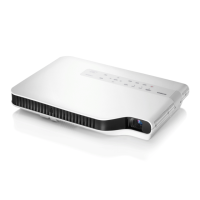
Casio XJ-A142 - User Manual

Casio XJ-A142
103 pages
Print Icon
To Next Page IconTo Next Page
Loading...
1
DATA PROJECTOR
XJ-A Series
XJ-A142/XJ-A147*
XJ-A242/XJ-A247*
XJ-A252/XJ-A257*
XJ-M Series
XJ-M141/XJ-M146*
XJ-M151/XJ-M156*
XJ-M241/XJ-M246*
XJ-M251/XJ-M256*
User’s Guide
In this manual, “XJ-A Series” and “XJ-M Series” refer only to the specific models listed above.
Be sure to read the “Safety Precautions” and “Operating Precautions” in the “Setup Guide”
document that comes with the Data Projector, and make sure you use this product correctly.
Keep this manual in a safe place for future reference.
Visit the site below for the latest version of this manual.
https://world.casio.com/manual/projector/
*USB Models
EN
D

Table of Contents

Other manuals for Casio XJ-A142

Questions and Answers

  • G
    Gabrielle YoungSep 12, 2025
    What to do when Casio XJ-A142 Projector shows failure due to insufficient internal memory?
    • T
      Tiffany GuzmanSep 12, 2025
      If your Casio Projector shows a 'Failure due to insufficient internal memory capacity' message, it means there isn't enough space in the projector's internal memory. Next, delete files you no longer need.
  • D
    Debra BooneSep 13, 2025
    Why Casio XJ-A142 could not find an image file?
    • N
      Natalie HernandezSep 13, 2025
      If your Casio Projector says it 'Could not find an image file', use your computer to check the contents of projector internal memory or the USB flash drive. This issue may be caused by a problem with the file system, or because there is nothing in projector internal memory or on the connected USB flash drive.
  • S
    susanbraySep 15, 2025
    What to do if File Viewer does not appear when connecting USB to Casio XJ-A142 Projector?
    • V
      Vickie MitchellSep 15, 2025
      If the File Viewer doesn't appear when you connect a USB flash drive to your Casio Projector's USB-A port, it might be due to the USB flash drive's format not being recognized. Use your computer to check if the file system is FAT or FAT32. If it isn’t, reformat the USB flash drive to FAT or FAT32. Another possible cause is if “Off” is selected for the “Option Settings 2 3 Plug and Play” setting. In this case, change the “Plug and Play” setting to “On”.

Casio XJ-A142 Specifications

General IconGeneral
Brightness2500 ANSI Lumens
Resolution1280 x 800 (WXGA)
Display TechnologyDLP
Light SourceLaser & LED Hybrid
Speakers1W Mono
Max ResolutionUXGA (1600 x 1200)
Screen Size30 - 300 inches
Weight2.3 kg
Zoom1.2x
Input TerminalsHDMI, VGA, Composite Video, USB
Output TerminalsVGA
Lamp Life20000 hours (Eco Mode)

Related product manuals