-6-
(1) Checking whether the failure information provided by users can be applied. (2) Checking the error code and performing
the troubleshooting procedure according to the error information and the error code
Models
LSA-25
XJ-A240/A245
Brightness 2500 ANSI Lumens
Notes on replacing the main board, OPM module, and laser source (1) When
replacing the main board, temporarily completely clear the memory and re-enter the lamp and device run time. (2) If the
projector
does not turn on and it is not possible to set the operating time of the lamp and the device, enter the approximate time
calculated since the repair of the device. If you don't know the runtime,
enter the usage time as a number between 50 - 100 hours and enter that value.
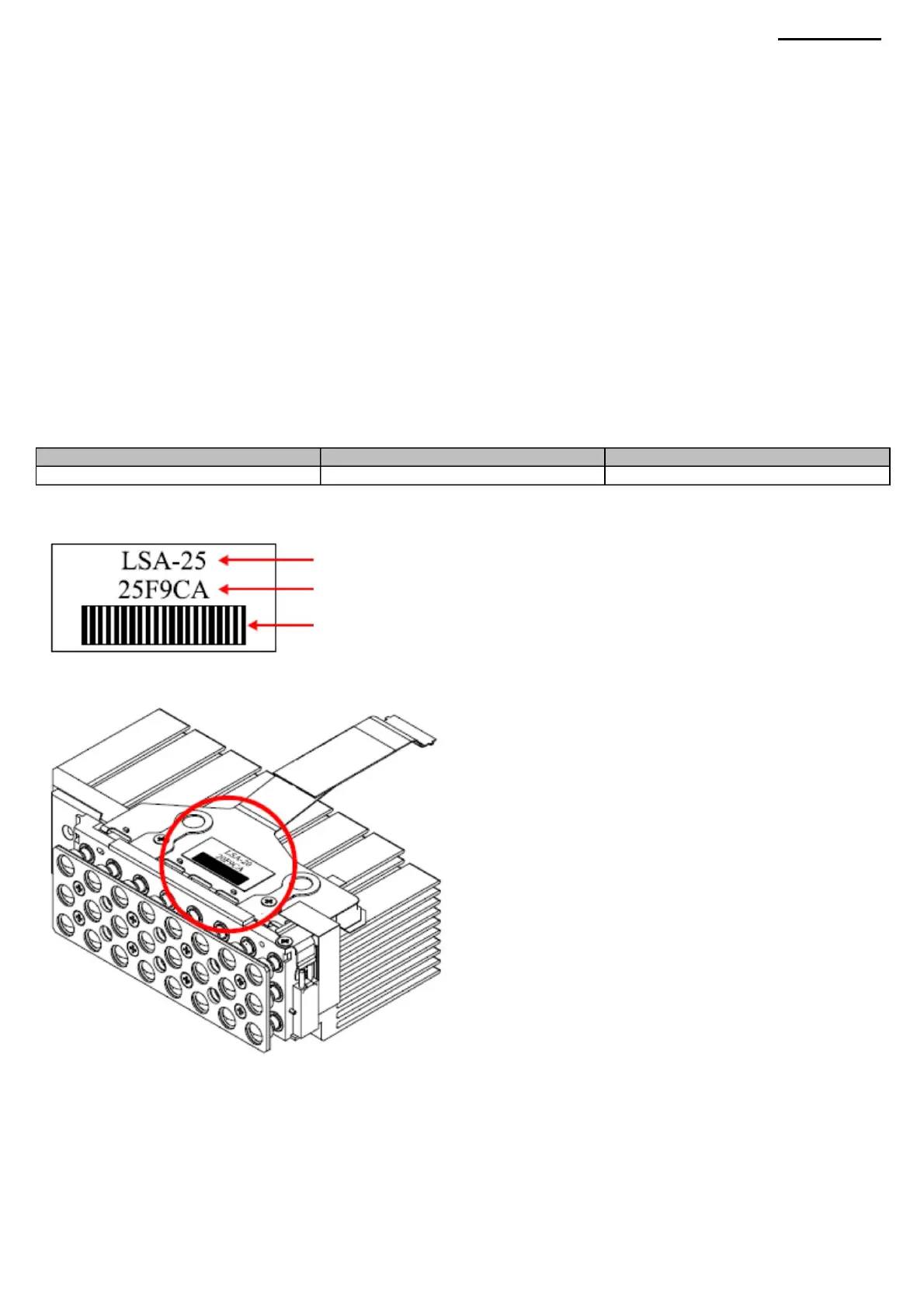
A sticker is attached to the LSA module to identify the type of laser source.
• View error codes ÿ see page 12 for details. • Troubleshooting ÿ see page 61 for
details.
XJ-A240/A245
(3) When installing a new laser source module, set the accumulated lamp time to zero. When replacing the OPM module or
the main board, leave the total lamp time unchanged.
Serial number
NOTE: If you set the lamp time to zero, the "Replace the lamp" message will not appear when the lamp reaches the end
of its life.
Light source name
Laser source name
4-3. Type of laser source and how to identify it The XJ-A240/A245 projectors
use the following laser source.
Bar code with serial number
Machine Translated by Google



 To Next Page