Moving money forward
1.3 Viewing a Detailed Report
8
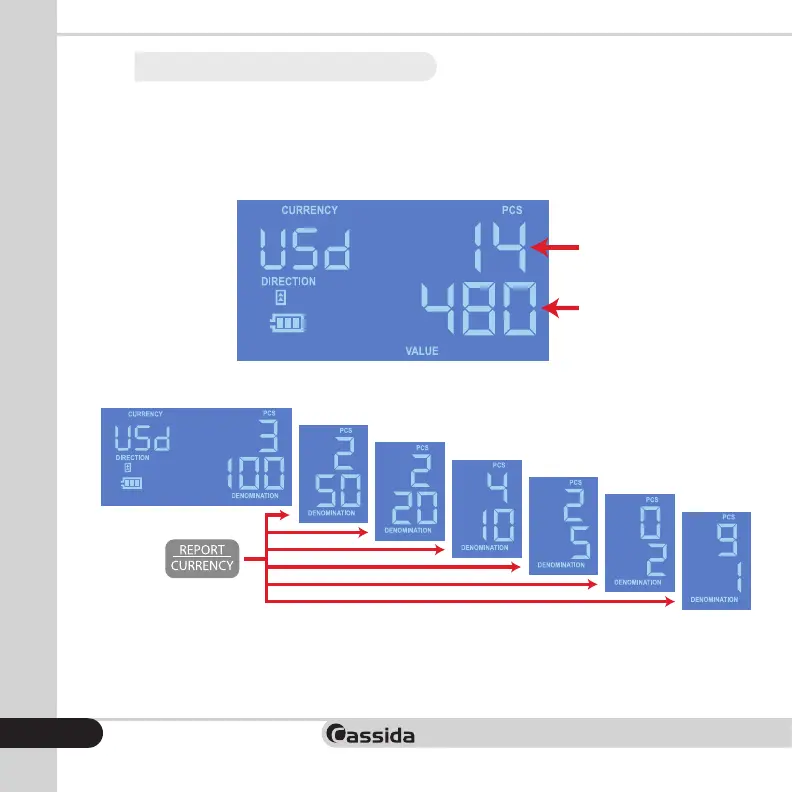
Scroll through the denominations as they decrease in value in this sequence:
$100, $50, $20, $10, $5, $2, $1
Press the REPORT/CURRENCY button once to view detailed report information. Each time the button
is pressed, the detector will show report information for a different denomination, starting with the
$100 denomination. Report shows bill denomination, number of authenticated bills and the total
value of bills inserted.
Number of
bills taken
Total value of
bills taken
First report screen


 To Next Page