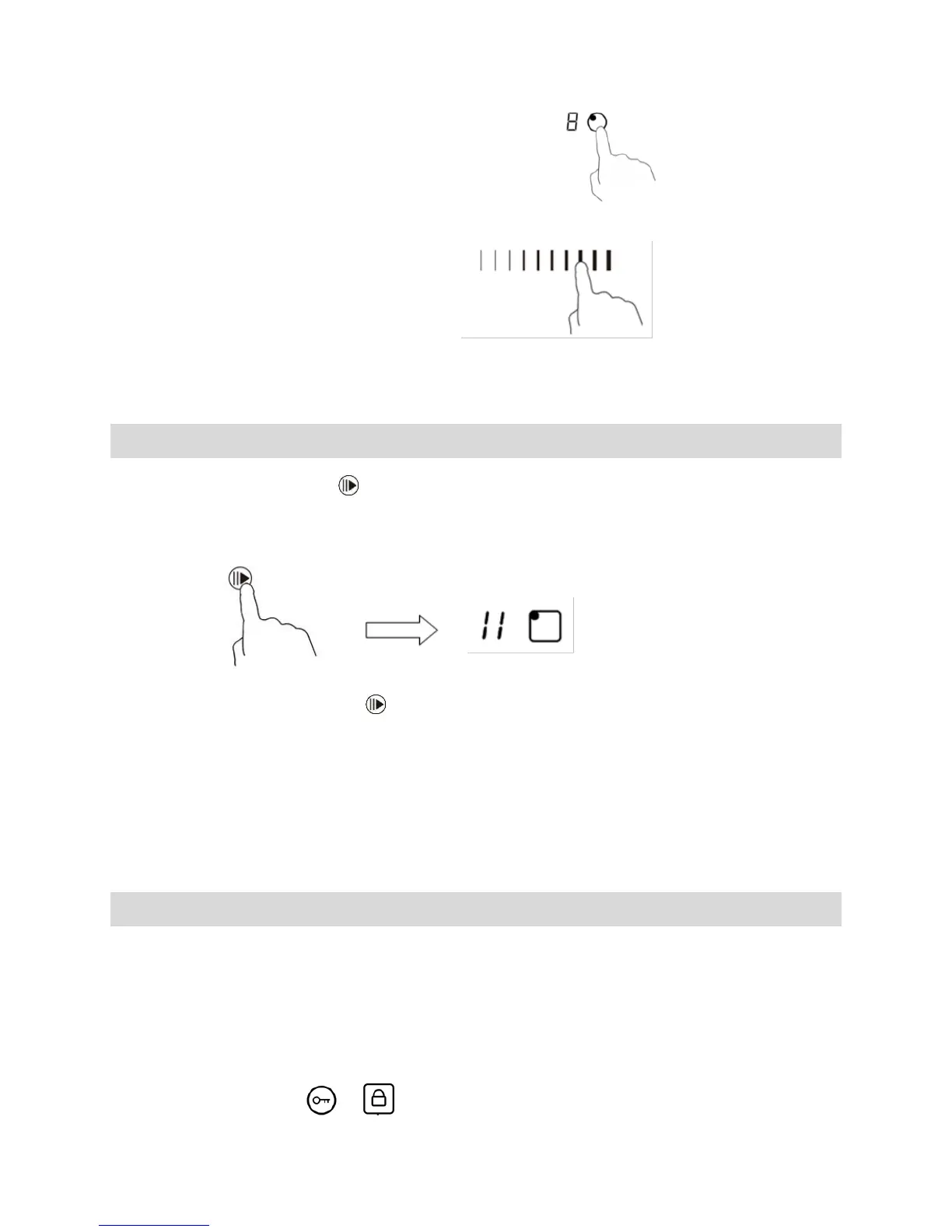
Cancel Keep Warm function
1. Touching the heating zone selection control.
2. a:Touching “slider” to cancel the keep warm function, then the cooking zone will
revert to the level you select.
b: Touching the function control such as boost, then the cooking zone will revert to you
select.
Using the Pause function ( for UBIND77BV/UBIND90BV)
1. Select the pause control , all the hearting zones stop working, All the zone
indication show“||”
2. Touching the pause control one more time, all the hearting zones will revert to its
original setting.
The function is available when one or more hearting zones are working.
If you don`t cancel the pause control within 30 minutes, the induction hob will
automatically switch off.
Locking the Controls
• You can lock the controls to prevent unintended use (for example children
accidentally turning the cooking zones on).
• When the controls are locked, all the controls except the ON/OFF control are
disabled.
To lock the controls
Touch the keylock 、 control. The timer indicator will show “Lo “.



 To Next Page