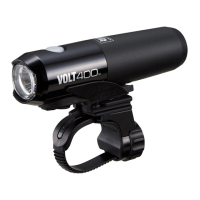
Manual
RECHARGEABLE HEADLIGHT
HL-EL088RC
OK
NO!
ENG
Design Pat. Pending
Copyright© 2019 CATEYE Co., Ltd.
HLEL088RC-190327
1
1
WARNING!!!
• Be sure to direct the light beam downward so
approaching car or pedestrian are not dazzled.
• Before your trip, please make sure the light is firmly
mounted to the bracket and it lights up.
• Always pay attention to the remaining battery power
by checking the indicator periodically while using the
light.
CAUTION!
• Keep the light away from children.
•
Mounting the light unit too close to a wireless computer
may adversely affect the reading of the computer.
• In preparation for unexpected shutoff, we recommend
you carry a spare light.
• This product is water-resistant under normal daily
use and can be used in the rain. However, do not
intentionally submerge it in water.
• If the light unit or parts become dirty with mud, etc.,
clean with a soft cloth which is moistened with mild
soap. Never apply paint thinner, benzine or alcohol;
damage will result.
LITHIUM-ION BATTERIES
Cautions on recharging
•
Avoid charging in direct sunlight or in a vehicle parked
under direct sunlight, and make sure to charge only
when the ambient temperature is between 41°F and
104 °F (5 and 40°C).
• Before charging, be sure that no dust or other foreign
objects are attached to the USB plug.
• Do not subject the light to vibrations while charging.
• Once charging is complete, be sure to disconnect the
USB plug.
Cautions in use
• Charging, discharging, and storing in high
temperatures will cause the rechargeable battery to
deteriorate faster.
Do not place the light inside a vehicle or near a heater.
• If the illumination time is significantly reduced even
after proper charging, the rechargeable battery may
be nearing the end of its service life. Dispose of the
battery as described in “Cautions for disposal”.
Cautions on storage
Cool and dry storage is recommended. For long period
storage, it is important to charge the battery 30 minutes
every 6 months.
Cautions for dispose
When disposing of the light unit, remove the internal
rechargeable battery and dispose of it according to
local regulations.
HOW TO CHARGE
2
HOW TO MOUNT TO A BICYCLE
3
Light unit FlexTight™ bracket
(
H-34N
)
Before using the light, read this manual
thoroughly and keep it for future
reference.
USB cable
(
MICRO USB
)
2
1
1 2
1. Mount the bracket to the
handlebar. (Fig 2 – )
2. Insert the light unit into the
bracket until it clicks, and
adjust the beam angle. ( )
(*2)
3. To remove the light unit, pull it
forward while pressing down
on the release button ( ).
* To readjust the beam angle,
loosen the dial and/or the
screw enough to move the
bracket, and firmly tighten
them after adjustment.
1
4
5
3
Before Initial Use
This unit is shipped with small charge to check the
light. Be sure to charge it before use, according to
the instructions “HOW TO CHARGE” and
“Cautions on recharging”.
CAUTION!:
• Be sure to tighten the dial by hand. If tightened too hard with a tool, the screw thread may be stripped.
• Check the dial and screw (*1) on the bracket periodically, to monitor for any loosening.
• Round off the cut edge of the bracket strap to prevent injury.
Indicator
Approx.
3 - 7h
(
USB 2.0
)
Charging
Steady
red light
Off
Charging is
completed
Standard charging time
Charge jack cover
USB cable
To PC or USB battery charger
1. Connect the light unit to your PC or a commercial USB battery charger using the USB cable. (Fig 1 – ).
The indicator turns on and charging starts.
* When your PC is in sleep state, the unit cannot be charged.
* Use a USB battery charger of 500 mAh (USB2.0) or more. The light can be fast-charged with a high
capacity USB battery charger.
2. Once charging is complete, be sure to disconnect the USB plug.
* Charging and lighting times are approximate values, and will vary by environmental and use conditions.
*2
1
2
3
4
4
5
*1
Bracket
Dial
Strap
Rubber pad
Release button
Screw
*2 When turning the light on, it lights up in the mode that was used last time. (Mode memory function)
ONOFF
*2
*2
Low
Daytime
HyperConstant
Flashing
High
High
Middle
Switch (Indicator)
Press
and hold
Press and hold
Click
Click
Double-click
Remaining battery capacity:
When the switch is illuminated
in red, there is little remaining
battery power.
Indicator
Remaining
battery power
Approx.
50% or more
Constant
blue light
Approx.
50
−
30%
Constant
yellow light
Constant
red light
Less than
Approx.
30%
SWITCH OPERATION

 Need help?
 General

 To Next Page