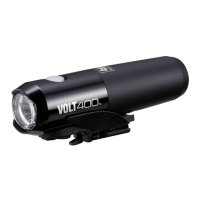
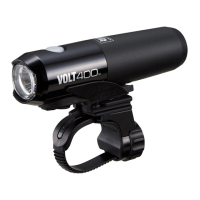
RECHARGEABLE HEADLIGHT
HL-EL461RC
Manual
1. Connect the light unit to your PC or
a commercial USB battery charger
using the USB cable. (
1
–
2
)
The switch or the indicator on the
cradle lights up, and charging starts.
Indicator light: On Charging
Indicator light: Off
Charging is completed
* When your PC is in sleep state, the
unit cannot be charged.
* We recommend using 500+mA
(USB2.0) USB battery charger.
2. After charging is completed, remove
the USB cable, and install the charge
jack cover.
* Charging and lighting times are ap-
proximate values, and will vary by en-
vironmental and user conditions.
* The cartridge battery can be fast-
charged by using the optional charging
cradle (about 3 hours of charging time).
Use a 1A or higher USB charging
adapter when charging by the cradle.
Before using the light, please read this manual
and the included separate sheet “LITHIUM-ION /
LITHIUM-ION POLYMER BATTERIES” thoroughly, and
keep them for future reference.
Rubber pad
Bracket
HOW TO CHARGE
1
CAUTION!
• Before your trip, please make sure the light is fi rmly mounted to the
bracket, it lights up, and the light is not blocked by baggage, etc.
• Do not place it within children’s reach.
• In preparation for unexpected battery shutoff, we recommend you
carry a spare cartridge battery and light.
• Mounting the light unit too close to a wireless computer may
adversely affect the reading of the computer.
• This product is water-resistant under normal daily use and can
be used in the rain. However, do not intentionally submerge it in
water.
• If the light unit or parts become dirty with mud, etc., clean with a
soft cloth which is moistened with mild soap.
Never apply paint thinner, benzine or alcohol; damage will result.
• Dispose of used cartridge batteries appropriately according to
local regulations.
Before Initial Use
This unit is shipped with a small charge to check the light.
Be sure to charge it before use, according to the instructions
“HOW TO CHARGE”.
1. Mount the bracket to the handlebar.
(
1
–
3
)
2. Insert the light unit into the bracket
until it clicks, and adjust the beam
angle. (
4
)
3. To remove the light unit, pull out it
forward while pressing down on the
release button (
5
).
* To re-adjust the beam angle, loosen
the dial enough to move the bracket,
and fi rmly tighten it after adjustment.
* The light can be mounted under the
handlebar.
CAUTION!:
• Be sure to tighten the dial by hand.
When you tighten it too hard with
a tool, the screw thread may be
stripped.
• Check the dial and screw (*1) on the
bracket periodically, and use them
without any loosening.
• Round off the cut edge of the bracket
strap to prevent injury.
HOW TO MOUNT
2
Standard
charging time
Approx.
6 h
(USB 2.0)
1
2
4
4
5
1
2
3
Strap
Dial
Release
button
Screw
Cradle
USB cable
Charge jack
cover
To PC or USB
battery charger
Charging on the cradle
Cartridge
battery
Indicator
Design Pat. Pending
Copyright© 2015 CATEYE Co., Ltd.
EL461RC-150302 1
Cartridge battery
(BA-2.2)
FlexTight™ bracket
(H-34N)
USB cable
(MICRO USB)
Light unit
ENG
*1

 Need help?
 General

 To Next Page