2.Button Functions
Button
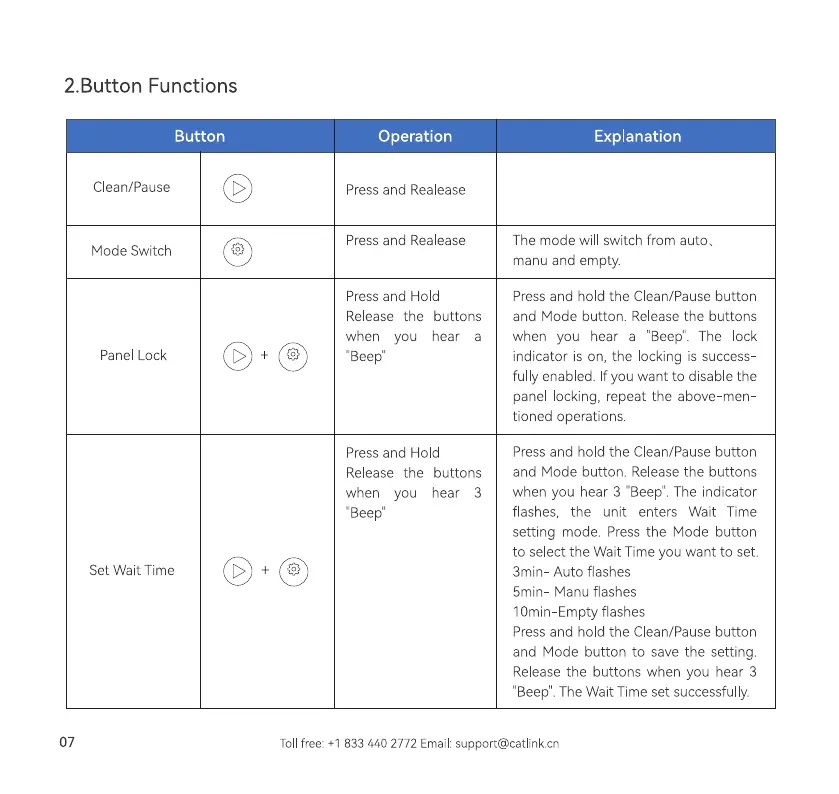
Clean/Pause
Mode Switch
Panel Lock
Set Walt Time
07
0+0
0+0
Operation
Press and Realease
Press and Realease
Press and Hold
Release the buttons
when you hear a
"Beep'
Press and Hold
e the s
when you hear 3
"Beep"
Explanation
The mode will switch from autos
manu and empty.
Press and hold the Clean/Pause button
and Mode button. Release the buttons
when you hear a "'Beep". The ock
indicator is on, the locking is success
ful y enabled. f you want to disable the
panel locking, repeat the above men
tioned operations.
Press and hold the Clean/Pause button
and Mode button. Release the buttons
when you hear 3 "Beep'. The indicator
flashes, the unit enters Wait Time
setting mode. Press the Mode button
to select the Wait Time you want to set.
3min Auto flashes
5min Manu flashes
1Omin-Empty flashes
Press and hold the Clean/Pause button
and Mode button to save the setting.
Release the buttons when you hear 3
Beep'. The Wait Time set successful y.
Tollfree: +1 833 440 2772 Email:support@catlinkcn



 To Next Page