(Indicator Lights)
Indicator
Error
Lock
Qun
Empty
Manu
Auto
Status
On
Flash
On
Off
On
On
On
On
Explanation
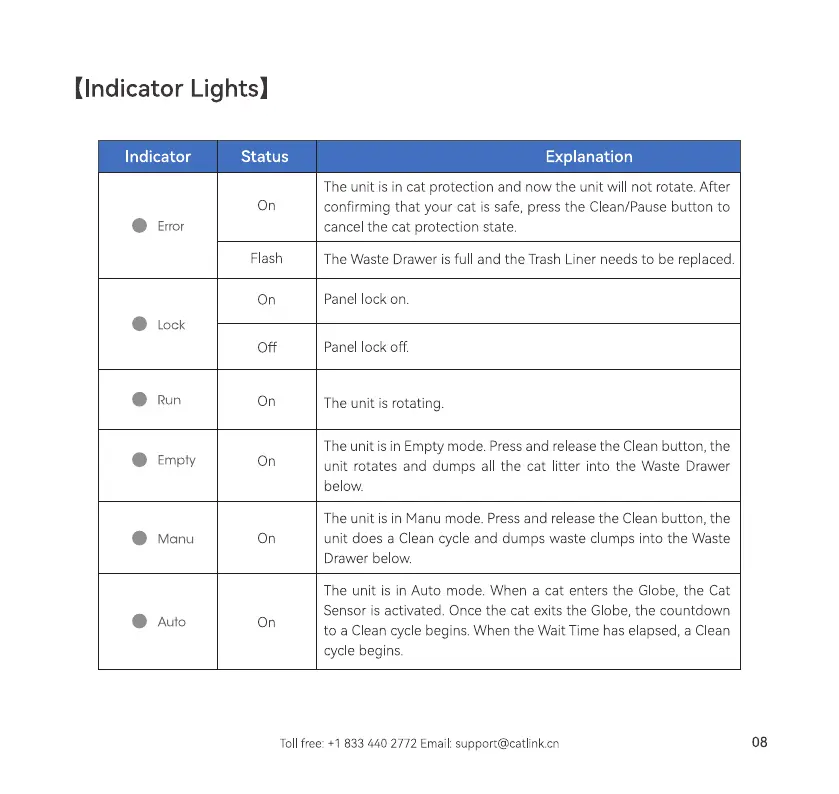
The unit is in cat protection and now the unit will not rotate. After
confirming that your cat is safe, press the Clean/Pause button to
cancel the cat protection state.
The Waste Drawer is full and the Trash Liner needs to be rep aced.
Panel ock on.
Panel lock off
The unit is rotating.
The unit is in Empty mode. Pressand release the Clean button, the
unit rotates and dumps all the cat litter into the Waste Drawer
below.
The unit is in Manu mode. Press and release the Clean button, the
unit does a Clean cycle and dumps waste clumps into the Waste
Drawer below.
The unit is in Auto mode. When a cat enters the Globe, the Cat
Sensor is activated. Once the cat exits the Globe, the countdown
to a Clean cycle begins. When the Wait Time has elapsed, a Clean
cycle begins.
Tollfree: +1 833 440 2772 Email:support@catlinkcn
08



 To Next Page