ITALIANO
Come entrare e digitare la “Password”
Drive Status è il solo menù consultabile senza l’utilizzo di
alcuna “Password”.
Per entrare nei menù “User Parameters” e “System Para-
meters Setup” inserire obbligatoriamente le “Password”:
“Password” di accesso al menù “User Parameters”
“0000123000”.
“Password” di accesso al menù “System Parameters Se-
tup” “0000456000”.
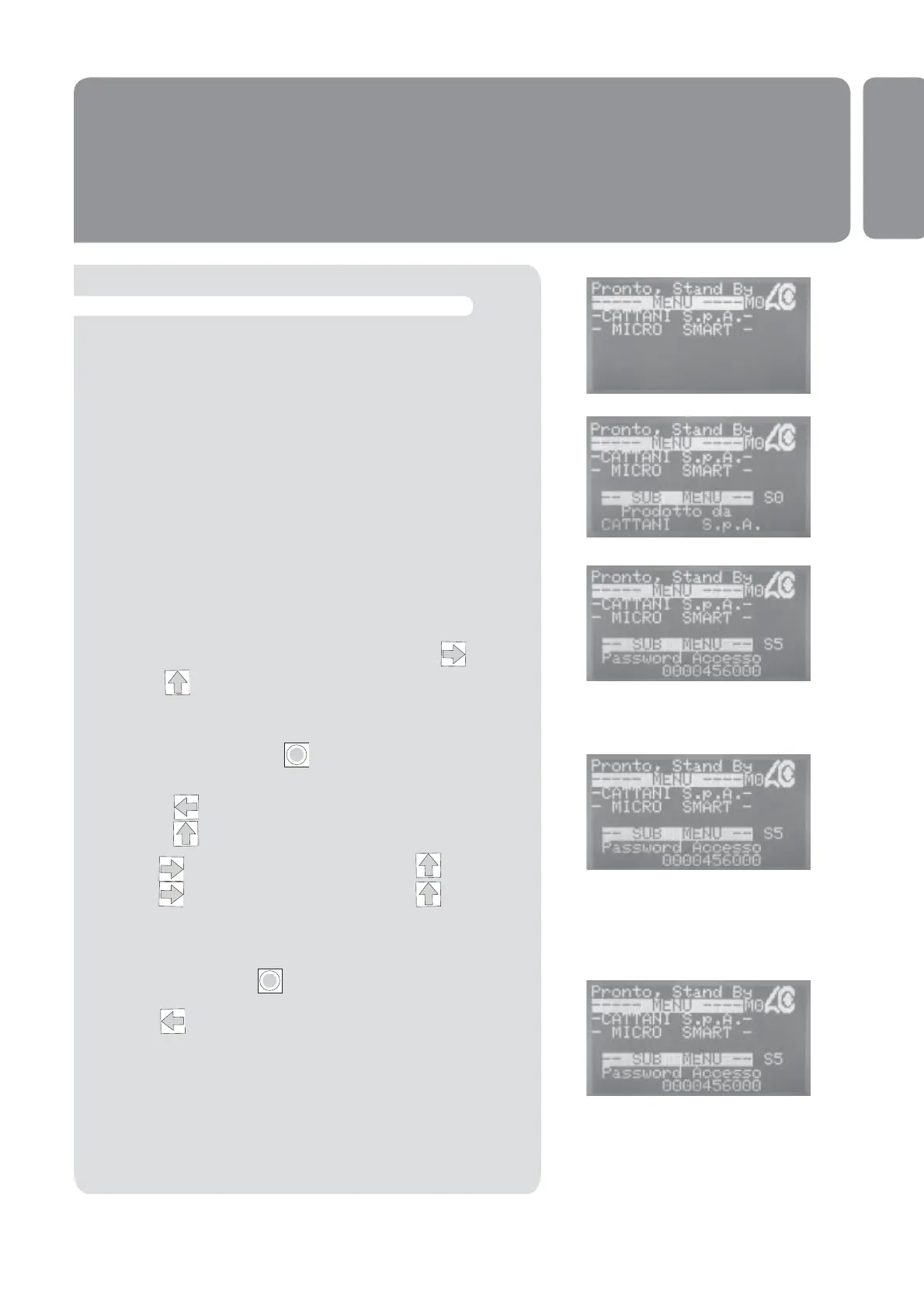
Dal menù “CATTANI S.p.A.”, premere la freccia quindi
la freccia sul display apparirà il menù “Access Pas-
sword”0000000000
Premendo il tasto Enter apparirà il cursore sullo 0 a
destra.
Premendo spostare il cursore sul sesto 0.
Premendo apparirà 1.
Premere spostarsi allo 0 a anco e con scrivere 2.
Premere spostarsi allo 0 a anco e con scrivere 3.
Premere il tasto Enter per confermare la “Password”
ed il cursore sparirà.
Premere per tornare al menù “Cattani S.p.A.”.
Ora sarà possibile modi care i parametri del menù “User
Parameters”
Ripetere la stessa procedura per inserire la password
0000456000 ed accedere alle modi che del menù “System
Parameters Setup”.
I
I
11


 To Next Page