Need help?
Do you have a question about the Cayin iDAP-6 and is the answer not in the manual?
Important notes regarding serial numbers, rights, and manual updates.
Lists all items included in the product package.
Details file formats, network, Bluetooth, and display features.
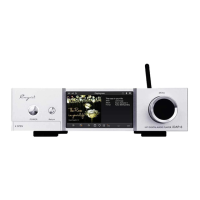
Covers construction materials, finish, and power supply system.
Standby button for power on/off and screen activation.
SD card slot and USB port for storage.
Return and MENU/Enter buttons for interface navigation.
Power indicator light and OLED display functions.
Wi-Fi/Bluetooth antenna socket and system reset button.
LAN port for network and USB ports for storage.
I2S output via HDMI connector for future DACs.
Optical, Coaxial (RCA/BNC), and AES/EBU output options.
AC power connector and fuse details.
Primary switch to turn the player on or off.
Connecting power source and audio components.
Instructions for wired Ethernet and wireless Wi-Fi.
Steps for powering on the device and initial display.
Using the MENU button to select menu items.
Playing music from SD card or USB storage.
Streaming music from LAN shared folders or NAS.
Scanning and synchronizing music files and metadata.
Accessing all songs, favorites, and recently played tracks.
Organizing and playing music by album, genre, and artist.
Displaying and managing the 'Playing Now' list.
Using playback icons and progress bar for music control.
Accessing Playback Mode, Playlist, and Delete functions.
Choosing between Repeat All, Repeat Once, Play in Order, and Shuffle.
Configuring playback modes and audio output selection.
Settings for DSD output, gapless playback, and lyrics display.
Enabling visualization of album art during playback.
Adjusting language, backlight, and factory reset options.
Configuring Bluetooth, Wi-Fi, DLNA, and Airplay.
Setting player language and screen backlight timeout.
Managing folder playback and restoring factory defaults.
Detailed setup for Bluetooth pairing and Wi-Fi connection.
Enabling DLNA and Airplay for content streaming.
Connecting via Ethernet for network access.
Steps to find and pair with Bluetooth devices.
Using the HiBy Music App for remote control.
Selecting and connecting to available Wi-Fi networks.
Instructions for updating the iDAP-6 firmware.
Shows model, storage, and firmware version.
Essential safety measures for operating and maintaining the device.
Addresses issues like no sound and power indicator status.
Details device dimensions, weight, and power requirements.
Specifications for Bluetooth, Wi-Fi, and LAN connectivity.
Lists all supported digital audio file formats.
Details technical specs for USB Audio, I2S, Coaxial, AES/EBU, Optical.
 General
| Brand | Cayin |
|---|---|
| Model | iDAP-6 |
| Category | Media Player |
| Language | English |

 To Next Page