At the playlist screen, rotate to select a song and push the button once to start
playback.
At the Playback screen you can rotate the knob to highlight a control icon (previous,
play/pause, next, playlist, my favorite etc) at the bottom of the screen and then push
the button once to activate the action. Hold the button for 2 second will always go
back to the Home Screen.
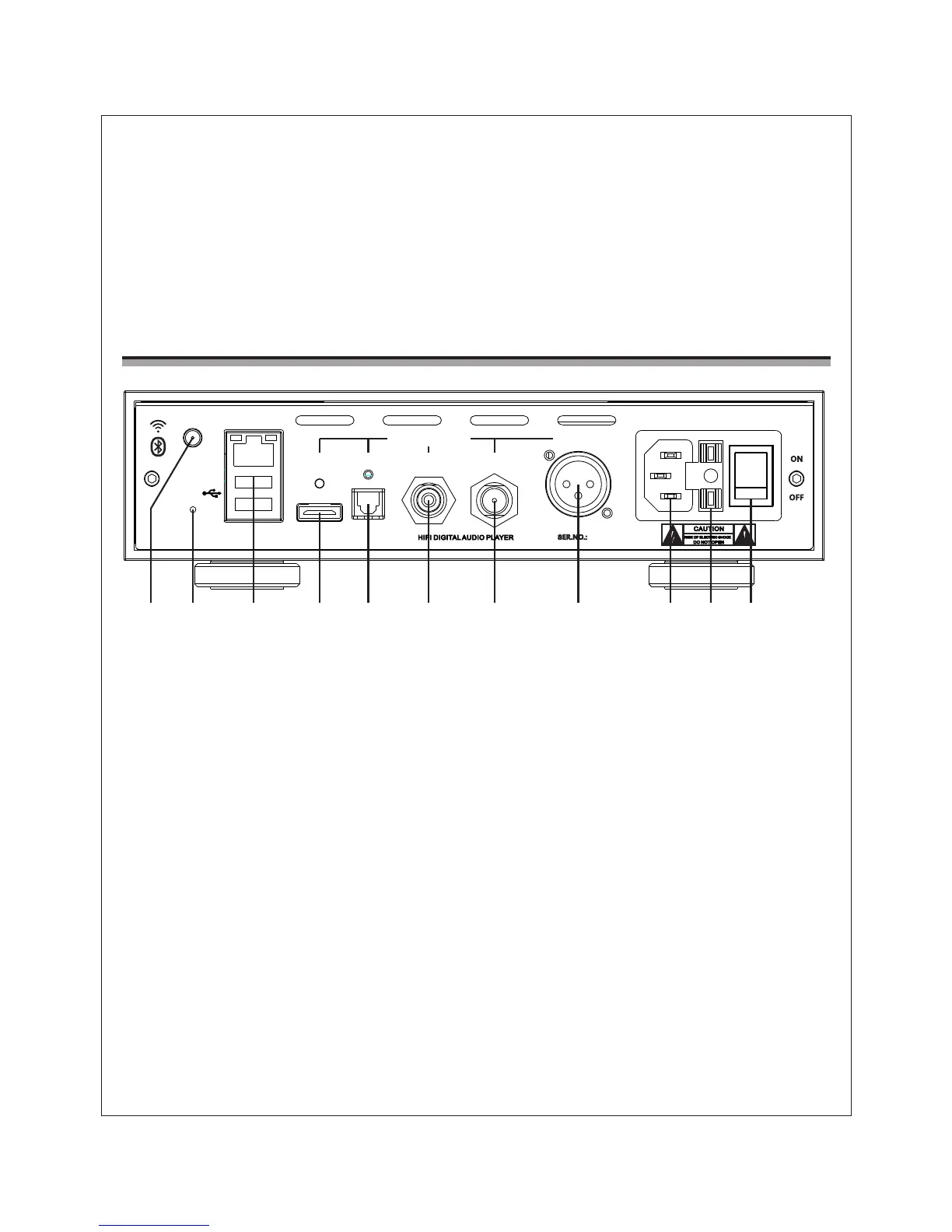
Rear Panel Functional Description
1. Wi-Fi/ Bluetooth Antenna Socket
Please install the Wi-Fi/ Bluetooth antenna into the socket before using the
player.
2. Reset
If the system behaves abnormally, you can use a non-metallic pin (e.g.toothpick)
to trigger the reset button inside the reset hole (hold on about 3-5 seconds), the
system will reboot and resume.
3. LAN and USB port
LAN port connects the player to local area network;When plug in thumb drive,
card reader or USB HDD, they will be recognized as OTG storage devices.
Alternatively, you can connect USB DAC to these ports and enable the USB Audio
output function of iDAP-6.
4. I²S Output (HDMI port)
The output terminal is built for forthcoming Cayin DAC with I²S input. We cannot
guarantee it will compatible with I²S input of other DAC.
5
1 2 53 4 6 7 8 9 10 11
ZHUHAI SPARK ELECTRONIC EQUIPMENT CO., LTD.
AES/EBU
COAXIALCOAXIALOPTICAL
LAN
DIGITAL OUTPUTS
~220V 50Hz 30W T0.5AL250V
RESET
2
I S


 To Next Page