8
Skip (next) Button/Fast-Forward Button: Refer to "5. Track search" in "Basic
Operation", hold the button depressed for fast-forward operation.
9
Play/Pause Button:
Refer to "2. Playback, 3. Pause" in "Basic Operation".
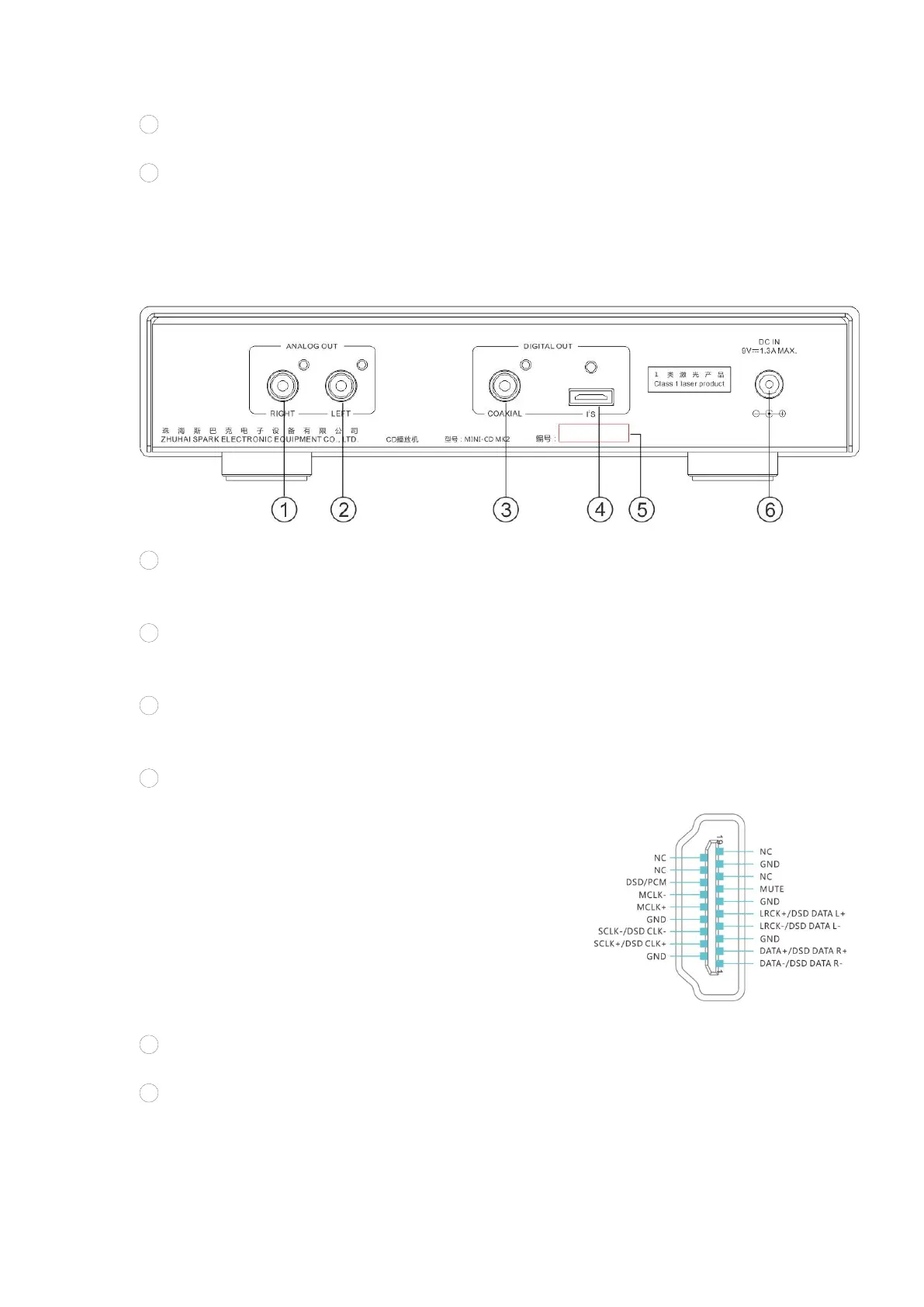
Rear Panel Functional Description
1
Analog Audio Signal Output Terminal (Right Channel)
Connect the audio input terminal on the right channel of the power amplifier
with an audio signal cable.
2
Analog Audio Signal Output Terminal (Left Channel)
Connect the audio input terminal on the left channel of the power amplifier
with an audio signal cable.
3
Coaxial Digital Signal Output Terminal (S/PDIF)
Connect the coaxial digital input terminal of the converter with a standard 75Ω
coaxial digital cable.
4
I²S Output Interface
Use an HDMI cable to connect the HDMI-A port with the
HDMI port of a converter (such as iDAC-6MK2) supports
I²S.
The I²S physical interface of MINI-CD MK2 adopts the
standard 19-pin HDMI-A interface. The pin definition was
defined in-housed by Cayin. It is incompatible with
custom interfaces of other brands nor standard HDMI
interface.
The HDMI-A pin definition of MINI-CD MK2 as shown on
the right.
5
Serial NO.
Please record the serial number on the product warranty card.
6
DC Power Input Socket
Input DC power.


 To Next Page