Connection:
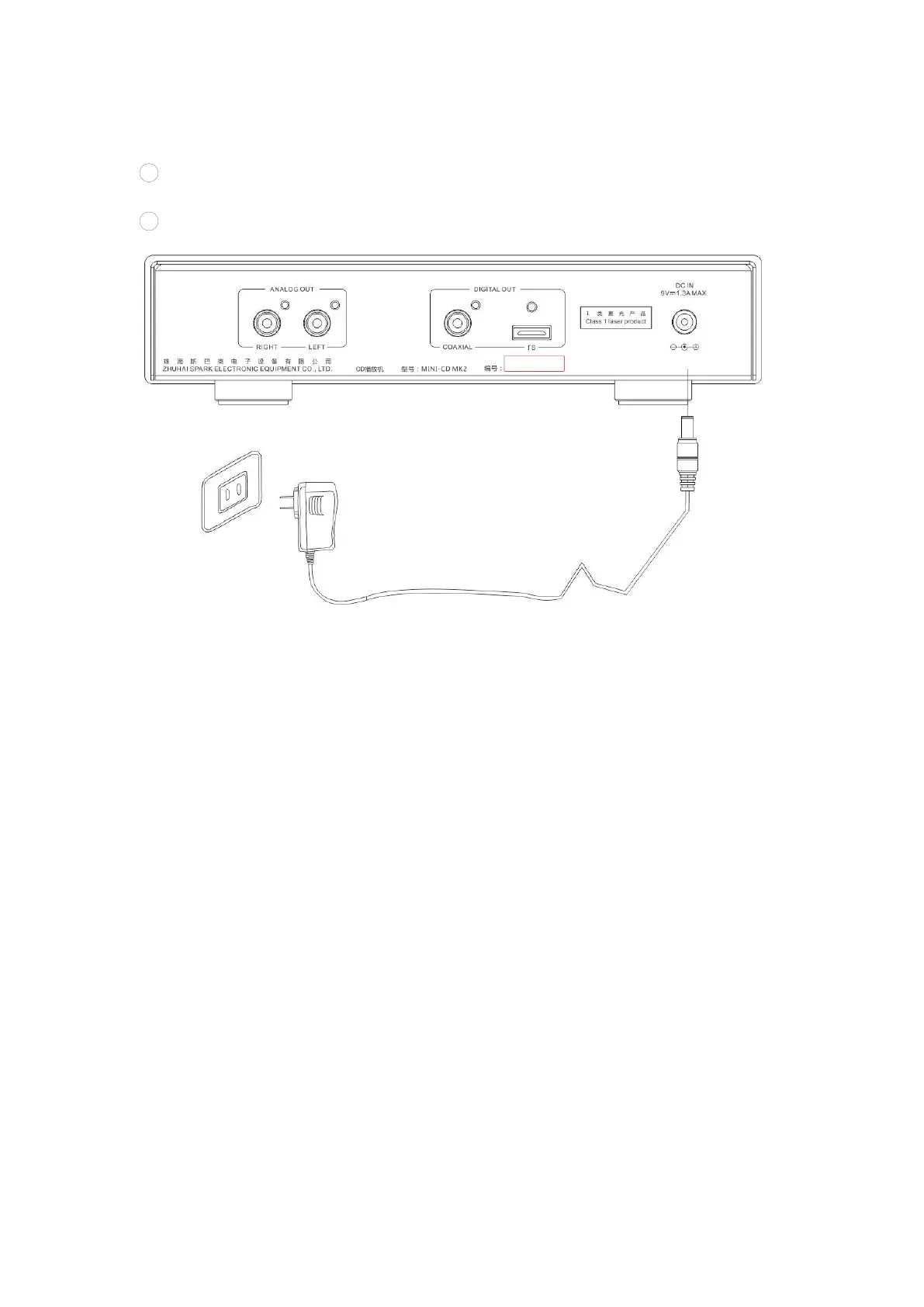
1. Connect to power adapter
1
Connect the DC plug of the original power adapter matching the MINI-CD MK2
to the DC socket.
2
Connect the power adapter to an AC socket, as shown in the figure below.
Attention: Only use the original power adapter when you operate the MINI-CD MK2.
Cayin will not be responsible for fire hazard or other accidents caused by using other
power adapters.
2. Connect to power amplifier
Connect the red plug of the audio signal cable (not included in this package) to the
"RIGHT" red output terminal of "ANALOG OUT" on the rear panel of the MINI-CD
MK2, and connect the white plug to the "LEFT" white output terminal, then connect
the other end of the audio cable to the audio input terminal of the corresponding
channel of the power amplifier. As shown in the figure below


 To Next Page