EasyManua.ls Logo

Cayin CS-100CD - User Manual

Cayin CS-100CD
14 pages
Print Icon
To Next Page IconTo Next Page
Loading...
1
T
hank you for purchasing the Cayin CS-100CD compact disc player.
Used properly and carefully, it should give you many years of outstanding musical reproduction.
Please read this user manual carefully before using it.
OPENING THE PACKAGE
Please check the carton carefully whether there are any damages before you open it. Put it on a flat
surface with the arrow upward. Rip away the sealed tape and open the carton, then you’ll find:
1. One set of CS-100CD compact disc player
2. SP-13H remote control unit
3. Two fuses
4. One power cord
5. One user manual
6. One warranty card
7. One USB cable
8. One driver software CD
FEATURES
Incorporated two pieces of PCM1792A DAC chip set from TI company for digital filter and D/A
converter. A fully balanced design for the output circuit.
Deploy dedicated, high quality Op-Amp for Low pass Filter circuit and I/V converter circuit.
Deploy four pieces of 6922EH vacuum tubes and audio grade capacitors for audio output. Separate
tube circuit for Balanced and Unbalanced output.
Deploy one 12DT5 for tube regulation so that it can have a superb power supply for the tube audio
circuit.
Versatile digital output and you can select between Optical, Coaxial or AES/EBU digital output.
Deploy USB Audio, Optical, Coaxial or AES/EUB for different input source selection.
Support Coaxial and Optical digital input and it is up to 24 bit/192 kHz.
Employ state of the art high resolution USB Audio technology, will accept and decode Hi-res digital
audio through USB interface and support up to 24 bit/192kHz.
Independent power supply to digital circuit and analogue circuit. Reduce power interference among
different circuit and make sure all components will have clean power all the time.

Questions and Answers

Summary

Opening the Package

Product Features

Specifications

CD Player Specifications

Details supported CD formats and sampling rates.

Digital Input Specifications

Lists supported digital input types and sampling rates.

Digital Output Specifications

Lists supported digital output types and sampling rates.

Front Panel Overview

Rear Panel Overview

Connection Diagram

Connect to Computer

Instructions for connecting the device to a PC via USB.

Connect to Power Amplifier

Guidance on connecting analog outputs to an amplifier.

Connect to DAC

Steps for connecting digital outputs to a DAC unit.

Connect to Digital Audio Player

How to connect external digital audio players.

Remote Control Unit

Remote Control Buttons

Explains the functions of all buttons on the remote control unit.

Installing Driver Software

Driver Installation Process

Step-by-step guide for installing the USB audio driver software on Windows.

Operation

Turning the Unit On and Off

Instructions for powering the unit on, off, and entering standby mode.

Selecting the CD Player Mode

How to select the CD player as the input source.

Playback Control

Details on starting, pausing, stopping, and playing the current track.

Track Search Functionality

How to navigate between tracks using skip buttons and numeric input.

Advanced Playback Modes

Explains fast forward/back, repeat, section repeat, and random playback.

Programming Tracks

Guide to programming a custom playback sequence of tracks.

Scan and Time Display Modes

Features for scanning tracks and adjusting time display settings.

Selecting USB Audio Input

Steps for connecting and selecting the USB audio source.

Selecting Coaxial Input

Instructions for connecting and selecting the coaxial digital input.

Selecting Optical Input

Instructions for connecting and selecting the optical digital input.

Brightness Adjusting

How to adjust the display window brightness using the remote.

Maintenance Guidelines

Precautions

Safety Instruction

Safety Warnings

Important safety warnings regarding electric shock and unit operation.

Troubleshooting

Overview

This document describes the Cayin CS-100CD compact disc player, a high-fidelity audio component designed for outstanding musical reproduction.

Function Description

The Cayin CS-100CD is a versatile compact disc player that also functions as a digital-to-analog converter (DAC) and a digital audio player. It is designed to play standard CDs and CD-Rs, and can also process digital audio from various external sources, including computers, other digital audio players, and DACs. The unit features a fully balanced design for its output circuit, aiming for optimal sound quality.

Key Internal Components and Design:

  • DAC Chips: Incorporates two PCM1792A DAC chips from Texas Instruments for digital filtering and D/A conversion.
  • Op-Amps: Utilizes dedicated, high-quality Op-Amps for the Low-pass Filter and I/V converter circuits.
  • Vacuum Tubes: Features four 6922EH vacuum tubes and audio-grade capacitors for audio output, with separate tube circuits for balanced and unbalanced outputs.
  • Tube Regulation: Employs one 12DT5 tube for regulation to ensure a superb power supply for the tube audio circuit.
  • Power Supply: Independent power supplies for digital and analog circuits reduce interference and ensure clean power delivery to all components.

Connectivity and Input/Output Options:

  • Digital Outputs: Offers versatile digital output options including Optical, Coaxial, and AES/EBU.
  • Digital Inputs: Supports USB Audio, Optical, and Coaxial inputs for various source selections.
  • Analog Outputs: Provides both unbalanced (RCA) and balanced (XLR) analog outputs.
  • USB Audio: Employs state-of-the-art high-resolution USB Audio technology, accepting and decoding Hi-res digital audio up to 24 bit/192kHz via its USB interface.
  • Coaxial/Optical Digital Input: Supports up to 24 bit/192 kHz for Coaxial and Optical digital inputs.

Important Technical Specifications

CD Player:

  • Supported Discs: CD, CD-R
  • Resolution: 16-bit 44.1kHz

Digital Input:

  • Optical Input: 16/24-bit 44.1-192kHz
  • Coaxial Input: 0.5V @75Ω, 16/24-bit 44.1-192kHz
  • USB Audio: Compatible with Audio Class 1.0 and Audio Class 2.0. Supports Windows 7®, 8®, 8.1®, 10® and Mac OS (10.6.3 and above). Supports up to 24 bit/192kHz.

Digital Output:

  • Optical Output: 16/24-bit 44.1-192kHz (IEC958 standard)
  • Coaxial Output: 0.5V @75Ω, 16/24-bit 44.1-192kHz (IEC958 standard)
  • AES/EBU Output: 110Ω, 16/24-bit 44.1-192kHz (IEC958 standard)

Audio Performance:

  • Output Level: 2.3V ±2dB
  • Frequency Response: 20Hz~20kHz ±0.5 dB
  • Distortion and Noise: <-60dB
  • S/N Ratio: >100dB
  • Dynamic Range: >110dB
  • Channel Separation (1kHz): <-80dB

General:

  • Power Requirements: ~230V ±5% 50Hz
  • Weight: ≈12kg
  • Dimensions: ≈420mm × 372mm × 117mm
  • Power Consumption: 45W

Usage Features

Front Panel Controls:

  • Standby Button/Indicator: For powering the unit on/off and indicating standby status.
  • Display: Shows operational information.
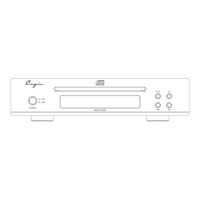
  • Disc Tray: For loading CDs.
  • Remote Sensor Window: Receives signals from the remote control.
  • Open/Stop Button: Opens/closes the disc tray and stops playback.
  • Play/Pause Button: Initiates or pauses playback.
  • Skip Buttons (Previous/Next): Navigates between tracks.

Rear Panel Connections:

  • Analog Unbalance Output (RCA): Left and Right channels.
  • Analog Balance Output (XLR): Left and Right channels.
  • Digital Output (AES/EBU, Coaxial, Optical): For connecting to external DACs or digital recorders.
  • Digital Input (Optical, Coaxial): For connecting external digital audio sources.
  • USB Input Port: For connecting to a computer.
  • Serial No.: Unit identification.
  • Fuse Socket: For replacing the fuse.
  • Power Socket: For connecting the power cord.
  • Power Switch: Main power control.

Remote Control Unit (SP-13H):

  • Basic Controls: Stop/Open/Close, Standby, Play/Pause, Search (reverse/forward), Skip (previous/next).
  • Numeric Buttons (0-9): For direct track selection.
  • Time Model Button (TIME): Changes the display of elapsed/remaining time.
  • Source Button (SOURCE): Selects input sources (CD, USB, Coaxial, Optical).
  • Scan Button (SCAN): Plays the first ten seconds of each track.
  • Recall Button (RECALL): Resumes playback from the last stopped track.
  • Display Button (DISPLAY): Adjusts display brightness.
  • A-B Button (A-B): Repeats a specified section of a track.
  • Repeat Button (REPEAT): Repeats current track, entire disc, or programmed tracks.
  • Random Button (RANDOM): Plays tracks in random order (shuffle).
  • Program Button (PROG): Allows programming a specific playback order.

Operation:

  • Power On/Off: Press the front panel Power Switch, then the Standby button on the front panel or remote to enter working state. A 5-second self-check occurs upon power-on. A 30-second preheating time for vacuum tubes is required after turning on. Wait 5 minutes before powering on again after a full shutdown.
  • CD Playback: Select CD source, open disc tray, place CD label-side up, close tray, then press Play/Pause.
  • Track Search: Use skip buttons or numeric buttons (remote only) for direct track access.
  • Fast Forward/Back: Hold scan buttons on the remote.
  • Repeat Functions: Repeat current track, entire disc, or a specific section (A-B).
  • Random Play: Shuffles tracks.
  • Program Play: Creates a custom playback sequence.
  • Scan Play: Previews tracks.
  • Time Display: Switches between different time display modes (elapsed track time, remaining track time, remaining disc time).
  • USB Audio: Connect to computer via USB 2.0 cable, install driver software (Windows only), select USB source, and set CS-100CD as the computer's audio output.
  • Coaxial/Optical Input: Connect external digital audio sources, select the corresponding input source.
  • Brightness Adjusting: Use the "DISPLAY" button on the remote to cycle through brightness levels.

Maintenance Features

General Care:

  • Laser System: The unit contains a laser system; do not disassemble to prevent laser radiation exposure.
  • USB Cable: Unplug the USB cable when not using USB Audio.
  • User Manual: Comply with the user manual during operation.
  • Adjustments: Do not attempt to adjust any internal parts.
  • Placement: Place the unit on an even, stable, and well-ventilated surface.
  • Power Line: Unplug the power line if the unit will not be used for a long time.
  • Physical Handling: Avoid dropping the unit or subjecting it to strong shocks.
  • Environmental Conditions:
    • Avoid prolonged exposure to direct sunlight.
    • Keep away from strong light sources or heaters.
    • Avoid areas with steam, soot, dust, high humidity, or strong magnetic fields.
  • Weight: Do not place heavy objects on the unit.
  • Condensation: If condensation forms (e.g., due to temperature changes), place the unit in a dry environment for several hours before use.
  • Cleaning: Wipe the body and front panel with a soft, clean cloth. Do not use volatile solutions for cleaning.
  • Climate/Altitude: Designed for non-tropical climates and altitudes below 2000m.
  • Power Line Space: Ensure sufficient space around the AC INPUT for plugging/unplugging the power line.

Disc Handling:

  • Disc Type: Supports CD/CD-R. Genuine discs are recommended.
  • Disc Cleanliness: Keep disc surfaces clean; avoid touching the surface directly.
  • Disc Wiping: When wiping discs, move the cloth from the center hole towards the outer edge.
  • Abnormal Operation: If strange noise or vibration occurs during playback, immediately press Open/Close (or Open/Stop) to stop disc rotation.
  • Disc Removal: Remove discs from the tray when not in use.

Remote Control Maintenance:

  • Aiming: Point the remote control unit at the remote sensor on the front panel within 8m and 30°.
  • Handling: Do not drop or dampen the remote control.
  • Batteries: Replace batteries annually. Do not mix new and old batteries or different brands. Remove batteries if the unit is not used for a long period. Use good quality, high-energy batteries.

Troubleshooting:

  • A troubleshooting guide is provided for common issues such as no power, cannot play, no sound, remote insensitivity, and digital signal lock failures, with suggested remedies. If issues persist, contact the dealer.

Cayin CS-100CD Specifications

General IconGeneral
BrandCayin
ModelCS-100CD
CategoryCD Player
LanguageEnglish

Related product manuals