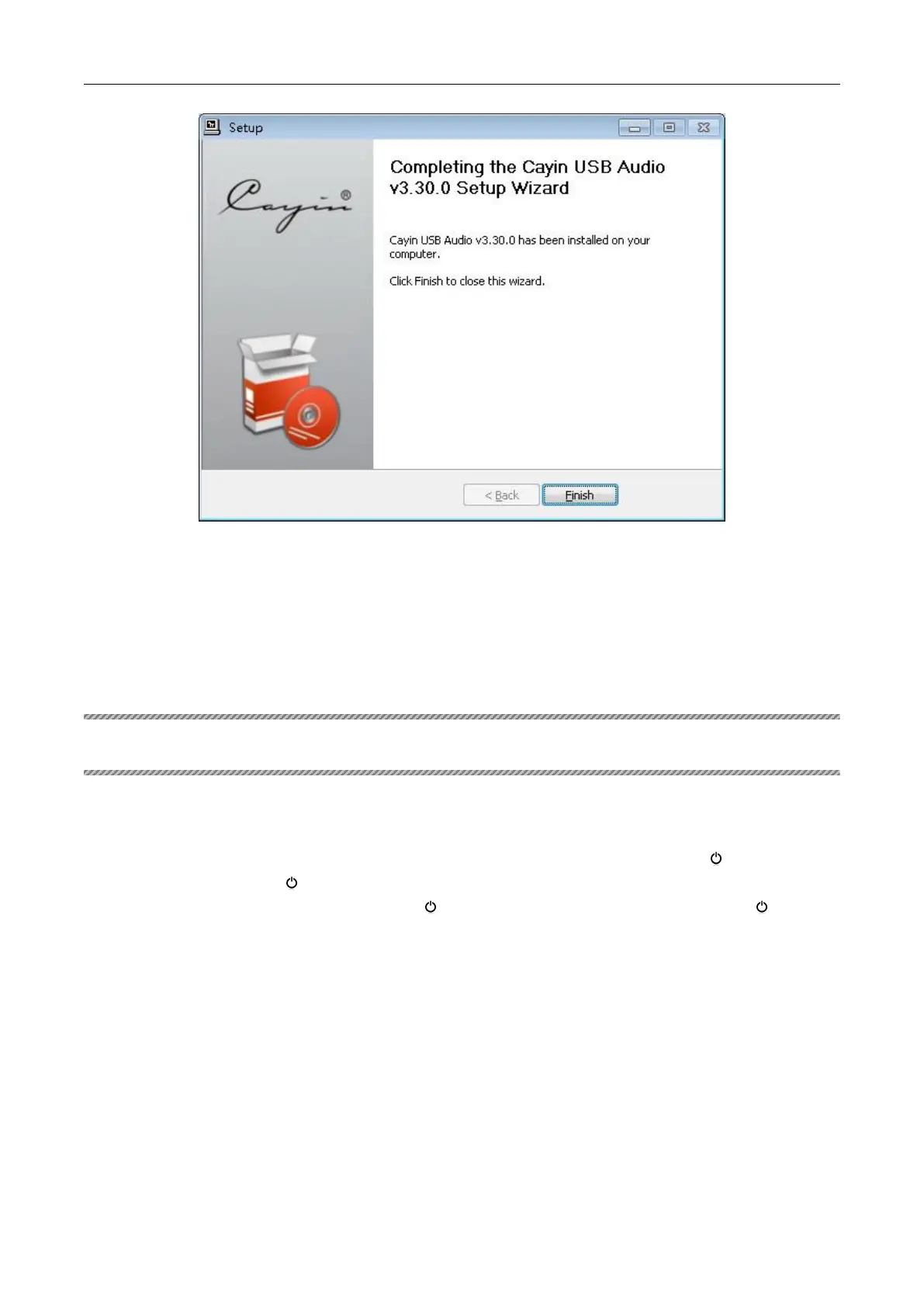
6. Click
“
Finish
”
to complete the installation.
There is no need to install driver software if your computer operation system is Mac.
Ⅷ OPERATION
1. Turning on/off the unit
Press the Power Switch (POWER) on the front panel, the standby indicator will light, and the unit
will do self-check. After 5 seconds, the unit will enter the standby mode. Press “ ”button on the
front panel or press the “ ” button on the remote control unit, the standby indicator will out, and
the unit will enter the working state. Press “ ”button on the front panel or press the “ ” button
on the remote control unit again, the unit will enter standby state.
The unit has shutdown memory function.
Do not operate during the unit’s self-check.
During playback, If you want to power off, please remember to stop the disc first.
Do not power on and off frequently.
Notes: If you need to power on the unit again after power off, please wait for 5 minutes.


 To Next Page