Need help?
Do you have a question about the Cayin MINI-CD MK2 and is the answer not in the manual?
Ensure serial numbers on package, chassis, and card match for warranty service.
Prohibits unauthorized reproduction and notes right to change specs without notice.
Details all components included in the product package.
Highlights high-quality components like Sanyo laser and ESS DAC chipset.
Details output levels, frequency response, S/N ratio, and digital outputs.
Covers dimensions, weight, power consumption, and supported disc types.
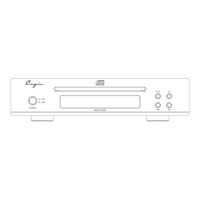
Explains the function of the power button and the disc tray.
Describes the VFD display, function indicator, and remote sensor window.
Details stop, eject, insert, and track skip/reverse buttons.
Details next track and play/pause buttons on the front panel.
Describes RCA analog and coaxial digital outputs for audio connection.
Details the I2S HDMI output and serial number recording location.
Identifies the port for connecting the external power adapter.
Steps to connect the unit to the original power adapter and AC socket.
How to connect the unit's audio output to a power amplifier.
How to connect to a DAC via coaxial or HDMI for digital audio.
Buttons for disc eject/insert and muting audio output.
Buttons for playback, pause, fast-forward, and fast-reverse.
Buttons for track searching and audio filter selection.
Buttons for stop, repeat, random, and display brightness.
Number buttons for track selection and non-functional buttons.
Instructions for inserting batteries into the remote control.
Steps to turn the CD player unit on and off.
Instructions for placing and playing a CD.
How to temporarily stop and restart playback.
How to stop the current playback of a disc.
How to find specific tracks using buttons or numeric input.
How to speed up playback forwards or backwards.
How to repeat the current track or the entire disc.
Features for random playback order and display brightness adjustment.
Controls for upsampling rate (SRC) and audio filter selection.
Tips for CD care, cleaning, and addressing unusual noise or vibration.
Advice on storing discs and a warning about the unit's laser system.
Use original adapter; do not disassemble for laser safety.
Avoid shocks, condensation, liquids, heat, and ensure proper ventilation.
Professional servicing, cleaning methods, and proper placement advice.
Warnings against flammable materials and operating in unsuitable conditions.
Advice on general problem-solving and when to seek support.
Solutions for the unit failing to power on.
Solutions for issues encountered when playing CDs.
Solutions for problems related to the absence of audio output.
Solutions for issues with the remote control's responsiveness.
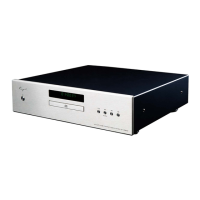
This document describes the Cayin MINI-CD MK2 Compact Disc Player, a device designed for high-fidelity audio playback from compact discs.
The MINI-CD MK2 is a dedicated compact disc player that reads and plays audio CDs. It features a suction-type CD drive for stable disc handling and utilizes a Sanyo laser optical head for consistent performance. The player incorporates a premium ES9018K2M D/A converter chipset from ESS Technology, Inc. for high-quality digital-to-analog conversion. It offers multiple audio output options, including RCA stereo analog output, S/PDIF digital audio output via a coaxial interface, and I2S digital audio output through an HDMI interface (note: the I2S pin definition is in-house by Cayin and incompatible with other brands or standard HDMI). The device also includes a VFD dynamic display to show various working statuses, upsampling rate and mute indicators, and is controllable via an infrared remote. An external high-quality power adapter is used to minimize interference with the internal circuitry.
Before panicking, check basic operation, safety precautions, and associated equipment/cables. If problems persist, contact Cayin service.

 To Next Page
 General