2) When accessing track numbers equal or greater than 10, press the two buttons of the track
numbers in 2 seconds.
For example, to select track 2, press the 2 button. To select track 12, press the 1 button and the 2
button in 2 seconds. After you pressing the 1 button, the unit will wait for the second number for 2
seconds. If the second number is not entered in 2 seconds, the first track will be played.
7
Fast forward or fast back (Remote only)
Hold the scan buttons depressed, playback advances or reverses at high speed.
” button depressed for fast- forward operation.
” button depressed for fast-reverse operation.
3) Release the scan buttons to start playback at normal speed.
This function allows you to repeat the current track, the memorized program or the entire disc
continuously.
1) During playback, press the “REPEAT” button once to repeat the current track, the display will
show“REPEAT”.
2) Press the “REPEAT” button again to repeat the entire disc, the display will show “REPEAT”.
3) Press the “REPEAT” button a third time to cancel the repeat function.
9
Section repeat (Remote only)
This function allows you to repeat a specified section. You can select the start point and the end
point of a section in the current track and repeat it continuously.
1) During playback, press the “A-B” button at the start point of the section to be repeated.
2) Press the “A-B” button at the end point of the section to be repeated. Playback returns to the
beginning of the section and the section is repeated continuously.
3) Press the “A-B” button a third time to resume the normal playback.
4) During stop, this function cannot be used.
Press “RECALL” button after stopping, the unit will play from the track stopped last time.
1) Press “RANDOM” button once, the unit will play from random track, the display will show “SHUFFLE”.
2) Press “RANDOM” button again, the unit will return to normal.
1) Press the “PROG” button followed by the track numbers in a specific order, the display will
show “PROG” and “ ”. Two number before “P” expresses current track selected. Two

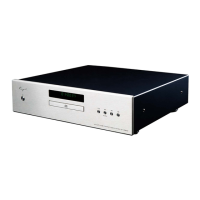

 To Next Page