26
• Switch o (or disconnect) the power supply to the appliance.
• Contact CDA Customer Care.
Installation
The appliance can be installed under a worktop or in a wall unit (open
at the rear) with the appropriate dimensions for recessed installation.
Do not use your appliance immediately after moving it from a
cold location, as condensation may cause a malfunction. Wait
approximately 1-2 hours before use.
Centre the oven in the unit. The material of the unit supporting the
appliance must be heat resistant (or covered with a heat resistant
material). For greater stability, attach the oven to the unit with two
screws through the holes provided on the side panels.
If the appliance is to be installed under a worktop, ensure the top rail
has been removed to provide free airflow around the product.
If the oven is to be installed in a tall unit, air gaps of at least 200 cm
2
must be left for air circulation, as Fig. 12.
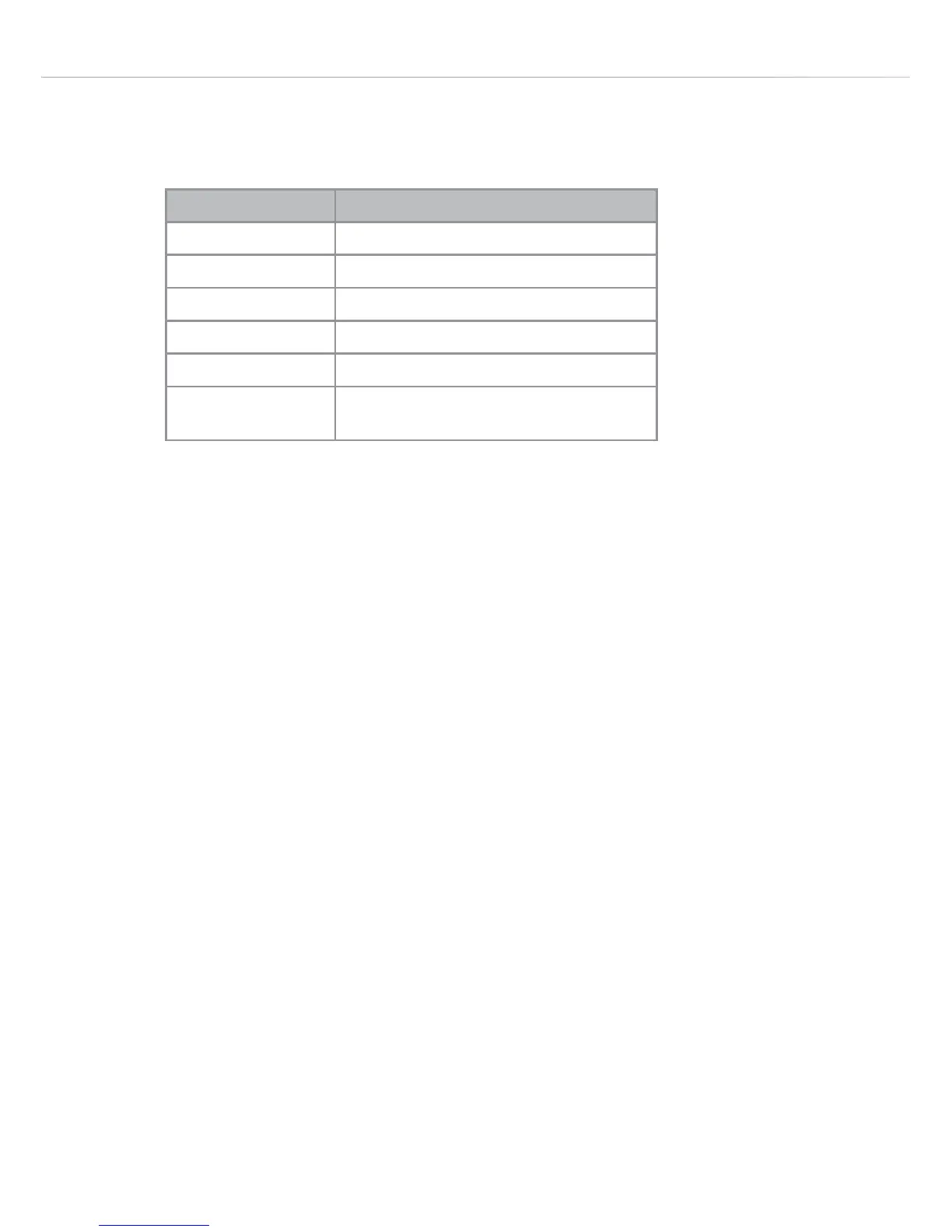
Fault Code Fault description
E1 Temperature sensor faulty
E2 Temperature sensor short circuit
E4 Temperature sensor circuit failure
E8 Latch time excessive
E64 Mode selector disconnected
OTHERS The sum of a combination of the
above codes



 To Next Page