28 | Instruction Manual
Cleaning and maintenance
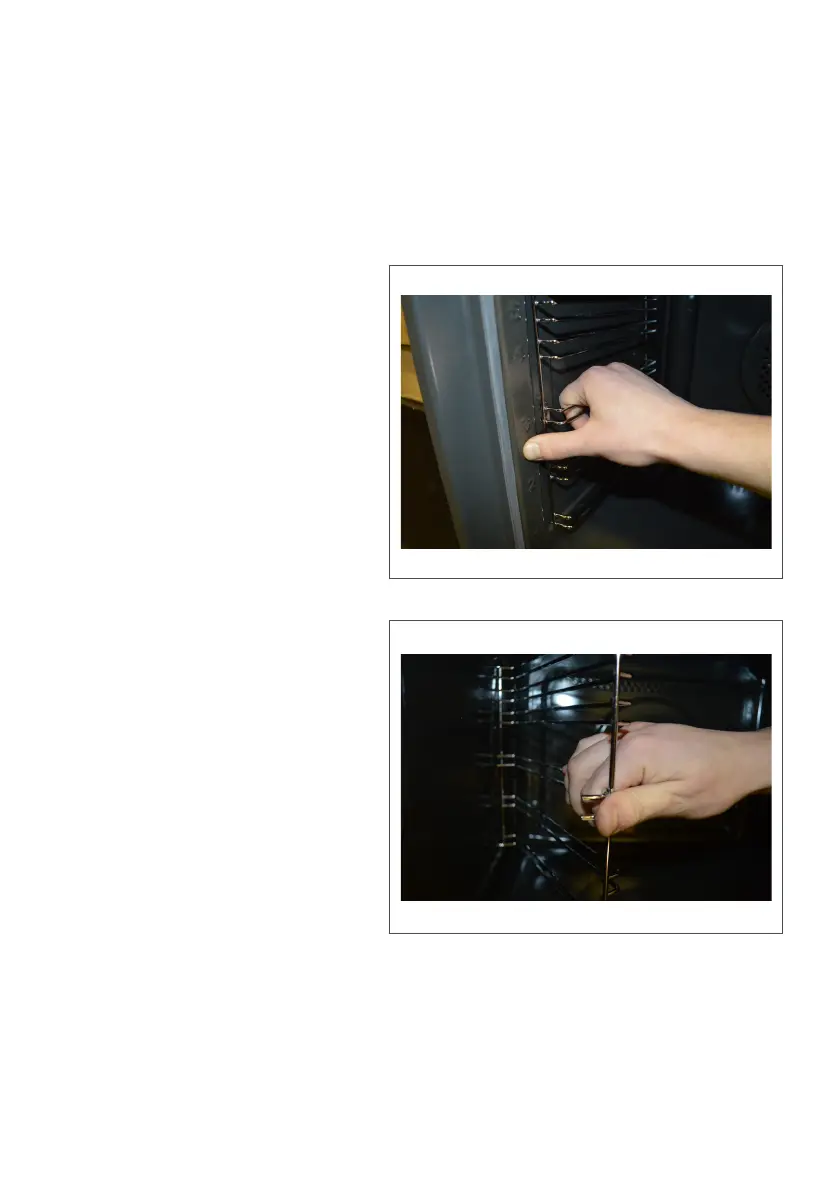
Fig. 9
Important:
Always remember to allow the oven to cool suciently, if it has
been in use, before carrying out any maintenance.
To remove the shelf supports
• Take a firm hold of the shelf
support in the middle. Place
your thumb against the oven
wall and lever the support
out of the support holes
(Fig. 9)
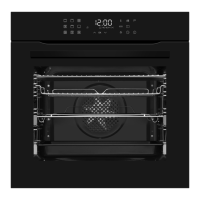
• Tilt the shelf support
outwards (Fig. 10) and you
should then be able to
remove the shelf support
arms that secure it into the
cavity walls at the back
To replace the shelf supports
• Simply carry out the above
steps, but in reverse order
Please note:
Take care not to damage the
enamel walls of the oven,
particularly around the shelf support arm holes.
Fig. 10



 To Next Page