16 | Instruction Manual
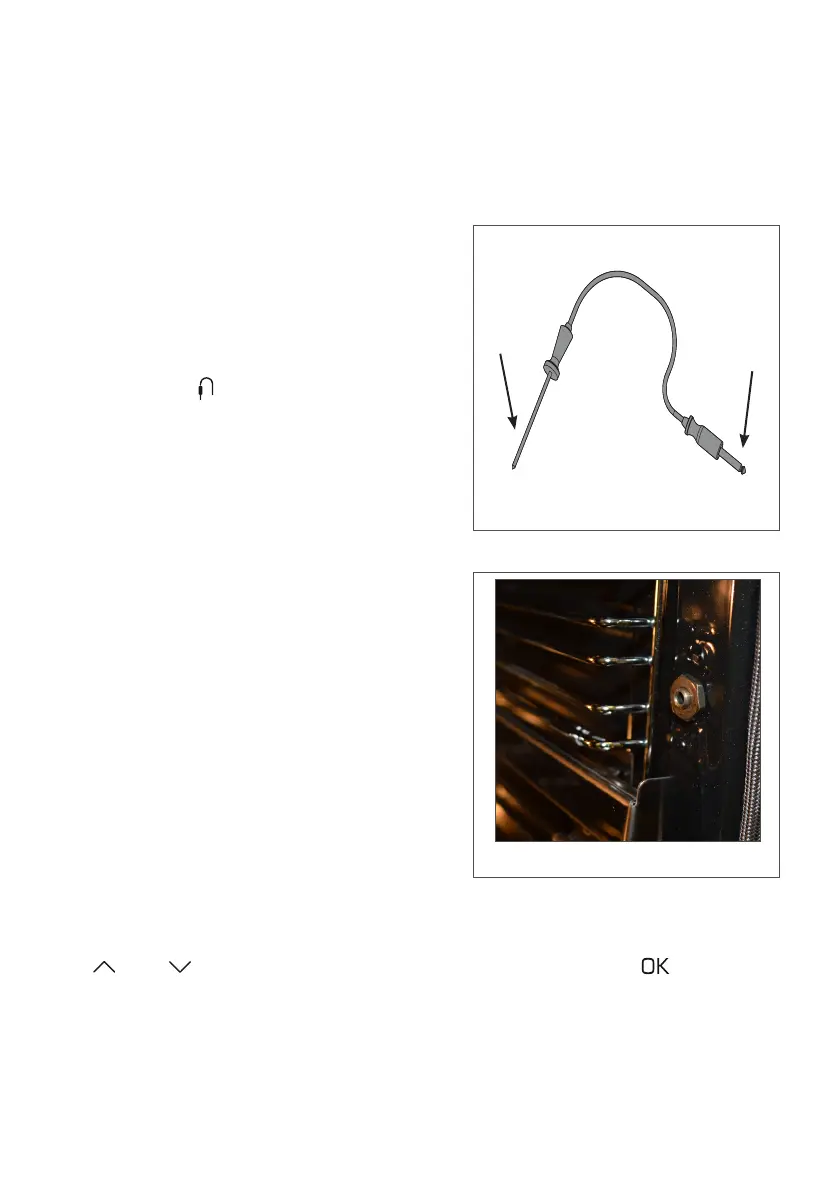
Fig. 1
Temperature probe (SL570 only)
This oven comes with a temperature probe which allows you to cook
food until it is a certain temperature inside. To use the temperature
probe, simply follow the steps below:
T
O
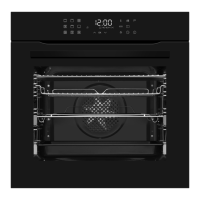
• Insert the end marked ‘O’ (Fig. 1)
into the oven probe socket, located
on the right side of the oven cavity
(Fig. 2). Push the probe in until it
clicks and sits firmly and the probe
indication switches on on the
dislay panel
• Insert the end marked ‘T’ (Fig. 2)
into the food to be cooked
• If you switch the oven, or a function,
on with the temperature probe
already plugged in you will be
prompted to enter the desired
probe temperature first. If you plug
the temperature probe in after
activating a function, then you will
be prompted to enter the desired
temperature
Fig. 2
• The display will show the target temperature flashing on the left
(default 75°C) and the current probe temperature on the right. Use
and to adjust the target temperature and touch to confirm
or wait 5 seconds to abort and restore the previous setting



 To Next Page