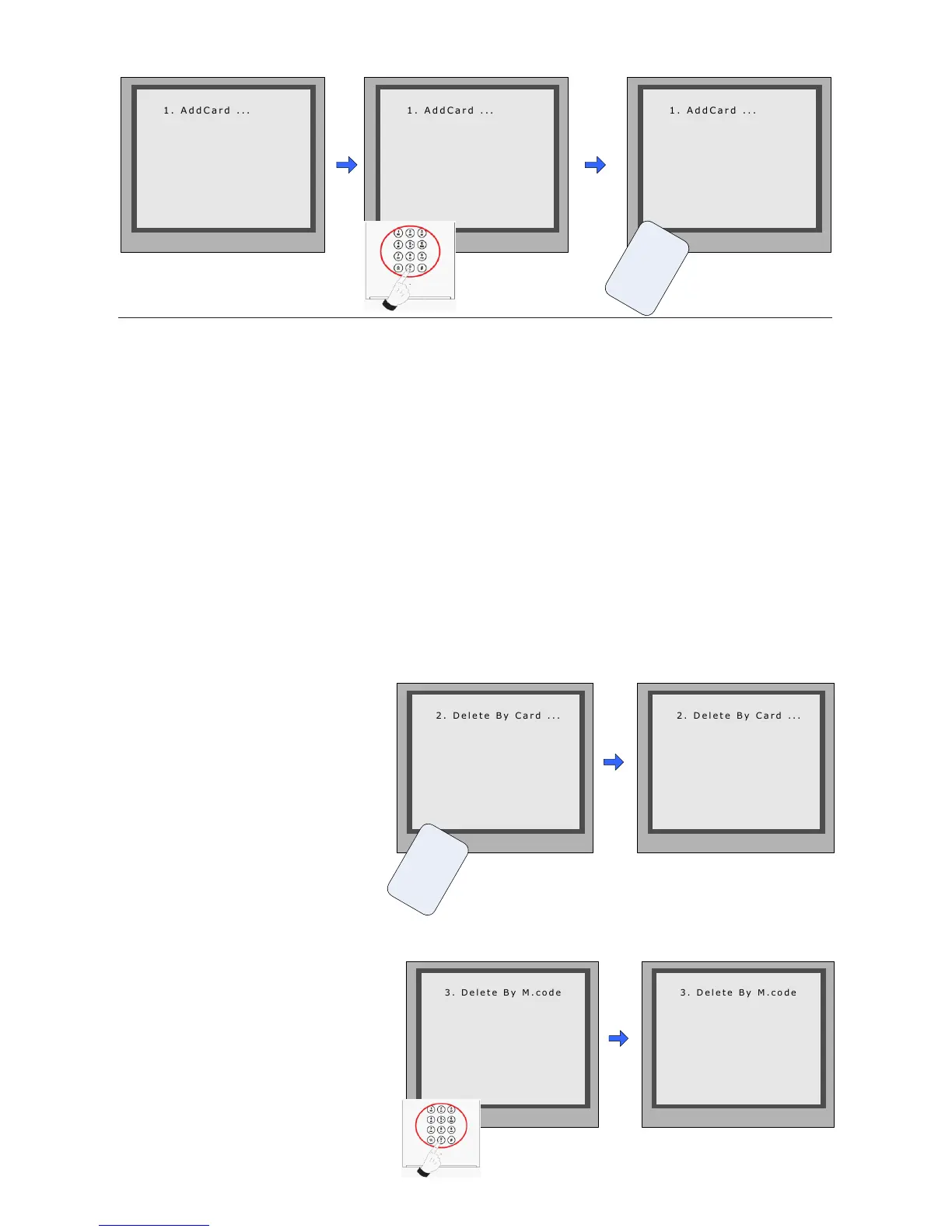
EnterAddCardmenu,and
RoomCodeisasked.
InputRoomCode Readthecardtobe
authorized
Delete user cards:
Delete By Card:
InDebugState,Press[1#]-->
[3]CardManage -->[2]Delete
ByCardtoenterDeletebyCard
page.asshownontheright,then
showthecardsyouwanttode-
leteonebyone.
2 . D e l e t e B y C a r d . . .
* Back # Save
Show The Card
2 . D e l e t e B y C a r d . . .
* Back # Save
U
s
e
r
C
a
r
d
C a r d numbs:
1 5 9 7 7 1 3 1
Show The Card
RegisteredUserCards/KeyFobscanbedeletedfromtheDoorstation,oncedoingthedelete
operation,thecard/keyfobscannotopenthedooranymore.Theycanalsobere-registered
againtobecomeavalidUserCard/UserKeyFob.TherearetwowaystodeleteUserCards/
UserKeyFobs:
1.Deletebycard:showtheunwantedcard(s)whentheDoorstationisinDeleteCardMode
2.Deletebyroomnumber:deletealltheregisteredUserCardsrelatedtothatroomnumber.
* Back # Save
Please Input Room Code
[ - - ]
* Back # Save
Show the card
[ 0 1 ]
* Back # Save
[ 0 1 ]
C a r d numbs :
1 5 9 7 7 1 3 1
Show The Card
U
s
e
r
C
a
r
d
3 . D e l e t e B y M . c o d e
* Back # Save
Please Input Room Code
[ - - ]
3 . D e l e t e B y M . c o d e
* Back # Save
U p d a t e d
[ 0 1 ]
InDebugState,Press[1#]-->
[3]CardManage -->[3]Delete
ByM.Code to enterDelete by
M.Codepage.asshownonthe
right,thenInputtheRoomCode,
press“#”toconfirm;allassoci-
atedcardswillbedeleted.
Delete by Room Number:
-17-



 To Next Page