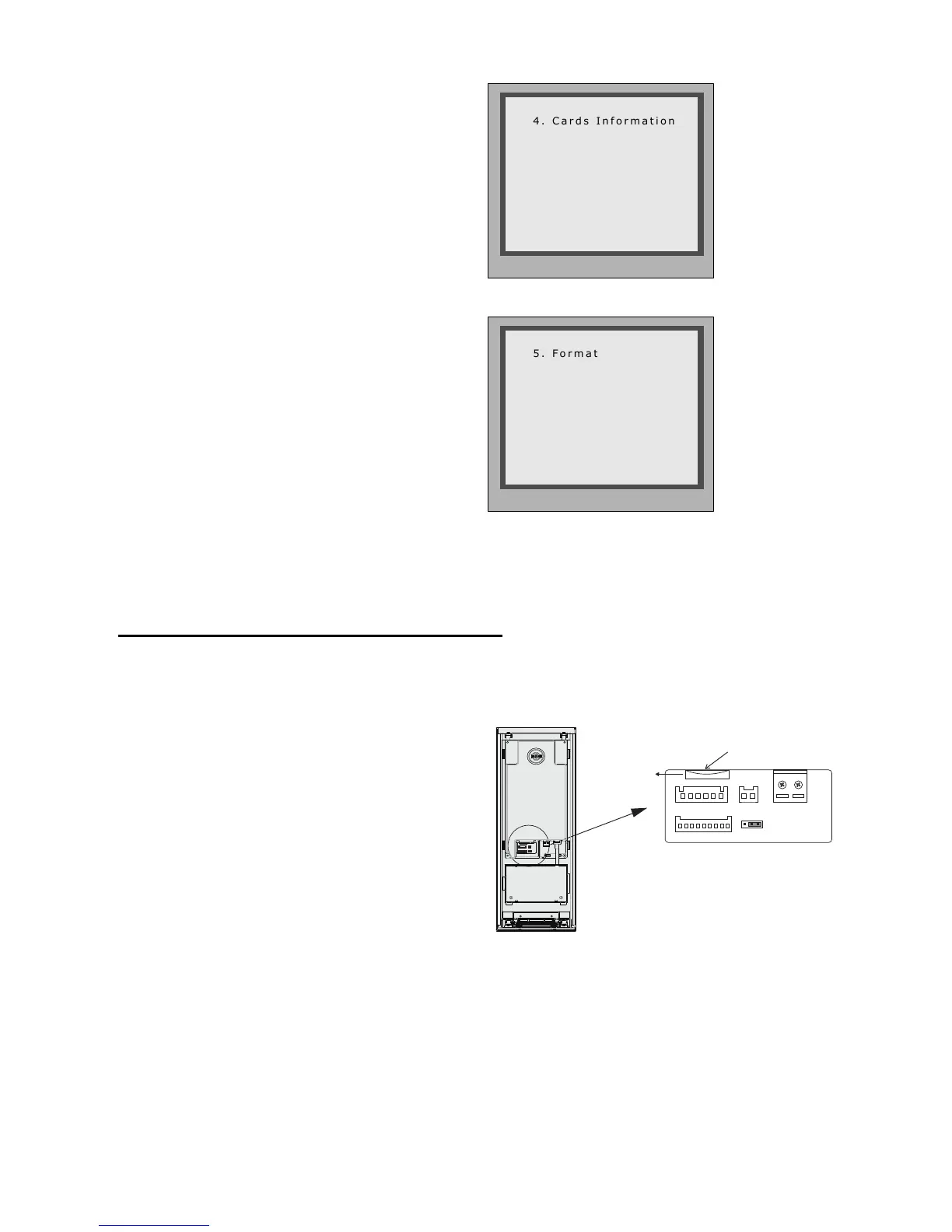
Card information:
Format:
EnterCardInformationpage,andthe
screenwilldisplaytheauthorizedUser
Cards count, and card read access
eventscount.
EnterCardFormatpage,apassword
will be asked,input 8 digits installer
password(66666666bydefault),then
press"#"keytosave,formatoperation
isactivated.allcardinformationwillbe
cleared.
* Back # Save
Please Input Password
[ - - - - - - - - ]
11. Change Door Station Language:
It'sconvenienttochangetheuserinterfaceforCDV-DDP.JustputtheconglestotheSDcard
andbymeansofthedigitalkeypadofdoorstation,only30secondsisneededtoupdate.
L1
T/R -
CN-LK
T/R+
J/KMB JP-LK
Bus
Insert SD card
SD Card Slot
EB+
EB-
N.O
LK+
LK-
+12V
L2
12
3
12
3
Step1:InserttheSDcardwhichiscon-
tainedconfigfilesintotheSDcardslot
whereisatthebackofthedoorstation.
Refertotherightdiagram.
Step2:
IfdoorstationrunsasDebugState,youcanpress“1#”toactivateToolsMenu,select“2”to
entersetuppage,thenselect1item.IfitrunsasNormalState,followthesesteps:
-18-



 To Next Page