ENGLISH
32
Note: in order to ensure a smooth signal reception, do not place mirrors or other reecting
surfaces near.
3. Install the side brushes into their correct position at the bottom of the product.
4. Turn on the power switch. I: ON, O: OFF.
WARNING: once the robot has nished cleaning, do not turn the power switch off in order to
allow the robot to charge properly.
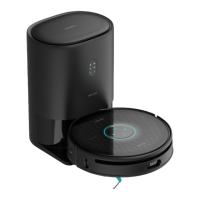
5. Place the robot on the charging base. Make sure the charging terminals on the robot and
the base match.
a. When the ashes blue, the robot is charging.
b. When the is lit up steady blue, the charge has been completed.
Note: allow the robot to charge for 12 hours during the rst charge.
05133_Conga 1190 Gyro_Manual_PE.indd 32 1/8/18 12:38











 To Next Page