EasyManua.ls Logo

cecotec CONGA 2499 ULTRA GENESIS - User Manual

cecotec CONGA 2499 ULTRA GENESIS
36 pages
Go to English
Print Icon
To Next Page IconTo Next Page
Loading...
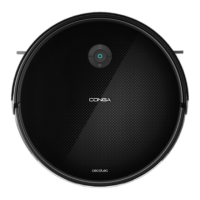
CONGA 2499 ULTRA GENESIS
Robotstøvsuger / Robot vacuum cleaner
Brugermanual
Instruction manual

Questions and Answers

  • M
    Mary BrennanAug 17, 2025
    How to fix cecotec CONGA 2499 ULTRA GENESIS Vacuum Cleaner not returning to base?
    • D
      David DuncanAug 17, 2025
      If your Cecotec Vacuum Cleaner isn't returning to the charging base, try removing any objects within 1 meter to the left and right of the base, and 2 meters in front of it. Also, ensure that you clean the charging terminals.
  • P
    Patricia MillerAug 20, 2025
    Why is cecotec CONGA 2499 ULTRA GENESIS suction power so low?
    • S
      Sarah CarrAug 20, 2025
      If your Cecotec Vacuum Cleaner has very low suction power, try the following: * Check for any blockages obstructing the air inlet. * Empty the dust tank. * Clean the filters using a vacuum cleaner or a self-cleaning brush. * If the filters are wet, dry them naturally and ensure they are completely dry before reuse.
  • L
    Lisa MartinezAug 22, 2025
    What to do if cecotec Vacuum Cleaner suddenly stops?
    • J
      jtaylorAug 22, 2025
      If your Cecotec Vacuum Cleaner suddenly stops working, check if it's trapped or stuck. Also, verify the battery level. If the problem continues, turn the robot off and on again. If the issue persists, press the RESET button.
  • X
    xlarsonAug 26, 2025
    Why cecotec Vacuum Cleaner is not charging?
    • O
      ojohnsonAug 26, 2025
      If your Cecotec Vacuum Cleaner isn't charging, first check if the charging base indicators are on. Clean the charging terminals with a clean, dry cloth. Verify if the robot beeps upon reaching the charging base.
  • V
    vrobertsAug 27, 2025
    Cecotec Vacuum Cleaner won't turn on, how to fix?
    • M
      millerpaulAug 28, 2025
      If your Cecotec Vacuum Cleaner does not activate, ensure the battery is fully charged. If it still doesn't turn on, reset the vacuum cleaner by pressing the RESET button.
  • J
    Jacob WilliamsAug 30, 2025
    Why cecotec Vacuum Cleaner movements are unusual?
    • S
      Sean SmithAug 30, 2025
      If the Cecotec Vacuum Cleaner's movements or route are unusual, try carefully cleaning the sensors with a clean, dry cloth. Then, restart the robot vacuum cleaner.
  • A
    Aaron MillerSep 2, 2025
    How to fix cecotec CONGA 2499 ULTRA GENESIS Vacuum Cleaner main brush not spinning?
    • K
      Kaylee GutierrezSep 2, 2025
      If the main brush on your Cecotec Vacuum Cleaner isn't spinning, try cleaning it. Also, check to ensure it's installed correctly.
  • M
    mendozachristieSep 5, 2025
    What to do if cecotec CONGA 2499 ULTRA GENESIS main-brush fault?
    • L
      Lisa VelezSep 5, 2025
      If you are experiencing a main-brush fault with your Cecotec Vacuum Cleaner, check if the main brush is blocked or tangled and clean it.
  • G
    Gregory MillerSep 7, 2025
    How to troubleshoot cecotec CONGA 2499 ULTRA GENESIS driving-wheel fault?
    • Z
      zariasSep 8, 2025
      If you're encountering a driving-wheel fault with your Cecotec Vacuum Cleaner, check if the driving wheel is blocked.
  • J
    Joshua EspinozaSep 12, 2025
    How to fix cecotec CONGA 2499 ULTRA GENESIS side brush error?
    • S
      Sarah CarrollSep 12, 2025
      If your Cecotec Vacuum Cleaner displays a side brush error, check if the side brushes are blocked and clean them.

cecotec CONGA 2499 ULTRA GENESIS Specifications

General IconGeneral
ModelConga 2499 Ultra Genesis
Water TankYes
App ControlYes
Auto RechargeYes
Mopping FunctionYes
Virtual MapYes
Battery Life110 minutes
Dust Capacity270 ml
Dustbin Capacity270 ml
ConnectivityWi-Fi
Voice ControlYes (Alexa, Google Assistant)
Virtual WallsYes
ModesAuto, Edge
Runtime110 minutes

Related product manuals