EasyManua.ls Logo

cecotec CONGA 2299 INERTIAL X-TREME - User Manual

cecotec CONGA 2299 INERTIAL X-TREME
132 pages
Go to English
Print Icon
To Next Page IconTo Next Page
Loading...
Manual de instrucciones
Instruction manual
Manuel d’instructions
Bedienungsanleitung
Manuale di istruzioni
Manual de instruções
Handleiding
Instrukcja obsługi
Návod k použití
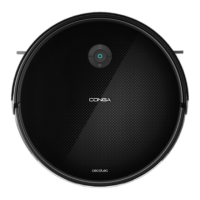
CONGA 2299 INERTIAL X-TREME
Robot aspirador /Robot vacuum cleaner

Table of Contents

Questions and Answers

  • G
    Grant LopezAug 16, 2025
    Why is suction power very low on my cecotec CONGA 2299 INERTIAL X-TREME?
    • M
      Mark ThomasAug 17, 2025
      A low suction power level in your Cecotec Vacuum Cleaner may be due to several reasons. First, check for any obstructions blocking the air inlet. Empty the tank if it's full. Clean the filters using a vacuum cleaner or a self-cleaning brush. If the filters are wet, dry them naturally before reuse to prevent moisture from damaging the motor.
  • N
    Nancy CainAug 19, 2025
    What to do if my cecotec CONGA 2299 INERTIAL X-TREME suddenly stops working?
    • V
      vbrownAug 19, 2025
      If your Cecotec Vacuum Cleaner suddenly stops, first check if it's trapped or stuck. Also, check the battery level. If the problem continues, turn the robot off and on again. If the issue persists, press the RESET button.
  • A
    Amanda ScottAug 22, 2025
    How to fix cecotec CONGA 2299 INERTIAL X-TREME that does not activate?
    • K
      Kara RobinsonAug 22, 2025
      If your Cecotec Vacuum Cleaner doesn't activate, ensure the battery is fully charged. If the problem persists, reset the robot vacuum cleaner by pressing the RESET button.
  • C
    Charles NobleAug 25, 2025
    What to do if cecotec CONGA 2299 INERTIAL X-TREME Vacuum Cleaner does not return to charging base?
    • H
      hunter49Aug 26, 2025
      If your Cecotec Vacuum Cleaner isn't returning to its charging base, remove any objects within 1 meter to the left and right, and 2 meters in front of the base. The robot will return faster when it's closer. Also, clean the charging terminals.
  • S
    Sheila ClarkAug 27, 2025
    Why does main brush not spin on Cecotec Vacuum Cleaner?
    • S
      Stephanie AllenAug 27, 2025
      If the main brush on your Cecotec Vacuum Cleaner isn't spinning, clean the main brush and check if it's installed correctly.
  • L
    Linda ThorntonAug 30, 2025
    What to do if cecotec CONGA 2299 INERTIAL X-TREME Vacuum Cleaner movements are unusual?
    • R
      Ryan LesterAug 30, 2025
      If your Cecotec Vacuum Cleaner is moving in unusual patterns, carefully clean the sensors with a clean, dry cloth. Then, restart the robot vacuum cleaner by switching it off and on, or by performing a RESET.
  • S
    Stacy JohnsonSep 2, 2025
    How to fix cecotec CONGA 2299 INERTIAL X-TREME Vacuum Cleaner that does not charge?
    • A
      Andrew CruzSep 2, 2025
      Check if the charging base indicators are on. Clean the charging terminals with a clean, dry cloth. Check if the robot vacuum cleaner beeps when it gets to the charging base.
  • A
    anthony77Sep 5, 2025
    How to fix main-brush fault in Cecotec Vacuum Cleaner?
    • S
      Steven LangSep 5, 2025
      If you're experiencing a main-brush fault with your Cecotec Vacuum Cleaner, check if the main brush is blocked or tangled, and then clean it.
  • P
    Patricia AllenSep 7, 2025
    How to solve fan error on Cecotec Vacuum Cleaner?
    • S
      Samuel LoveSep 7, 2025
      To solve a fan error on your Cecotec Vacuum Cleaner, clean any dust or objects that may be blocking the air inlet channel.
  • E
    Edward MoranSep 10, 2025
    How to fix robot’s side brush error on Cecotec Vacuum Cleaner?
    • C
      Christopher HudsonSep 10, 2025
      If you're encountering a side brush error with your Cecotec Vacuum Cleaner, check if the side brushes are blocked and clean them.

Summary

SAFETY INSTRUCTIONS

Battery instructions

Safe handling, charging, and disposal procedures for the device's lithium-ion battery.

1. PARTS AND COMPONENTS

2. BEFORE USE

Warnings

Safety precautions and warnings before operating the robot vacuum cleaner.

4. OPERATION

Start cleaning

Initiate the cleaning cycle for the robot vacuum cleaner.

End cleaning

Pause, resume, or stop the robot vacuum cleaner's cleaning cycle.

Return to the charging base

Instructions for sending the robot vacuum cleaner back to its charging base.

Switch-off

Procedure for turning off the robot vacuum cleaner when not in use.

Cleaning modes

Details on various cleaning modes available for the robot vacuum cleaner.

Automatic mode

Robot vacuum cleaner cleans automatically, returning to base when battery is low.

Random mode

Robot vacuum cleaner cleans randomly until battery is low.

Spiral mode

Intensive cleaning of a specific spot using spiral motion.

Edge mode

Robot vacuum cleaner cleans along walls and around furniture.

Back Home mode

Send the robot vacuum cleaner back to the charging base.

Manual mode

Steer the robot vacuum cleaner manually using the app.

Power level function

Adjust suction power: Eco, Normal, and Turbo levels.

Cleaning scheduling

Program daily cleaning cycles for the robot vacuum cleaner via the app.

5. CLEANING AND MAINTENANCE

High-efficiency filter

Guidance on cleaning and replacing the high-efficiency filter.

Mesh primary filter and sponge filter

Instructions for cleaning and replacing mesh and sponge filters.

Cleaning the fall-detection sensors

How to clean the robot's sensors to ensure proper navigation.

Cleaning the main brush

Steps to clean the main brush and remove trapped hair and debris.

Side brushes

Advice on cleaning and replacing the side brushes.

Sensors

Details about the robot's sensors and their maintenance.

Charging and replacing the battery

Procedures for battery maintenance, charging, and replacement.

6. TROUBLESHOOTING

Error codes and solutions

Troubleshooting common errors indicated by beeps and lights, with solutions.

Fan and main brush errors

Resolving issues related to the fan and main brush.

Common operational problems

Troubleshooting for common issues like non-activation, stopping, low suction, and charging.

Brush and movement issues

Resolving problems with the main brush spinning and unusual robot movements.

7. TECHNICAL SPECIFICATIONS

8. DISPOSAL OF OLD ELECTRICAL AND ELECTRONIC APPLIANCES

9. TECHNICAL SUPPORT AND WARRANTY

10. COPYRIGHT

11. DECLARATION OF CONFORMITY

cecotec CONGA 2299 INERTIAL X-TREME Specifications

General IconGeneral
ModelConga 2299 Inertial X-Treme
CategoryVacuum Cleaner
NavigationInertial
Battery TypeLithium-ion
Battery Capacity2600 mAh
Battery LifeUp to 160 minutes
Charging Time4-5 hours
ControlApp & Remote Control
ProgrammableYes
Suitable SurfacesHard floors, carpets
Filter TypeHEPA
Wet MoppingYes
Scheduled CleaningYes
Virtual WallsYes
Auto RechargeYes
TypeRobotic Vacuum Cleaner
TechnologyInertial Navigation
Operating ModesAuto, Edge
ConnectivityWi-Fi

Related product manuals