EasyManua.ls Logo

cecotec CONGA 2290 - User Manual

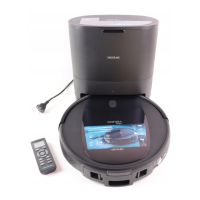
cecotec CONGA 2290
44 pages
Go to English
Print Icon
To Next Page IconTo Next Page
Loading...
Conga 2290
Robotstøvsuger/
Robot vacuum cleaner
Brugermanual
Instruction manual
CONGA
2290

Questions and Answers

  • B
    Billy DavisAug 20, 2025
    What to do if my Cecotec Vacuum Cleaner suddenly stops working?
    • J
      John ScottAug 20, 2025
      If your Cecotec Vacuum Cleaner suddenly stops working, first check if it's trapped or stuck. Then, check the battery level. If the issue continues, turn the power switch off, wait a couple of seconds, and then restart the device.
  • M
    Miss Caitlyn JohnsonAug 22, 2025
    Why is the suction power level very low on my Cecotec Vacuum Cleaner?
    • B
      bradleyjerryAug 22, 2025
      If your Cecotec Vacuum Cleaner's suction power is very low, check for any blockages in the air inlet. Empty the dust tank. Clean the filters using a vacuum cleaner or a cleaning brush. If the filters are wet, let them dry naturally before you use them again.
  • C
    connerrachelAug 25, 2025
    How to fix a Cecotec Vacuum Cleaner that does not turn on?
    • A
      Alexis JacksonAug 25, 2025
      If your Cecotec Vacuum Cleaner is not turning on, first, ensure that the power switch is in the On position. Next, ensure that the battery is fully charged. Then, replace the remote control batteries with 2 new AAA batteries. Also, make sure the remote control is within the robot's range (16 ft/5 m). If it still doesn't work, turn the switch off and then restart it.
  • N
    Nicholas NguyenAug 27, 2025
    Why doesn't my Cecotec Vacuum Cleaner return to the charging base?
    • S
      Stacy SotoAug 27, 2025
      If your Cecotec Vacuum Cleaner isn't returning to its charging base, clear any objects within 1 meter to the left and right, and 2 meters in front of the base. Remember that the robot finds the base faster when it's nearby. Also, clean the charging terminals.
  • J
    jake40Aug 27, 2025
    What to do if the main brush does not spin on my Cecotec Vacuum Cleaner?
    • J
      justin44Aug 28, 2025
      If the main brush on your Cecotec Vacuum Cleaner isn't spinning, clean it. Also, ensure that the main brush is correctly installed.
  • P
    peterleeAug 30, 2025
    How to troubleshoot a Cecotec Vacuum Cleaner remote control that does not work?
    • S
      Susan LaraAug 30, 2025
      If the remote control for your Cecotec Vacuum Cleaner isn't working, replace the batteries with 2 new AAA batteries. Also, make sure that the robot is turned on and that its battery is fully charged.
  • T
    Todd TurnerAug 31, 2025
    Why are the movements and route of my Cecotec Vacuum Cleaner unusual?
    • J
      joneswayneAug 31, 2025
      If your Cecotec Vacuum Cleaner's movements and route are unusual, carefully clean the sensors with a dry cloth. Then, restart the robot by turning it off and on again.
  • A
    Angel BushSep 2, 2025
    Why is the programming function not working on my Cecotec Vacuum Cleaner?
    • R
      Robert ChambersSep 2, 2025
      If the programming function on your Cecotec Vacuum Cleaner isn't working, make sure the power switch on the lower part of the robot is on. Also, ensure that the time (AM/PM) and time settings are correctly set. Check if the robot’s battery is too low to turn on.
  • J
    justin22Sep 4, 2025
    What does a main brush error mean on my Cecotec Vacuum Cleaner?
    • K
      Kathryn NormanSep 4, 2025
      If you're getting a main brush error on your Cecotec Vacuum Cleaner, check if the main brush is tangled or blocked. If it is, clean it.
  • T
    Tyrone JonesSep 6, 2025
    How to fix a fan error on my Cecotec Vacuum Cleaner?
    • D
      David MarshallSep 6, 2025
      If you're getting a fan error on your Cecotec Vacuum Cleaner, clean any dust or objects that might be blocking the air inlet channel.

Summary

Safety instructions

Battery instructions

Guidance on handling and potential hazards associated with the appliance's Li-ion battery.

Parts and Components

Component Identification

Identifies key robot, charging base, and remote control components via figures and labels.

Operational Indicators and Buttons

Explains indicator light statuses and functions of power/operation and back home buttons.

Accessory Components

Details power adapter, dust tank, filters, mops, and magnetic strip parts.

Remote Control and Charging Features

Covers remote control display, charging indicators, and related components.

Before Use

Initial Setup Procedures

Covers unboxing, checking components, clearing the area, and placing the charging base.

Operation

Starting, Pausing, and Stopping

Instructions for starting, pausing, resuming, and turning off the robot during operation.

Returning to Charging Base

How to command the robot to return to its charging base.

Cleaning Modes Overview

Details various cleaning modes including Auto, Intense Scrubbing, Spiral, and Edge.

Automatic Cleaning Mode

How to activate and what to expect from the automatic cleaning function.

Intense Scrubbing Mode

Instructions for using the vacuum, mop, and scrub functions with the mixed tank.

Spiral and Edge Cleaning

Guides for activating intense spot cleaning and edge cleaning functions.

Additional Cleaning Modes

Explains Room, Random, and Manual cleaning modes for specific cleaning tasks.

Power and Intensity Settings

How to adjust suction power levels and scrubbing intensity.

Specialized Features

Usage of magnetic strips for area delimitation and cleaning scheduling.

Remote Control Time Setting

Step-by-step guide to setting the current time on the remote control.

Cleaning Scheduling Configuration

How to schedule cleaning cycles and manage settings via the remote control.

Cancelling Scheduled Cleaning

Procedure to cancel pre-programmed cleaning sessions.

Cleaning and Maintenance

Dust Tank and Filter Cleaning

Instructions for emptying the dust tank and cleaning the robot's filters.

Sensor and Main Brush Maintenance

Procedures for cleaning free-fall sensors and the main brush.

High-Efficiency Filter Care

Guidance on cleaning and replacing the high-efficiency filter.

Filter System Maintenance

Details on mesh primary and sponge filters, including cleaning and replacement recommendations.

Brush and Sensor Maintenance

Guidance on cleaning side brushes, the main brush, and robot sensors.

Troubleshooting

Troubleshooting Red Light Errors

Lists error codes indicated by oscillating red light and their corresponding solutions.

Troubleshooting Steady Red Light Errors

Lists error codes indicated by steady red light and their corresponding solutions.

Common Operation Problems and Solutions

Addresses issues like robot not turning on, remote control failure, and charging problems.

Performance and Navigation Issues

Solutions for low suction, brush issues, and unusual robot movements or routes.

Technical Specifications

Disposal of Old Electrical Appliances

Copyright

cecotec CONGA 2290 Specifications

General IconGeneral
Battery Capacity2600 mAh
Charging Time4 hours
Noise Level64 dB
ConnectivityWi-Fi
Mop FunctionYes
Water Tank Capacity270 ml
Battery TypeLithium-Ion
App ControlYes
Voice ControlYes
ProgrammableYes
Filter TypeHigh-Efficiency Filter
Suction Power2100 Pa
Runtime160 minutes
ControlApp, Remote control
Operating ModesAuto, Edge, Manual, Spiral
Suitable forHard Floors, Carpets

Related product manuals