EasyManua.ls Logo

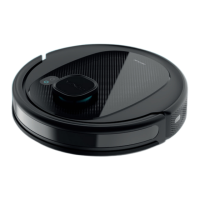
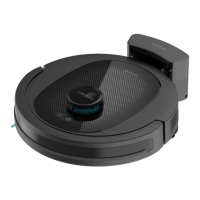
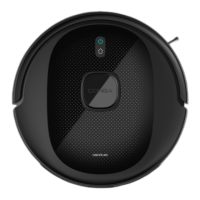
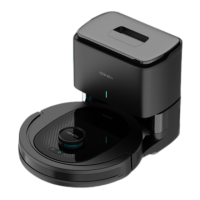
cecotec CONGA 7490 ULTIMATE GENESIS - User Manual

cecotec CONGA 7490 ULTIMATE GENESIS
164 pages
Go to English
Print Icon
To Next Page IconTo Next Page
Loading...
Manual de instrucciones
Instruction manual
Manuel d’instructions
Bedienungsanleitung
Manuale di istruzioni
Manual de instruções
Handleiding
Instrukcja obsługi
Návod k použití
GENESIS
Robot aspirador / Robot vacuum cleaner
7490 ULTIMATE

Table of Contents

Questions and Answers

  • A
    Amanda Roy DDSAug 17, 2025
    How to connect cecotec CONGA 7490 ULTIMATE GENESIS Vacuum Cleaner to Wi-Fi?
    • C
      charlesmartinezAug 17, 2025
      First, ensure the Cecotec Vacuum Cleaner is in an area with a good Wi-Fi signal. If the Wi-Fi connection is unstable, reset the router and check for app updates, then try again. Note that this vacuum cleaner only supports the 2.4GHz band. Also, make sure your smartphone's mobile data is disabled to improve the linking process.
  • B
    Bethany CooperAug 19, 2025
    What to do if Cecotec Vacuum Cleaner doesn't pick up dirt?
    • N
      Nancy ColeAug 19, 2025
      If your Cecotec Vacuum Cleaner isn't cleaning efficiently, start by emptying the tank. Also, check the high-efficiency filter and clear it if it's blocked. Finally, inspect the main brush to ensure it is free from blockages or tangles and clean it if necessary.
  • T
    Timothy WardAug 22, 2025
    Why cecotec CONGA 7490 ULTIMATE GENESIS Vacuum Cleaner won't charge?
    • M
      Melissa SolomonAug 22, 2025
      If your Cecotec Vacuum Cleaner isn't charging or returning to the base, relocate the charging base to an area free of obstacles. Clean the charging terminals on both the base and the robot. Ensure the robot is switched on. If it's too far, place it closer to the base and try again.
  • L
    Laura NixonAug 26, 2025
    How to fix Cecotec Vacuum Cleaner that won't turn on?
    • R
      Rachel MossAug 26, 2025
      If your Cecotec Vacuum Cleaner doesn't switch on or clean, it may have a low battery. Allow it to charge before operation. Also, ensure the room temperature is not below 0 ºC or above 40 ºC.
  • M
    Michael JonesAug 28, 2025
    What to do if cecotec CONGA 7490 ULTIMATE GENESIS Vacuum Cleaner doesn't work properly?
    • R
      Rachel SanfordAug 28, 2025
      If your Cecotec Vacuum Cleaner isn't working properly, try turning it off and then on again. If that doesn't work, reset the robot by pressing the side Reset button.
  • R
    Robert RogersAug 30, 2025
    Why does cecotec CONGA 7490 ULTIMATE GENESIS Vacuum Cleaner make strange noises?
    • Y
      ytaylorAug 31, 2025
      If your Cecotec Vacuum Cleaner is making strange noises, stop it and check the main brush, side brush, and omnidirectional wheel. Clean them if they are blocked or tangled.
  • R
    Randy HarperSep 2, 2025
    Why cecotec CONGA 7490 ULTIMATE GENESIS Vacuum Cleaner didn't start scheduled cleaning?
    • D
      Dennis HernandezSep 2, 2025
      If your Cecotec Vacuum Cleaner didn't perform a scheduled cleaning, check if it is in Sleep mode and change the mode if needed. Also, ensure the robot is properly connected to Wi-Fi, as scheduled cleaning requires a connection and sufficient battery.
  • S
    Sandra ColeSep 5, 2025
    What to do if cecotec CONGA 7490 ULTIMATE GENESIS Vacuum Cleaner doesn't return to the charging base?
    • H
      Hunter SmithSep 5, 2025
      If your Cecotec Vacuum Cleaner doesn't return to the charging base after spot cleaning or changing its starting position, note that it will map and calculate a new route. If the charging base is too far, manually move the robot to the charging base.
  • J
    Joann RobertsonSep 8, 2025
    Why cecotec CONGA 7490 ULTIMATE GENESIS Vacuum Cleaner does not resume cleaning?
    • A
      Anthony LawsonSep 8, 2025
      Your Cecotec Vacuum Cleaner will not resume cleaning if it is in Sleep mode, so ensure it is not in this mode. Also, it will not resume cleaning if it is manually placed on the charging base.
  • T
    Thomas GonzalezSep 10, 2025
    How to fix cecotec CONGA 7490 ULTIMATE GENESIS always offline?
    • A
      Allen HendersonSep 12, 2025
      To fix a Cecotec Vacuum Cleaner that is always offline, ensure it is successfully connected to a 2.4 GHz network and is always in an area with a good Wi-Fi signal.

Summary

SAFETY INSTRUCTIONS

General Safety Precautions

General safety guidelines for operating the robot vacuum cleaner.

Battery Safety Instructions

1. PARTS AND COMPONENTS

Robot vacuum cleaner accessories

List of accessories included with the robot vacuum cleaner.

Charging base

Details and components of the charging base for the robot vacuum cleaner.

Mixed tank

Description of the mixed tank for vacuuming and mopping.

2. BEFORE USE

Warnings

Important warnings regarding object removal, placement, and liquid use.

Installing the robot vacuum cleaner and charging base

Step-by-step instructions for setting up the robot and its charging station.

3. OPERATION

Robot vacuum cleaners buttons

Explanation of the robot's physical buttons and their functions.

Functions

Overview of operational modes like Pause and Auto Mode.

Basic Operation Modes

Covers Standby, general Cleaning modes, Edge, Spiral, Square Spiral, and Scrubbing.

Advanced Cleaning Modes

Using Manual, Back Home, Smart Area, Room, and Spot cleaning modes.

Customization and Scheduling

Setting restricted areas, cleaning levels, schedules, and other functions.

4. CLEANING AND MAINTENANCE

Cleaning the main brush

Instructions for cleaning the robot's main brush to maintain efficiency.

Side brush

Guidance on cleaning and maintaining the side brushes.

Mixed tank

How to empty and clean the mixed tank for mopping.

Filter and Sensor Maintenance

Cleaning and replacing high-efficiency filter, mesh filter, and sensors.

Battery Care and Replacement

Tips for battery longevity and instructions for battery replacement.

6. TECHNICAL SPECIFICATIONS

7. DISPOSAL OF OLD ELECTRICAL AND ELECTRONIC APPLIANCES

8. TECHNICAL SUPPORT AND WARRANTY

9. COPYRIGHT

10. DECLARATION OF CONFORMITY

cecotec CONGA 7490 ULTIMATE GENESIS Specifications

General IconGeneral
ModelCONGA 7490 ULTIMATE GENESIS
CategoryRobot Vacuum Cleaner
Battery TypeLithium-Ion
MoppingYes
App ControlYes
Auto RechargeYes
Multi-floor MappingYes
Dust Container Capacity0.6 L
Water Tank Capacity270 ml
Voice ControlYes, via Alexa and Google Assistant
Cleaning ModesAuto, Spot
Dimensions350 x 350 x 95 mm
Virtual WallsYes
ConnectivityWi-Fi

Related product manuals