EasyManua.ls Logo

cecotec IRONHERO 3200 I-PUMP ABSOLUTE - User Manual

cecotec IRONHERO 3200 I-PUMP ABSOLUTE
88 pages
Go to English
Print Icon
To Next Page IconTo Next Page
Loading...
IRONHERO 3200 I-PUMP ABSOLUTE
Plancha horizontal con bomba/ Steam iron with pump
Manual de instrucciones
Instruction manual
Manuel d’instructions
Bedienungsanleitung
Manuale di istruzioni
Manual de instruções
Handleiding
Instrukcja obsługi
Návod k použití

Table of Contents

Question and Answer IconNeed help?

Do you have a question about the cecotec IRONHERO 3200 I-PUMP ABSOLUTE and is the answer not in the manual?

Overview

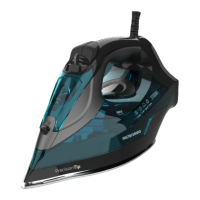
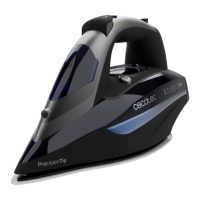
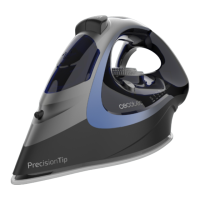
The Cecotec IronHero 3200 I-Pump Absolute is a steam iron designed for efficient and safe garment care. It features a pressure-generating pump for powerful steam output and a precision tip for reaching difficult areas.

Function Description:

The IronHero 3200 I-Pump Absolute is a versatile iron capable of both dry and steam ironing. It incorporates an I-Pump system that generates maximum steam to effectively remove even the toughest creases. The iron includes a water spraying nozzle and a spray button for targeted moisture application, as well as a steam burst button for an intense burst of steam. A touch sensor in the handle ensures continuous steam emission when held in a horizontal position, enhancing safety and ease of use. The iron also features an auto-clean function to prevent limescale buildup and an anti-drip function to prevent water leakage at low temperatures. For safety, it has an auto shut-off function that turns the iron off if left unattended for a certain period, either horizontally or vertically.

Important Technical Specifications:

  • Product Reference: 01876
  • Model: IronHero 3200 I-Pump Absolute
  • Power: 3200 W
  • Voltage: 220-240 V~
  • Frequency: 50-60 Hz
  • Water Tank: The iron is equipped with a water tank, which should be filled with distilled water for optimal performance and to prevent limescale.
  • LCD Display: An LCD display provides information on temperature settings and operational modes.
  • Temperature Control: The iron offers various temperature settings suitable for different fabric types, including synthetic (low temperature), silk-wool (medium temperature), cotton-linen (high temperature), and a "do not iron" setting.
  • Swivelling Cord: The iron features a swivelling cord for flexible movement during ironing.

Usage Features:

  • Preparation: Before use, users should sort laundry according to international symbols on garment labels to select the appropriate temperature setting.
  • Filling the Water Tank: The water tank is filled by unplugging the iron, resting it on its heel, tilting it forward approximately 45°, and pouring distilled water up to the "Max" mark. Chemically descaled or scented water should not be used.
  • Vertical Steaming: To use vertical steaming, ensure there is enough water in the tank, place the iron in an upright position, and press the I-Pump button. An intense steam burst will be ejected from the soleplate.
  • Dry Ironing: Select the "Dry Ironing" mode and choose the desired fabric type ("Synthetic" or "Silk-Wool") using the + and - buttons. The temperature icon will stop flashing when ready.
  • Steam Ironing: Fill the water tank, plug in the iron, and select the fabric type using the + and - buttons. The steam mode is available for "cotton" and "linen" modes. The temperature icon will stop flashing when ready.
  • Fabric-Specific Ironing:
    • Synthetic Clothes: Minimum temperature and no steam operation. The display shows the temperature symbol and a dot blinking.
    • Wool/Silk: Medium temperature and no steam ironing. The display shows the temperature symbol and two dots blinking.
    • Cotton: High temperature and steam ironing. The display shows the temperature symbol and three flashing dots.
    • Linen: Maximum temperature and steam ironing. The display shows the temperature symbol, three dots, and "MAX" blinking.
  • Steam Burst: Pressing the steam burst button emits an intense burst of steam. This function is activated during high-temperature ironing. To prevent soleplate leaking, do not keep the steam burst button pressed for more than 5 seconds. For optimal steam burst, do not press the button more than three times in a row to prevent the iron from cooling.
  • Spraying: The spray function can be used with any temperature setting during steam or dry ironing, as long as the tank is full.
  • Touch Sensor: The iron emits continuous steam when held by the handle in a horizontal position, enhancing safety and control.
  • Continuous Steam Emission: The I-Pump generates maximum steam. To activate, press the I-Pump button; the LED light will remain on, and a slight sound will be heard. To deactivate, press the button again.
  • Auto Shut-off Function: The iron automatically turns off if left horizontally for 30 seconds or vertically for 8 minutes. The device will beep 6 times, and the LCD display will turn red. To restart, pick up the iron or move it gently. The LCD display will turn blue when ready.
  • Anti-drip Function: This function prevents water from spilling when the appliance is not hot enough. During use, a "click" sound may be heard, which is normal and indicates correct system operation.
  • Anti-calc System: This system is designed to reduce limescale buildup during ironing, extending the iron's lifespan.

Maintenance Features:

  • Cleaning and Maintenance: After each use, turn off, unplug, empty the water tank, and let the appliance cool down completely.
  • Soleplate Cleaning: If fabric residue adheres to the soleplate, use a damp cloth and vinegar to detach it. Do not use abrasive cleaners or scouring pads.
  • Steam Hole Cleaning: If limescale blocks the steam holes, use a toothpick to remove it.
  • Storage: To protect the soleplate, place the iron in an upright position on its heel rest.
  • Auto-clean Function: Use the self-cleaning function once every two weeks. If water in your area is very hard, use it more frequently. Ensure the appliance is unplugged. Fill the water tank to the maximum mark and add vinegar or other treatment agents. Plug the device into a power supply, select the maximum temperature mode, and hold the iron horizontally, shaking it gently from side to side over a container or bowl to release boiling water and steam, removing impurities. Repeat if necessary. After the self-cleaning process, plug the iron into a power socket and let it heat up. Move the hot iron gently over a piece of fabric to remove water stains, then let it cool down before storing.

cecotec IRONHERO 3200 I-PUMP ABSOLUTE Specifications

General IconGeneral
Brandcecotec
ModelIRONHERO 3200 I-PUMP ABSOLUTE
CategoryIron
LanguageEnglish

Related product manuals