EasyManua.ls Logo

cecotec Total Iron 10100 Pro - User Manual

cecotec Total Iron 10100 Pro
32 pages
Go to English
Print Icon
To Next Page IconTo Next Page
Loading...
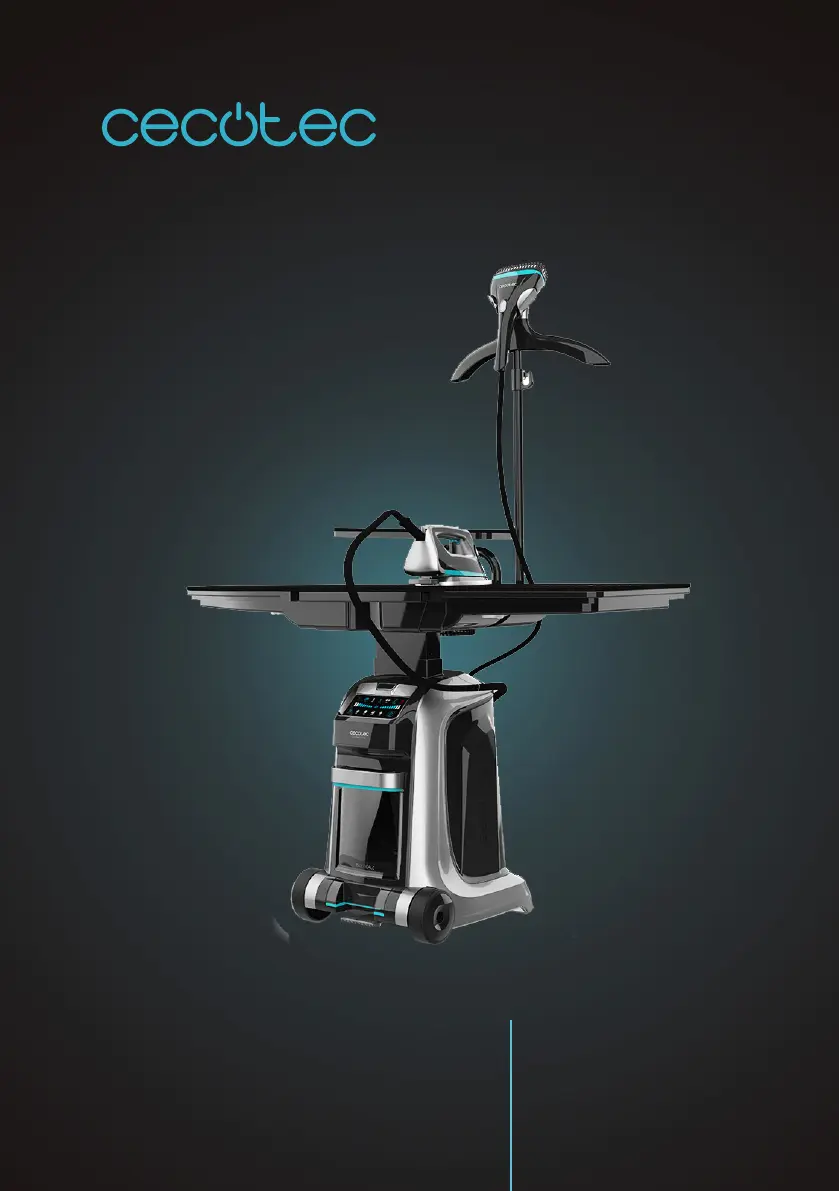
TOTAL IRON 10100 PRO
Strygestation / Steam station
Brugermanual
Instruction manual

Questions and Answers

  • C
    Caroline HarrisonAug 4, 2025
    Why does my Cecotec Iron make noise?
    • S
      stephaniesextonAug 4, 2025
      It is normal to hear pumping sounds, as water is intermittently pumped from the tank into the boiler. Also, the appliance has a fan to optimize performance, which cannot be switched off. If the water tank is properly placed and the noises persist, switch off the Cecotec Iron and contact the official Technical Support Service.
  • T
    Tamara SchultzAug 8, 2025
    What to do if my Cecotec Iron is not producing steam?
    • H
      Heather RochaAug 9, 2025
      If your Cecotec Iron or garment steamer isn't producing steam, ensure the water tank is adequately filled and correctly placed in its compartment. Wait for the blue light to appear on the iron or garment steamer, then press the steam trigger to start steam ironing or the steam activator to start steaming. If it still doesn't work, restart the appliance by pressing the power-on switch once until the light turns blue.
  • D
    Denise MillerAug 13, 2025
    Why is water coming out of my cecotec Total 10100 Pro?
    • R
      Robin CarterAug 14, 2025
      If water droplets come out of your Cecotec iron, it is likely due to water collecting inside the supply hose. This is normal and typically occurs during the first few seconds of steaming at the start of an ironing or steaming session, or after an interruption.
  • S
    silvadanielleAug 18, 2025
    Why doesn’t the cecotec Total 10100 Pro produce any steam?
    • A
      Amy MccallAug 18, 2025
      If your Cecotec Iron isn't producing steam, make sure the water tank is filled and properly inserted. Allow the iron to heat up until the light turns blue, then press the steam trigger to begin steam ironing or the steam activator to start steaming. If the issue persists, try restarting the appliance by pressing the power-on switch once until the light turns blue.
  • F
    Frederick PetersonAug 25, 2025
    Why does my Cecotec Iron remain cold?
    • C
      Cameron BerryAug 25, 2025
      If your Cecotec Iron is not heating up, first, press the power-on button. Allow the heating process to complete, then switch the appliance on again. As an alternative, press the power-on switch once to restart the appliance. The iron is ready for use when the indicator light turns blue.
  • J
    Jane PriceAug 29, 2025
    Why does my cecotec Total 10100 Pro make so much noise?
    • K
      Kyle MccarthyAug 29, 2025
      The noise from your Cecotec Iron is normal. The fan optimizes the appliance's performance and cannot be switched off. However, if the noises persist, switch off the appliance and contact the official Technical Support Service of Cecotec.

Summary

Safety Instructions

Parts and Components

Before Use

Operation

Control Panel Overview

Explains the indicators and buttons on the control panel.

Type of Water Usage

Guidance on recommended water types and precautions for use.

Fabric Suitability and Ironing

Details fabric types suitable for ironing and those to avoid.

Using the Iron

Step-by-step guide on how to operate the iron.

Using the Garment Steamer

Instructions for using the garment steamer function.

Autocleaning and Auto-off Features

Explains the automatic cleaning cycle and auto-shutoff function.

Storage Instructions

Guidance on how to properly store the appliance after use.

Cleaning and Maintenance

Troubleshooting

Technical Specifications

Disposal of Old Electrical Appliances

Technical Support and Warranty

cecotec Total Iron 10100 Pro Specifications

General IconGeneral
Brandcecotec
ModelTotal Iron 10100 Pro
CategoryIron
LanguageEnglish

Related product manuals