2
SPECIFICATIONS — MODEL # 44121
Nosepiece Triple with click stop
Objective Lens 4x 15x 30x
10x on Zoom Eyepiece 40x 150x 300x
20x on Zoom Eyepiece 80x 300x 600x
MAGNIFICATION TABLE
Use the following table to determine the magnification
of the different eyepiece/objective lens combination of
your microscope.
1. Take the Styrofoam container out of the carton.
the various parts in place.
3. Carefully remove the microscope and other parts from
the container and set them on a table, desk, or other
flat surface.
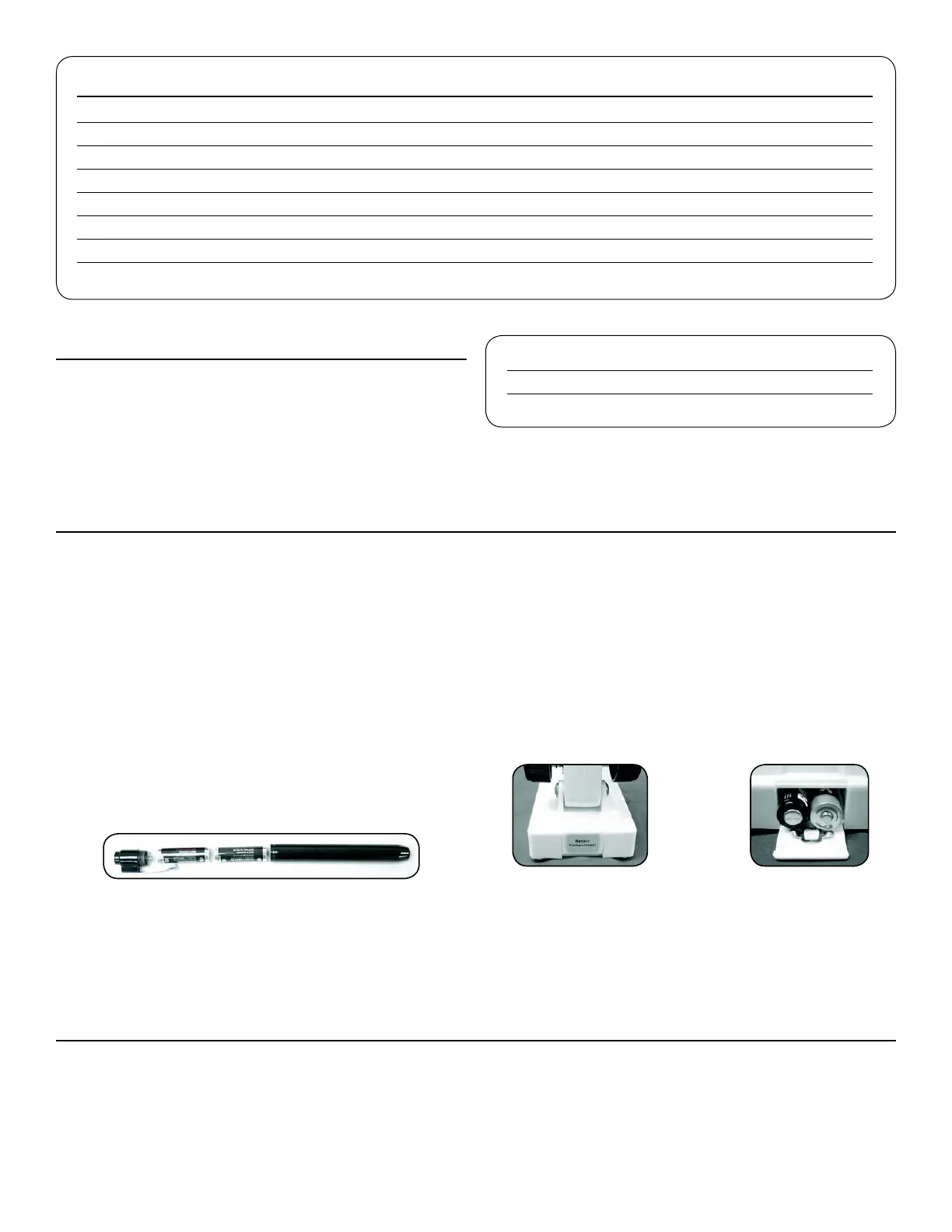
the AAA batteries into the tube with the positive ends
going into the tube first. Screw the top of the pen light
clockwise until tight.
7. Install the batteries for the bottom illuminator in the
the battery compartment closed at the back of the
microscope. Image 3b shows the batteries being
battery compartment door to locate where the positive
the door to open it while holding the base firmly and
push firmly to close it after the batteries are installed.
FIGURE 3A FIGURE 3B
You are now ready to use your microscope for looking
at specimen slides or small objects through the zoom
eyepiece!
SETTING UP YOUR MICROSCOPE
VIEWING A SPECIMEN
Carefully place a specimen slide under the stage clips Fig.
area with the hole in the center and Figure 4b shows a
specimen slide centered over the hole in the stage. It will
take some experimenting to place slides or objects in the
center of the stage as the image you see is upside down
and reversed but after some usage you will have an easy
MICROSCOPE OPERATION
FIGURE 2















 To Next Page