10 I ENGLISH
dIGITAl ZOOM:
+
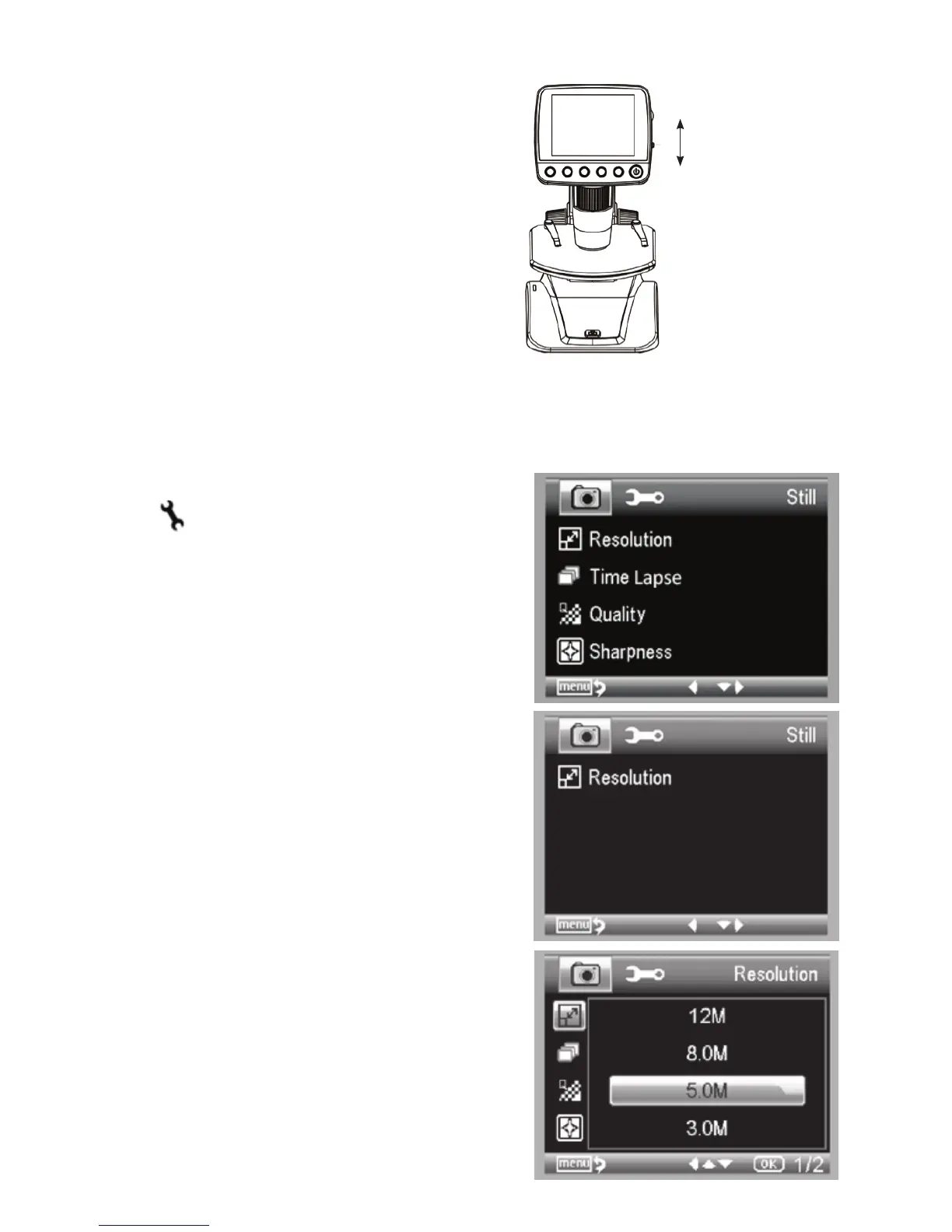
Press the Zoom Button up to zoom in, and down to
zoom out.
+
The Zoom has a range from 1.0x to 4.0x
Zoom In
Zoom Out
6. soFTWArE MEnU
inTroDUCTions
MAIN MENU 1 :
+
Press SETTINGS button to enter Main Menu 1.
+
The menu choices will vary depending on whether you are
in still image or video mode.
+
When in still image mode, you will see:
1. Resolution
2. Time Lapse
3. Quality
4. Sharpness
+
There is only one setting in video mode:
1. Resolution
RESOLUTION SETTING:
+
In still image mode, choices are:
- 12.0 MP (interpolated*)
- 9.0 MP (interpolated*)
- 5.0 MP
- 3.0 MP
- 1.3 MP
- VGA















 To Next Page