EasyManua.ls Logo

Celestron C4.5 - Attaching the Mount to the Tripod

Celestron C4.5
60 pages
Print Icon
To Next Page IconTo Next Page
To Previous Page IconTo Previous Page
Loading...
AAA
AAA
AA
A
AA
aa
a
Attaching
the
Mount
In
order
for
the
tripod
to
stand,
the
equatorial
mount
must
be
attached.
To
to
the
Tripod
do
this:
1.
Locate
the
long
bolts
that
attach
the
mount
to
the
tripod
head.
2.
Remove
the
wing
nut
and
one
of
the
washers
from
the
bolt.
3.
Insert
the
bolt
with
remaining
washer
through
the
top
of
the
tripod
leg.
4.
Install
the
washer
and
wing
nut
onto
the
bolt.
Thread
the
wing
nut
on
about
two
full
turns.
Do
NOT
tighten
fully
or
you
will
pinch
the
tripod
leg
which
will
prevent
the
mount
from
sliding
onto
the
leg.
5.
Slide
the
mount
onto
each
tripod
leg,
one
ata
time.
Orient
the
legs
so
that
the
accessory
tray
support
brackets
are
on
the
inside
(see
figure
2-2).
6.
Tighten
each
wing
nut
and
bolt
completely
to
hold
the
mount
securely
in
place.
7.
Spread
the
legs
slightly
and
the
tripod
will
now
stand
by
itself.
Once
this
is
done,
you
are
ready
to
attach
the
accessory
tray.
NOTE:
Variations
in
temperature
and/or
humidity
can
cause
the
tripod
legs
to
expand
and
contract.
This
expansion
and
contraction
can
cause
the
bolts
that
hold
the
tripod
legs
in
place
to
loosen
WITHOUT
warning.
Asa
result,
you
should
periodically
check
these
bolts
to
ensure
that
they
are
tight.
Also,
apply
lemon
oil
to
the
legs
occasionally
to
prevent
them
from
drying
out
and
warping.
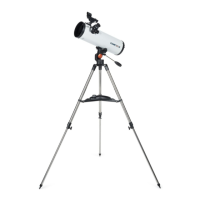
Figure
2-2
6
œ
Assembling
Your
C4.5

Table of Contents

Related product manuals