ENGLISH I 5
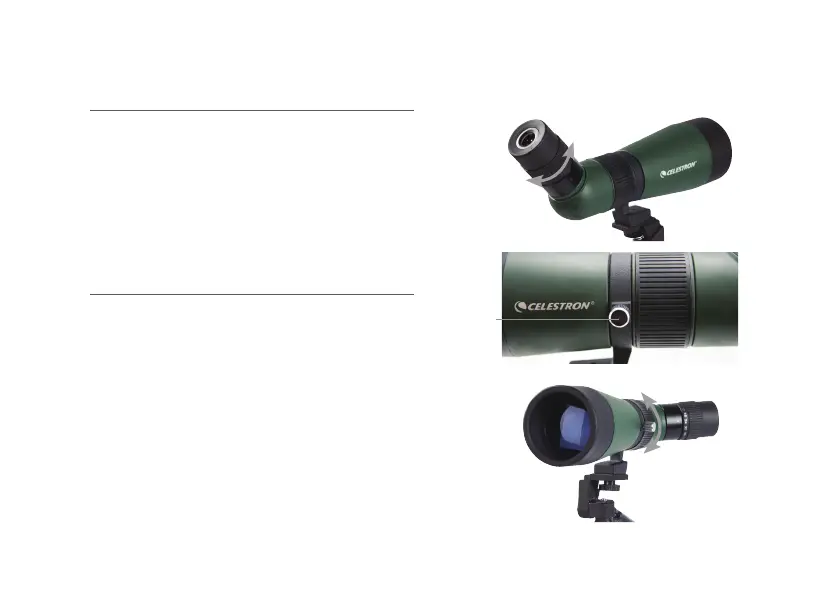
CHANGING THE MAGNIFICATION
To change the magnification of the zoom eyepiece,
simply rotate the eyepiece in a clockwise direction
to increase the magnification and counterclockwise
to decrease the magnification. When changing
magnification, the scope will need to be refocused.
The largest field of view and brightest images will
always be at the lowest magnification.
ROTATING TRIPOD MOUNT
LandScout spotting scopes feature a rotating
tripod mount that rotates a full 360° and allows
the eyepiece to be set in any viewing position.
To change the eyepiece position, loosen the lock
screw (located on the tripod mount) and turn the
scope to the desired position. Tighten the lock
screw and view through the eyepiece.
FIG. 4
FIG. 5A
FIG. 5B
Lock Screw







 To Next Page