18
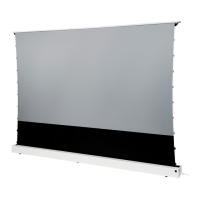
Make absolutely sure that the product, especially the extended cloth, is
not exposed to different temperatures at certain points. This uneven tem-
perature effect would „stretch“ the material, as colder areas deform diffe-
rently to warmer areas, making it very likely that ripples will form and your
ultra-short throw projection will show distortions in the image. (e.g. due
to sunlight, placed directly on radiators, at air outlets or air intakes of any
air conditioning units, other heat-generating AV components such as AV
receivers, games consoles or computers).
• Place the screen in the room in such a way that such temperature inuen-
ces are not present. Even brief exposure to temperature can lead to defor-
mation of the fabric and may be irreversible.
• Position heat-radiating devices in such a way that the air currents cannot
affect the screen fabric!
• Only ever place (or store) the screen absolutely horizontally and levelled.
Use a spirit level to check this. A crooked screen can have a negative effect
on the mechanics, atness and service life.
• Always ensure that the extension area is and remains free of obstacles.
• Do not place any objects on the opening or near the opening area.
• Prevent any liquids from getting near the screen! The ingress of liquids
(e.g. watering owers, ower vases, etc.) will have a negative effect on
your product and can destroy the electronics of the product!
• Only extend the screen if it is standing on a solid surface or has been pro-
perly screwed onto the enclosed mounting brackets.
• If you want to place the screen and your projector on a sideboard hanging
freely on the wall, make absolutely sure that the board is adequately secu-
red to the wall for the additional load!


 To Next Page