10
OPERATION
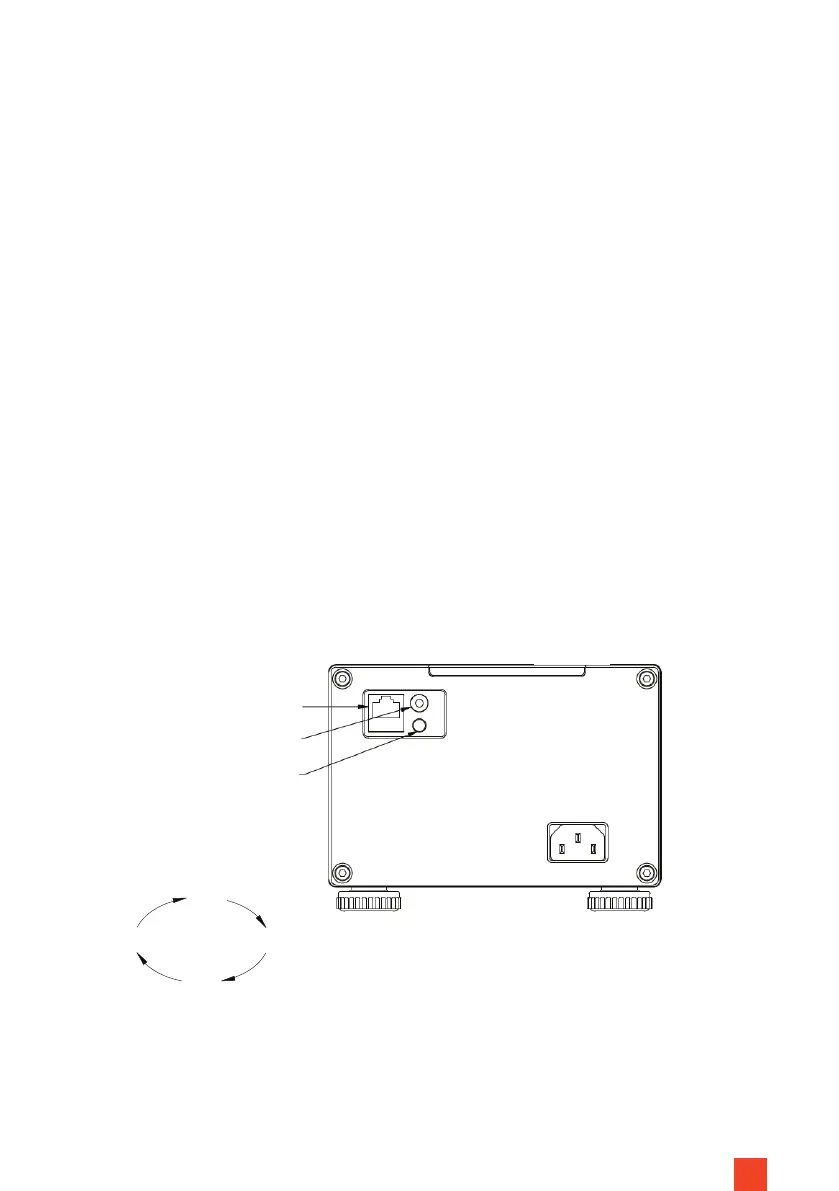
CONTROL VIA THE CONTROL BUTTON WITH MANUAL SWITCHING
CYCLE
The button for the manual cycle is located on the end cover of the power sup-
ply side of the housing. Pressing the button (again) the screen will raise, pause,
lower, stop and raise again. One button for each function in endless loop.
Stop
Up
Down
Stop
Operating
button
This screen has 6 control options:
1. Housing button, manual switching cycle
2. Wireless USB trigger
3. Wireless remote control
4. Infrared remote control
5. Potential-free control
6. RS485/ RS232 control
Fig. 7
RS485/ RS232 connection
IR eye connection (3,5 mm)
Operating button


 To Next Page