28
29
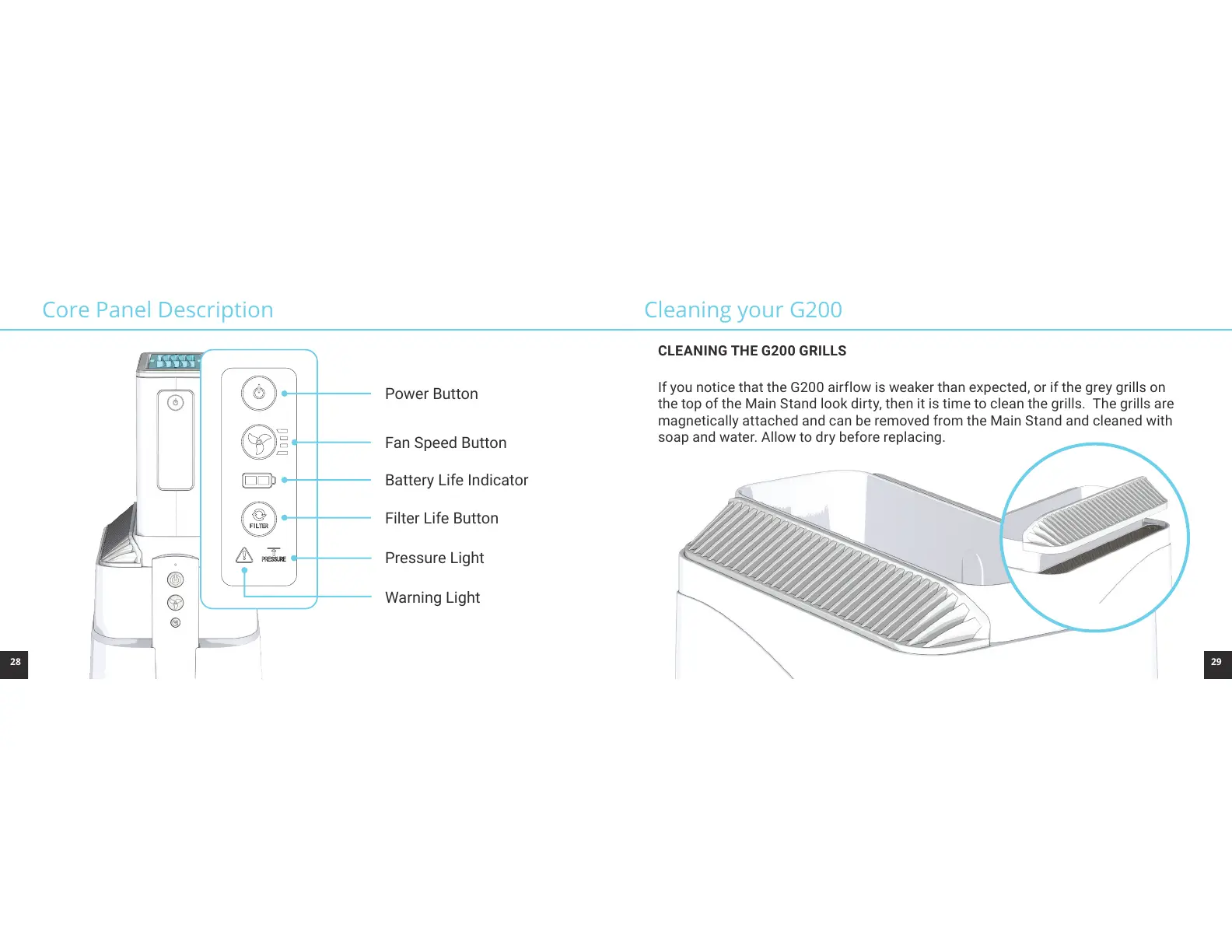
Power Button
Fan Speed Button
Battery Life Indicator
Filter Life Button
Warning Light
Pressure Light
Core Panel Description Cleaning your G200
CLEANING THE G200 GRILLS
If you notice that the G200 airflow is weaker than expected, or if the grey grills on
the top of the Main Stand look dirty, then it is time to clean the grills. The grills are
magnetically attached and can be removed from the Main Stand and cleaned with
soap and water. Allow to dry before replacing.



 To Next Page