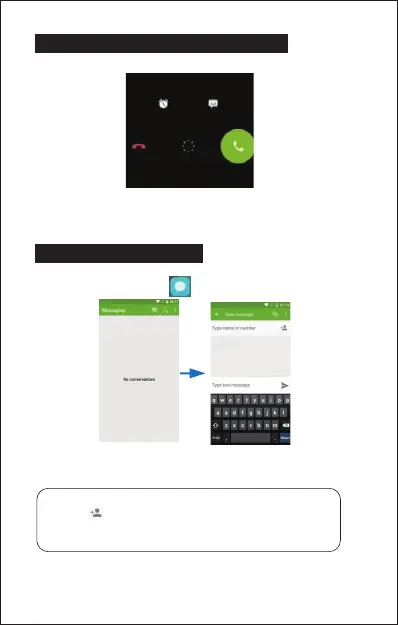
9. ANSWERING AND REJECTING CALLS
To answer a call – Slide your finger to the Green Call answer key.
To reject a Call – Slide your finger to the Red Call End key.
To message – touch the message icon.
10. SENDING A MESSAGE
On the home screen,Messaging > , enter message edit interface.
For Text Message
1. Input recipient number on the Type name or number. While you input the
number, matching contacts will appear under the bar for you to select.
2. Click Compose to start composing a message.
3. Aer you finish typing, click Send.
Note:
• Click to open contact search screen and select any contact to
add to recipient bar.
• Please use commas between each recipient.
9


 To Next Page