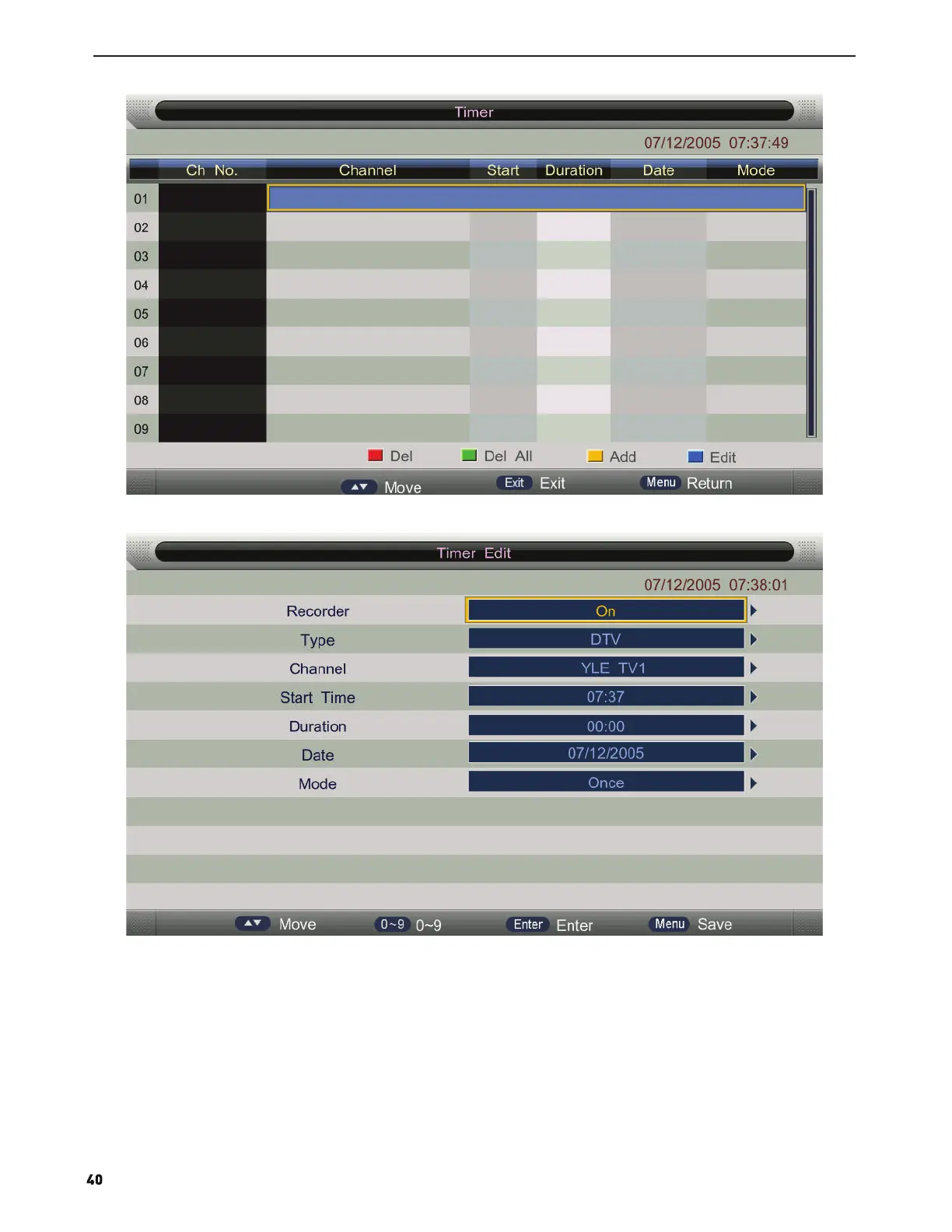
2. If you enter the Timer Edit menu, you can set the record task that you want to record.
3. When you success to set the record task, if the TV is standby mode, it will auto power on when one minutes before
the start of the task.
4. When the record task time is start, It will auto record, but you must check you USB storage device inserted and it
is enough speed to record.Otherwise the task will failure.
5. The TV enter false standby mode when the task is start, you can press the POWER button to watch the TV program.
You can do same operation as Direct Record. When you press POWER again, if the task is not over, the TV will
power off the panel and continue to record.The TV will real power off until the record task is over.
6. When you press the REC.TASK button, you can enter the timer menu too.


 To Next Page