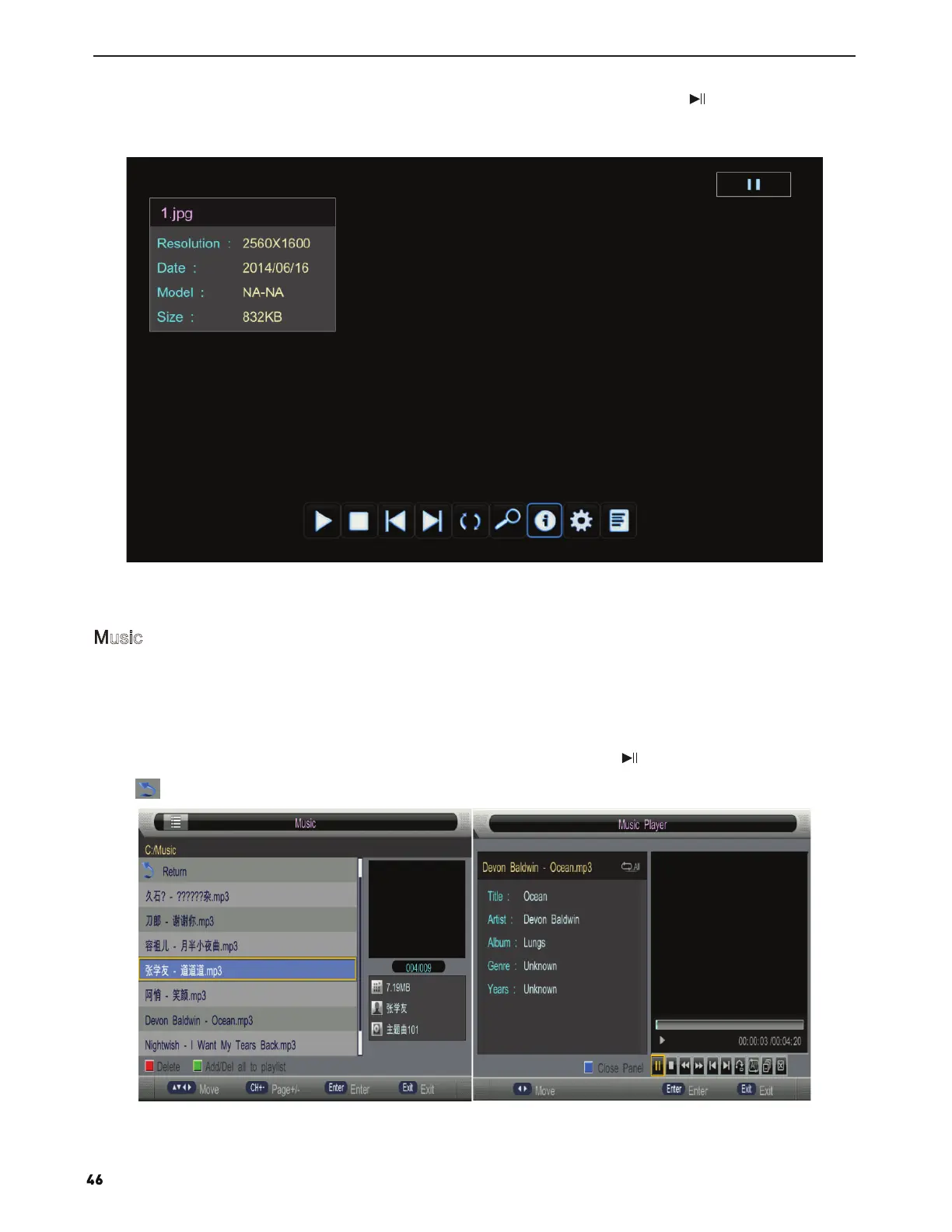
You can see the information of the current playing photo after press INFO button, then press button to play or
pause, you can see the playing state in the right.
Then press ▲/▼or ◄/► button to rotate the picture without control bar.
Notes: Other menu and description are the same as that for Movie menu.
The picture is for a reference only; the actual item is the standard.
Press ◄/► button to select Music in the main menu, and then press ENTER button to enter.
Press EXIT button to return back to the previous menu.
Press RED button to delete the song you selected.
Press GREEN button to add all music to play list.
Press ▲/▼ button to select the song you want to listen, and then press ENTER or or ► button to play.
Press button to return back to the previous menu.
Music


 To Next Page