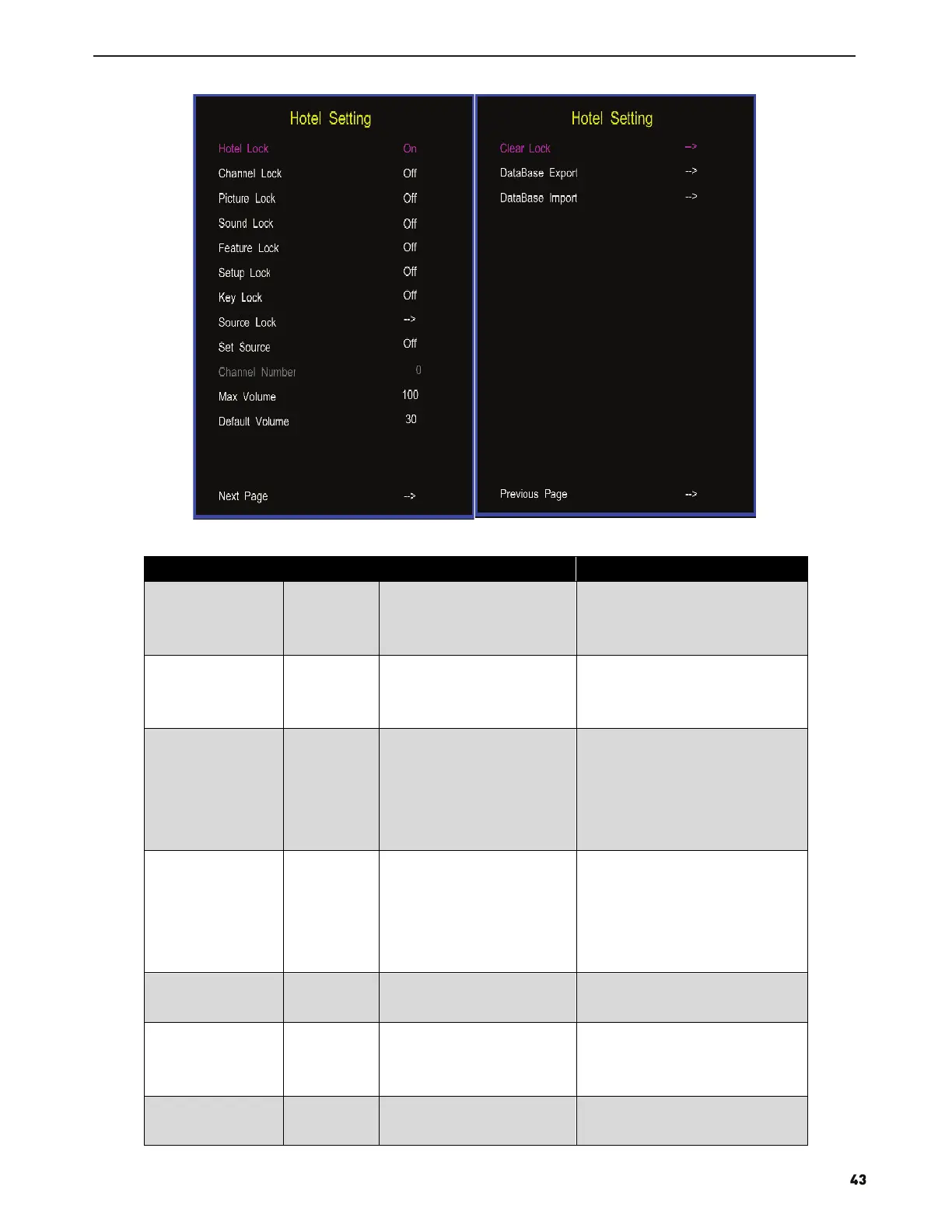
Name Value Description
Note
Hotel Lock On/Off Open or close hotem
mode, set to off by
default.
If want to adjust the items in
Hotel Menu,you must set
this item to “ON”
Channel Lock On/Off Lock the channel menu.
If set to ON,user can not
enter the channel menu and
can not search channel.
Picure Lock On/Off Lock the picture menu
If set to ON,user can not
enter the picture menu and
can not adjust the picture
mode,contrast,brightness,
and so on.
Sound Lock On/Off Lock the sound menu
If set to on ,user can not
enter the sound menu,and
can not adjust the item likes
sound mode,balance,and so
on.
Feature Lock On/Off Lock the feature menu
If set to on, user can not
enter the feature menu.
Setup Lock On/Off Lock the setup menu
If set to on, user can not
enter setup menu,and
change the system settings.
Source Lock Lock the input source.
Press key“enter” to enter
the submenu.If set one
2. Function description of hotel mode:



 To Next Page