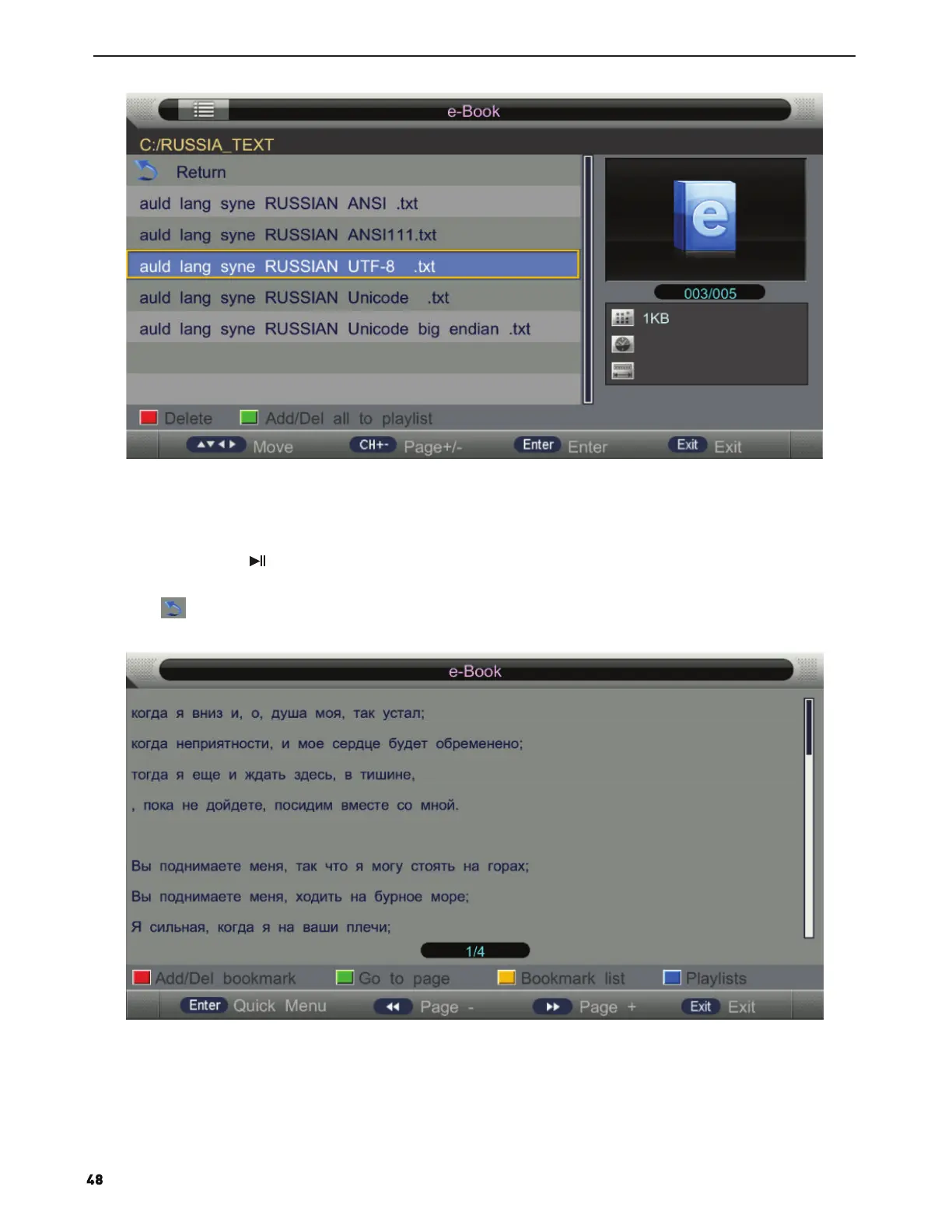
Press ▲/▼ button to select the file you want to view.
Press ENTER button to select the sub folder for file.
Press RED button to delete the text file you selected.
Press GREEN button to add all text files to play list.
Press ENTER button or button to play,
Press ■ button or EXIT button to stop playing.
Press the button to return back to previous page.
You can see the information of the current playing media at the first flew second or after press INFO button.
Press RED button to add/delete bookmark in current page.
Press GREEN button to jump to special page.
Press Yellow button to open bookmark list.


 To Next Page