37
Recording the current Program
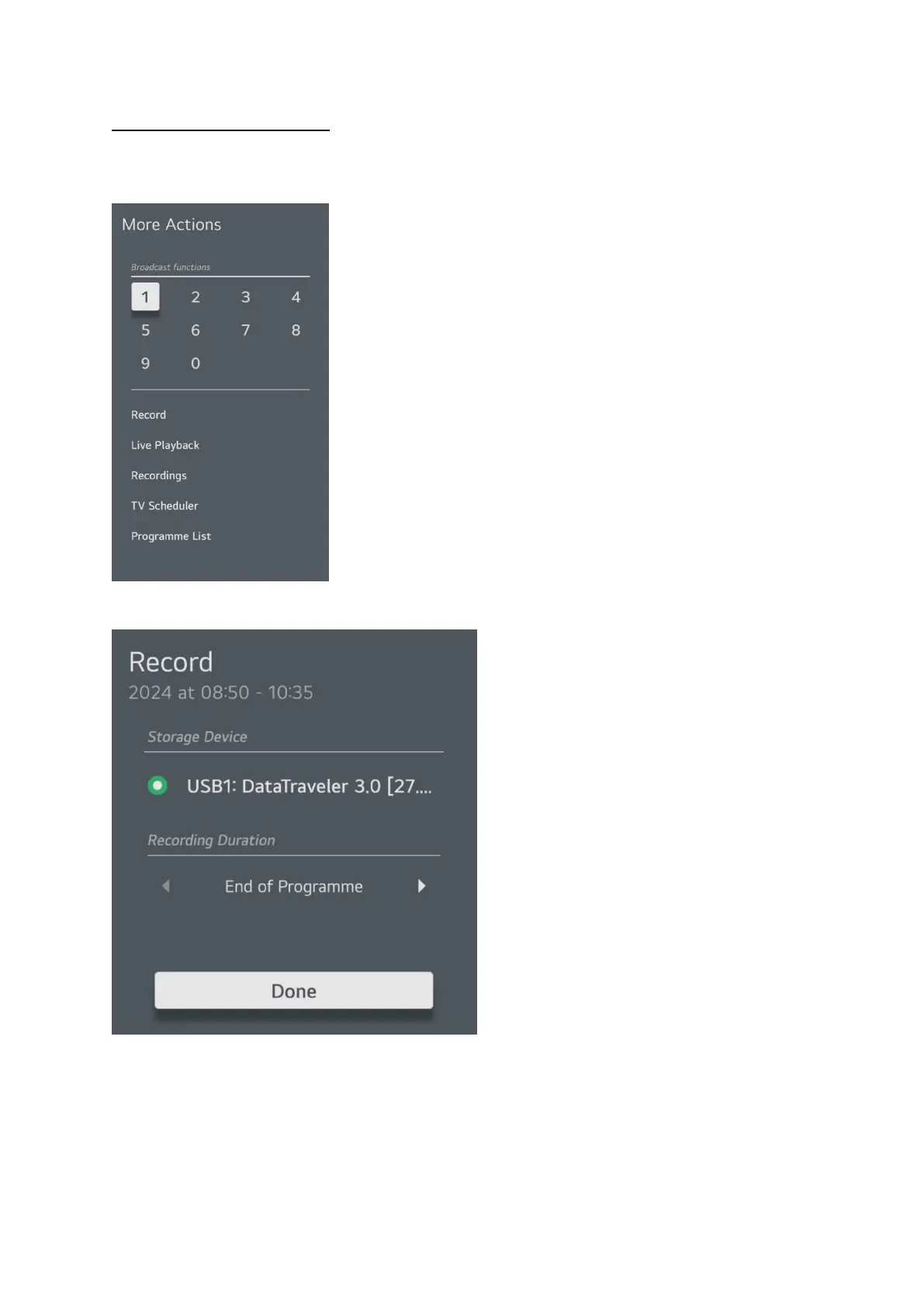
While watching a TV or Satellite channel press the 3 dots … button on the remote control. This will
bring up a menu on the right of the screen.
Select record from the list. Then the following pop up box will appear.
You can change the duration and it will let you select from 30 minutes upwards in 30 minute intervals
or just record to the end of program, once you have selected your duration select done and press the
OK button.
If this is the first time recording on this storage device the TV will run a check to ensure the device is
suitable for recording to.



 To Next Page