38
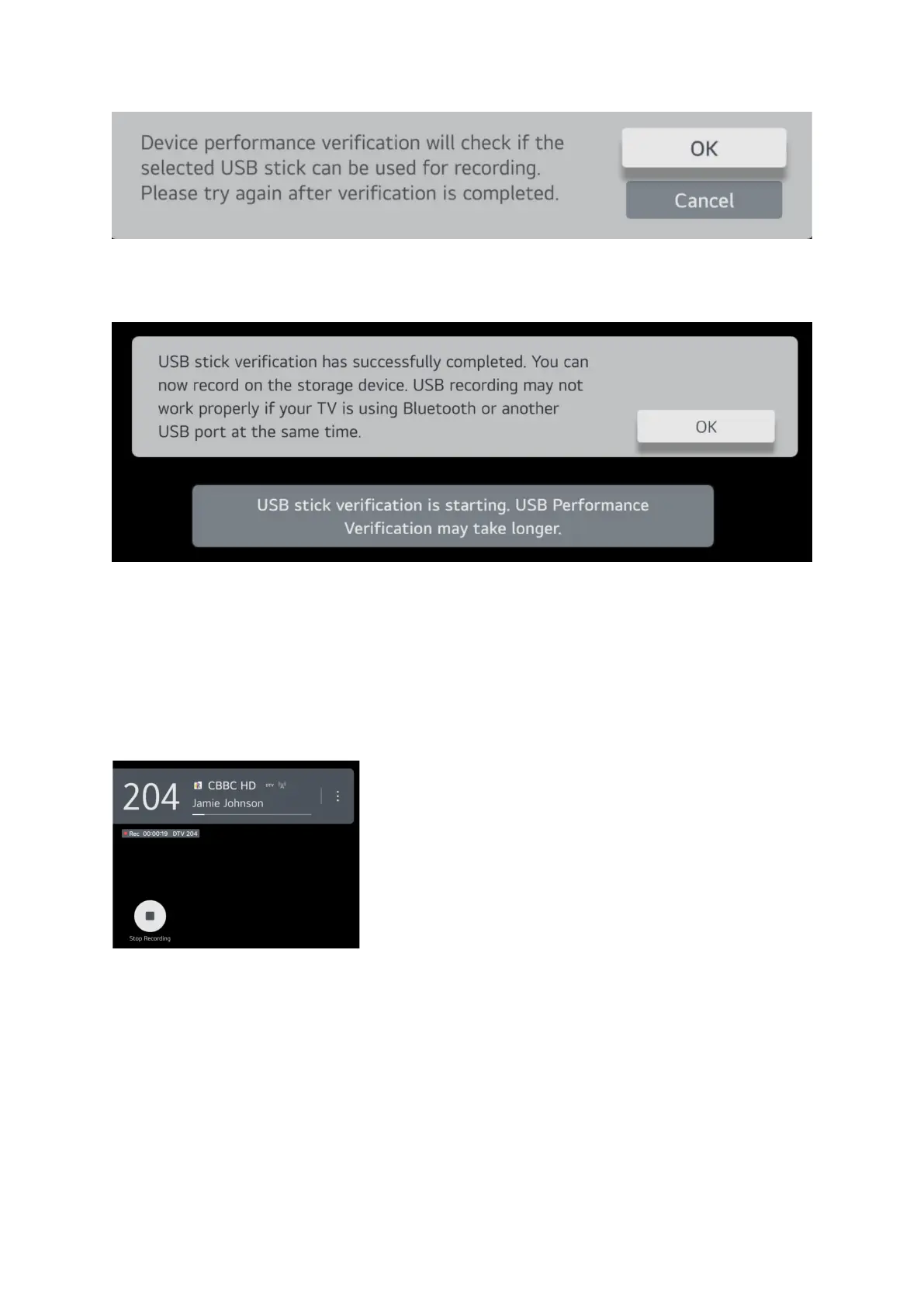
Click OK to run verification test.
Once completed this message will appear.
Click OK and restart the recording.
A message will appear to say recording has started and if there are more episodes of the same
program this message will pop up to ask if you want to record other episodes.
If you want to stop the recording before it reaches the scheduled end then press the OK button on
the remote and a button will pop up at the bottom left press OK to stop the recording.
This screen will then pop up and you have several options to save the recording or discard it.


 To Next Page