8
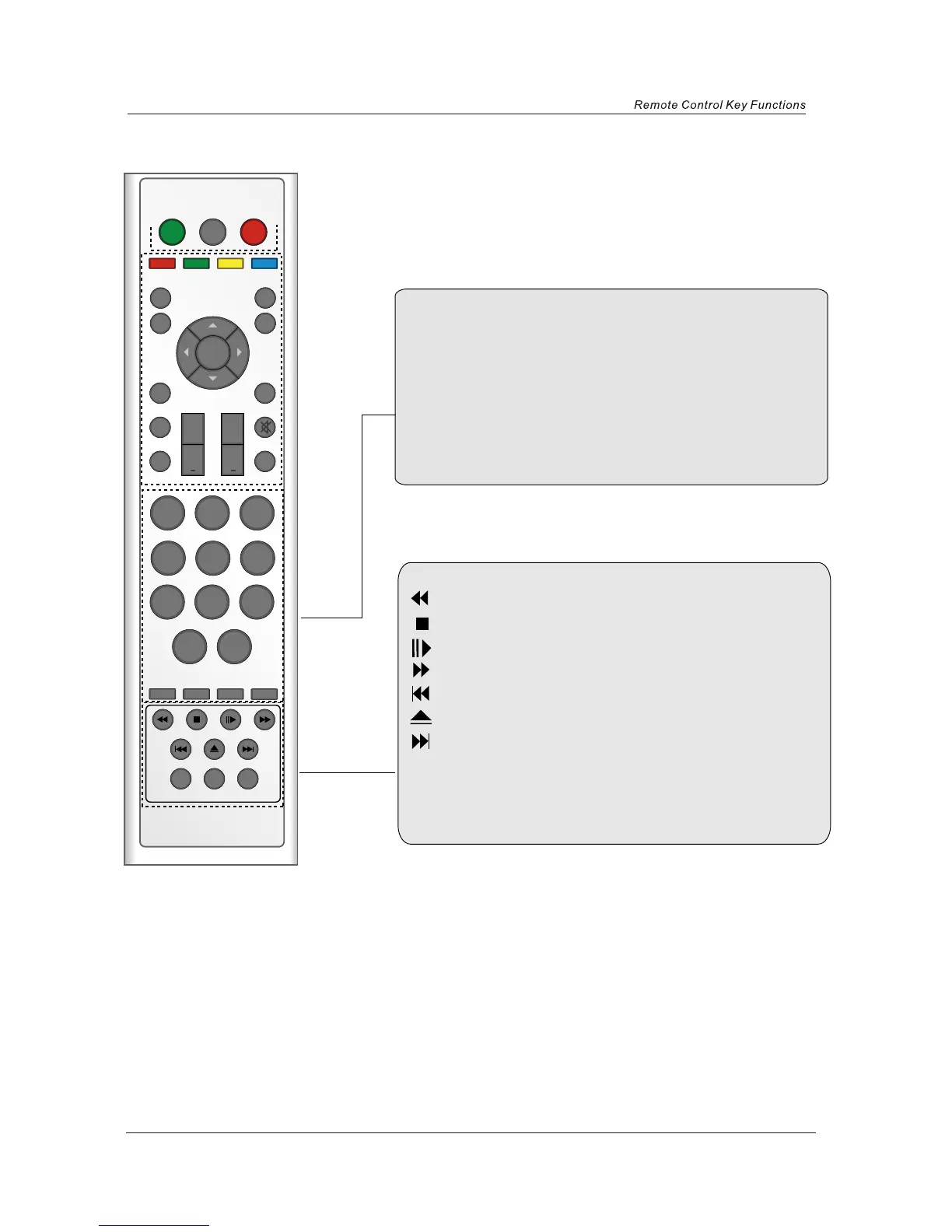
SETUP: DVD setup menu
ZOOM: adjust picture size in DVD mode.
SUBTITLES: select DVD disc subtitle.
: DVD fast forward.
: DVD fast reverse
: DVD next chapter.
: DVD previous chapter.
: load/eject DVD disc.
: play/pause DVD program.
: stop DVD program.
0-9,-/--
Choose channel directly. Number buttons for DVD.
PICTURE: Select the picture mode.
SOUND: Select the sound mode.
Timer
Standby timer.
ASPECT
Press to change the display mode of the screen.
POWER
OFF
FUNCTION STANDBY
PROGVOL
TEXT
HOLD
MENU EXIT
QUICK START MUTE
SUBPAGE
REVEAL
PICTURE SOUND TIMER ASPECT
DISPLAY
FAV
OK
+ +
123
456
789
0
-/--
SETUP
ZOOM SUBTITLES


 To Next Page