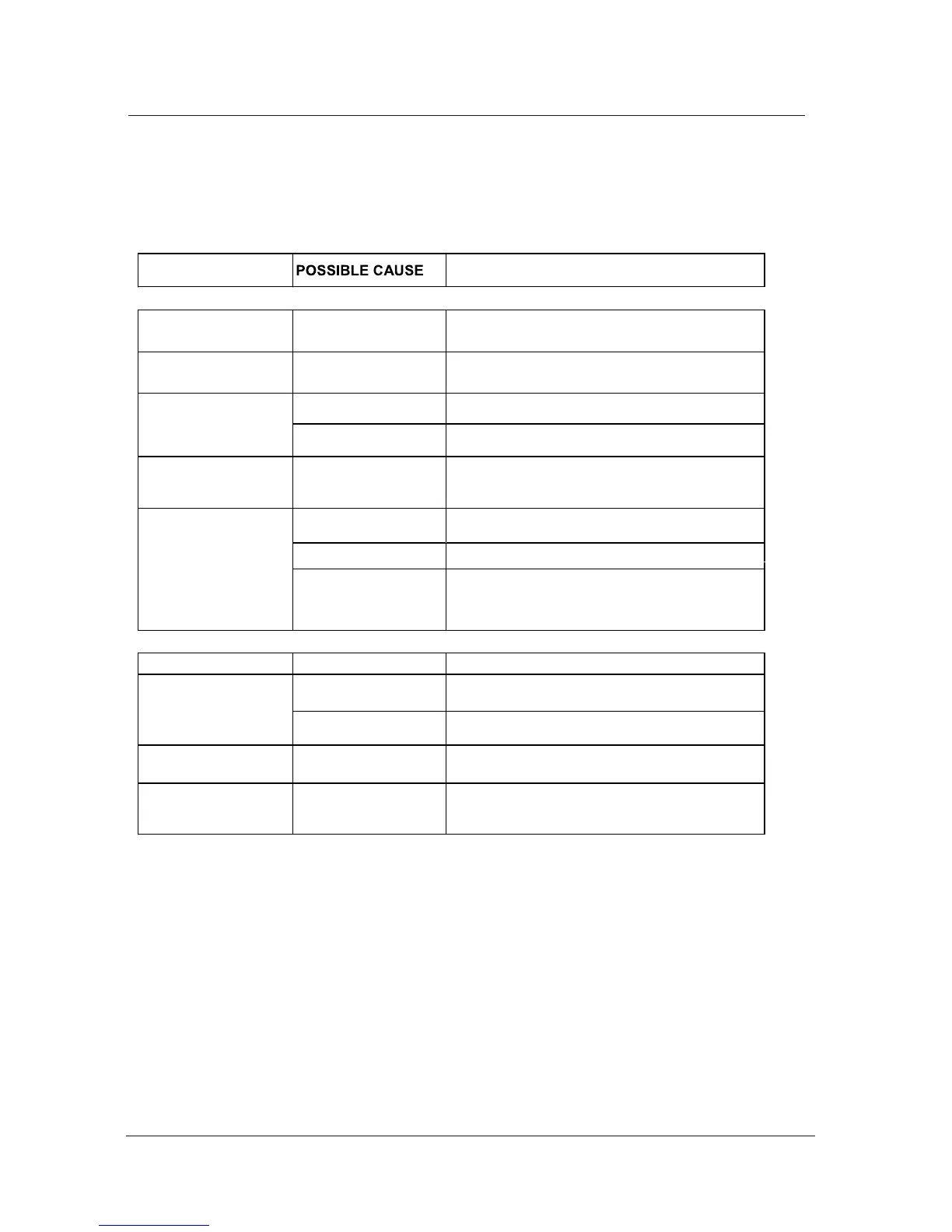
Simple Troubleshooting
Simple Troubleshooting
SYMPTOM REMEDY
GENERAL
Dead. No LED Lit No power to the TV.
Check all connections to the TV.
Dead Led lit red Set still in standby.
Press either the Power button or the Standby
button on the Remote control.
No signal.
Blue screen.
Incorrect source
selected.
Press FUNCTION button to select correct
source.
Noisy, snowy,
ghosting picture
(TV)
Poor aerial signal.
If using an indoor aerial, try moving the
aerial. Check aerial connections.
Volume set too low.
Check volume settings.
No sound
External leads not
connected "if used".
Check all external leads are connected.
DVD
Will not accept disc DVD not selected
Select DVD mode with FUNCTION button.
Disc placed incorrectly
Disc must have mirror side facing you if single
sided.
Screen shows "NO
DISC"
Disc damaged or dirty
Inspect disc. If damaged you must discard.
If dirty see "Disc care' page 20.
20.
Picture "Freezes"
or breaks up
Disc damaged or dirty.
See "Disc care" page
Certain disc functions
not working.
Disc may not
support required
feature.
Read disc information.
Turn sound "Mute" OFF.
Sound "Mute".
If the display or performance fails check the tv in accordance with the following instructions. If the
tv still fails to function correctly contact your dealer for assistance.


 To Next Page