Getting Started
Getting Started
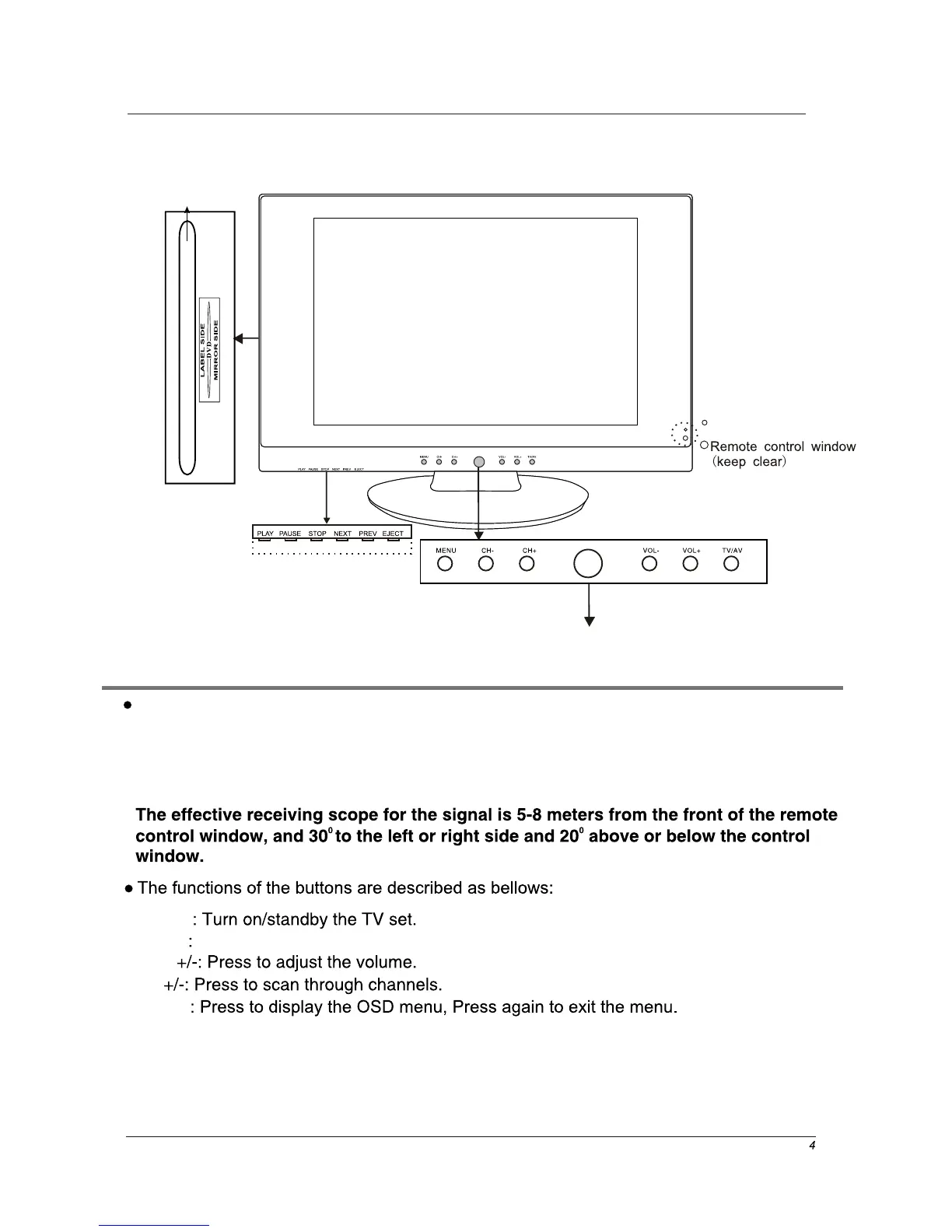
CH
VOL
Power
MENU
TV/AV
(IR) Infrared Receiver: Receives IR signals from the remote control.
(Power on/Standby) LED Indicator: Press POWER to turn on and off,
Press to display the input source menu(see page 10).
Buttons for DVD operation
Please insert a 12cm disc
according to the silk
POWER
NEXT: Play the next track or chapter
PREV: Play the previous track or chapter
EJECT: Eject the disc
PLAY: Play the disc playing
PAUSE: Pause the disc playing
STOP: Stop the disc playing
LED Indicator
Indicator on(Red) Standby mode
Indicator on(Green) Power on mode


 To Next Page