15
3. Then (A) can call (C), or (C) can join the conversation by making an
intercom call to (A).
A
B C
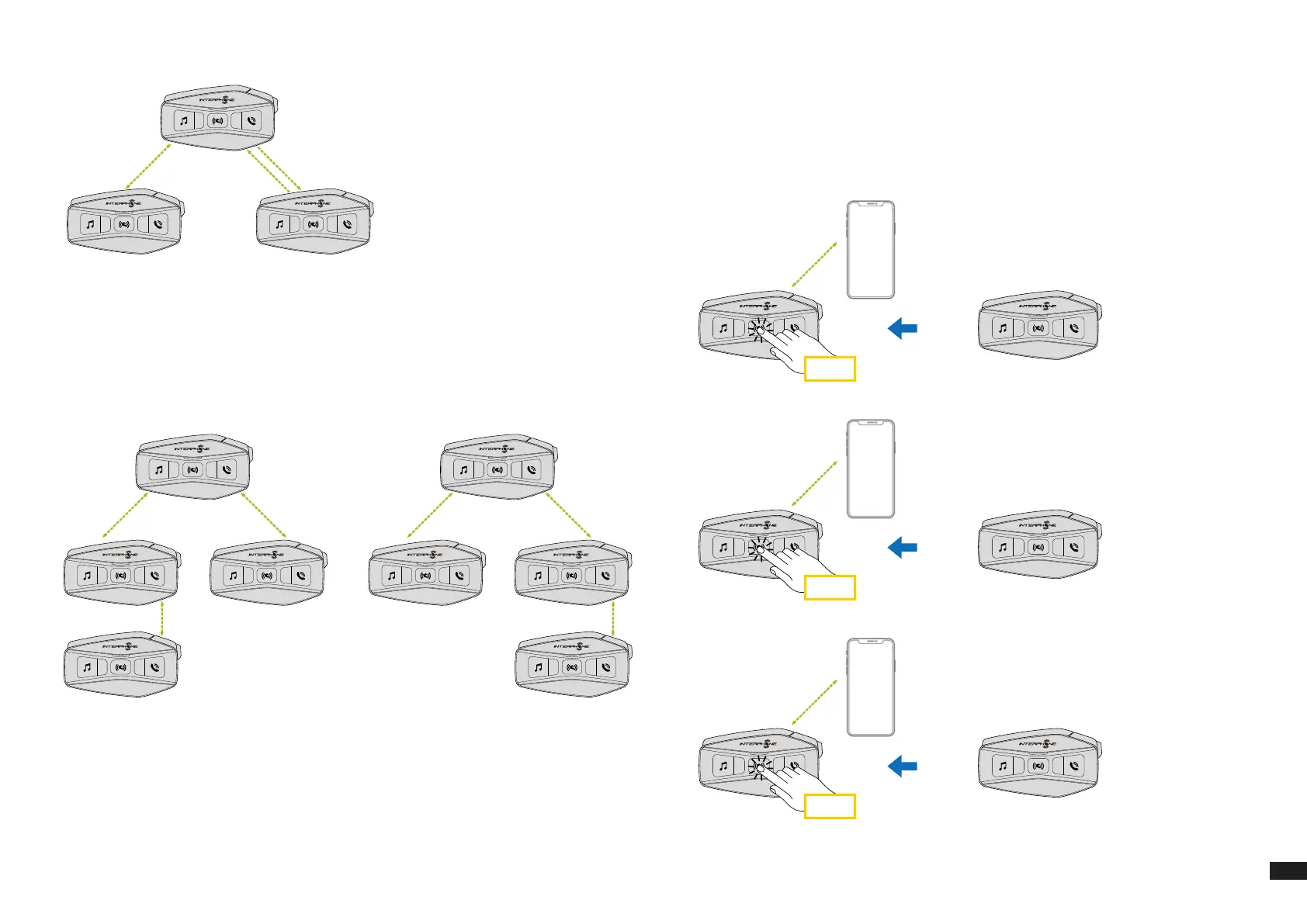
4. Now user (A) and two friends (B and C) will have a three-way intercom
conference.
8.3.2 Starting a four-way intercom conference
Pair the rst three units A, B, C as indicated in chap. 8.3.1.
Pair D to B or to C. The new participant D can join the other three previously
connected friends, creating a four-way conference, making an intercom call
to B or C.
A
B
D
C
A
B
D
C
or
8.3.3 Stop Multi-user Intercom
To stop all intercom connections, press and hold the center button for 3
seconds until the beep.
8.4 Three-Way Conference Phone Call with Intercom Users
You can have a three-way Conference-Phone Call by adding an intercom
user to the mobile phone conversation.
During a mobile phone call, tap the center button once, twice or three times,
to invite one of the intercom units (previously paired) to the conversation.
Press once to add unit D to the conference.
x 1
D
Press twice to add unit C to the conference.
x 2
C
Press three times to add unit B to the conference.
x 3
B
Repeat the same command to disconnect intercom unit from the
phonecall conference.



 To Next Page