TSR-UL-0061-1.3
CHAPTER 4 : Terminal Network Configuration
24
4.2 Accessing the System Configuration Menu
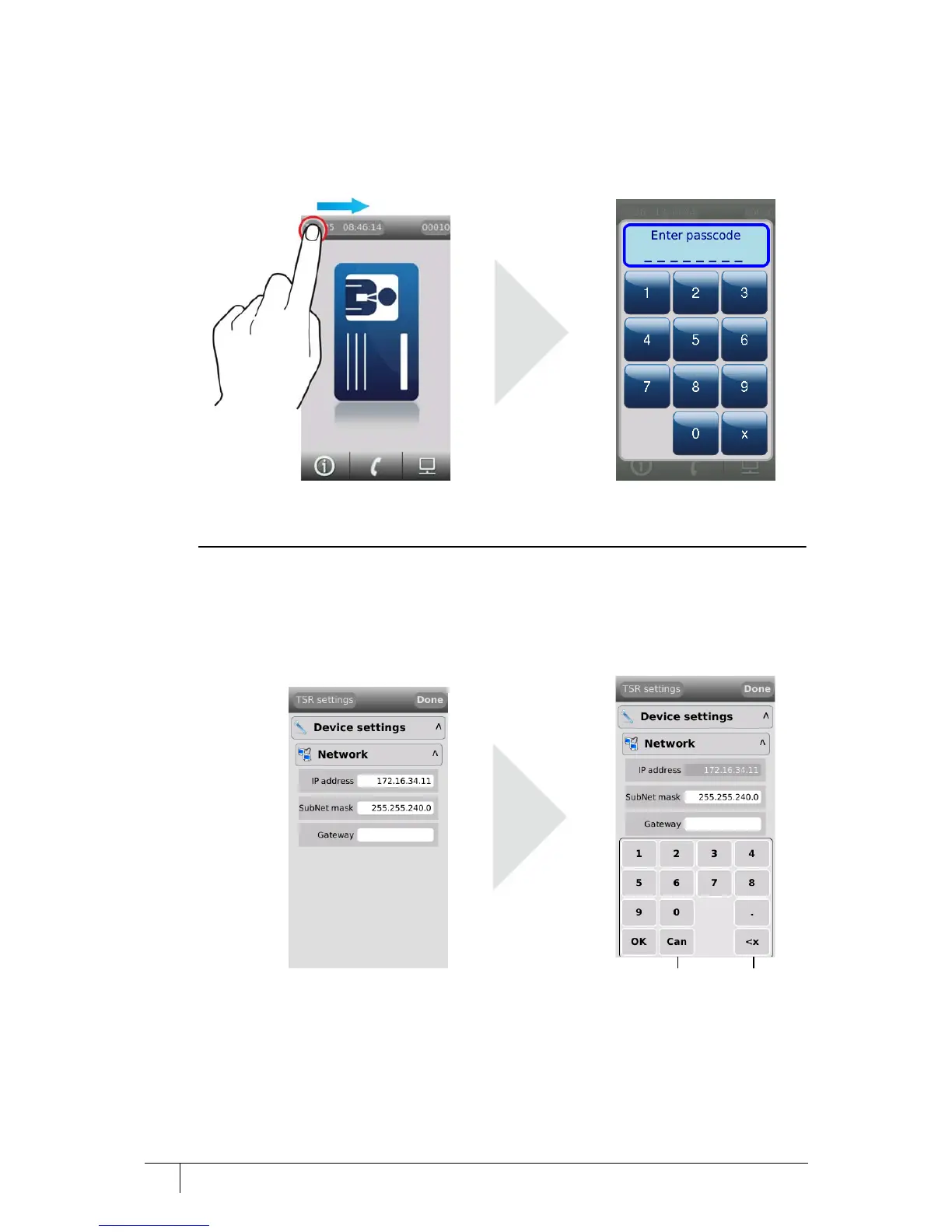
1. Slowly swipe a finger across the date/time from left to right.
2. When prompted to enter passcode type 67679999.
Figure 19 Accessing the configuration menu
Once the terminal has received a configuration from the server this passcode will be changed
to 67670000. The final four digits of this PIN are configurable using the AC2000 software.
4.2.1 Setting the terminal IP address, gateway and subnet mask
1. From the Config Menu press Device settings | Network.
Figure 20 Configuring the terminal network settings
2. Press the IP address field, type the address and press OK.
3. Press the SubNet mask field, type the address and press OK.
4. Press the Gateway field, type the address and press OK.
5. Press Done to close the Network menu.



 To Next Page